
If there’s one thing I’ve learned building my setup, it’s this:
“Budget” in gaming doesn’t mean cheap.
It means how bad do you want this?
Because in the PC world, $1,000 isn’t baller…
It’s entry-level.
So, if you’re here looking for the absolute cheapest option, I’ll save you some time:
If you just want to play games and not think about it?
Buy a PS5.
Seriously. Don’t overcomplicate this.
But if you’re looking to build a solid gaming PC that’ll last you for years, or even invest in something high-end, this guide breaks down what’s worth your money, and what’s a complete waste.
Some links may be affiliate links, meaning I may earn a commission at no extra cost to you. But these are parts and gear I trust, or wish I’d known about sooner.
Need some extra advice? Check out What I’d Do to Build the Perfect Gaming Setup in 2026.
Budget Gaming Setup (~$1,000 Range)
This is where most people either waste money…
or build something solid.
What You Get:
- Great 1080p performance, some 1440p gaming
- Future-proof for a few years, but you’ll eventually need upgrades
- Customizable & upgradeable, unlike a console
- Still way better than a PS5, if you want to tweak settings
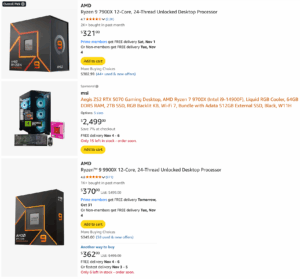
- Best Budget Gaming PC Build (~$1,000)
- CPU – AMD Ryzen 5 5600X or Intel i5-12400F
- GPU – AMD Radeon RX 6700 XT (which I use) or NVIDIA RTX 3060 Ti
- RAM – 16GB DDR4 (32GB if you can stretch the budget)
- Storage – 1TB NVMe SSD (no HDDs, we’re in 2025, get an SSD)
- Motherboard – Budget B550 or B660 chipset
- Power Supply – 650W+ (80+ Bronze or better)
- Cooling – Stock cooler is fine for now
This isn’t flashy.
But it works.
And that’s the whole point.
Why This Works:
- Handles every game at 1080p ultra with smooth FPS
- Solid for streaming, content creation, and multitasking
- Upgradeable (you can swap in a better GPU later)
Ready for a new monitor? Check out the Best Gaming Monitors for 2025 (that are actually worth it).
High-End Gaming Setup ($2,500+)
This is where things get tougher.
Because now you’re not just buying performance.
You’re buying headroom you might never use.
What You Get:
- 1440p ultra or 4K gaming with insane FPS
- No need to upgrade for years
- Handles streaming, content creation, and AI workloads
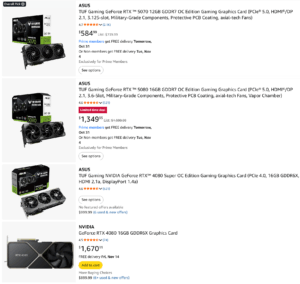
- Best High-End Gaming PC Build (~$2,500)
- CPU – AMD Ryzen 9 7900X or Intel i7-13700K
- GPU – NVIDIA RTX 4080 or AMD RX 7900 XTX
- RAM – 32GB DDR5
- Storage – 2TB NVMe SSD
- Motherboard – High-end X670E or Z790 chipset
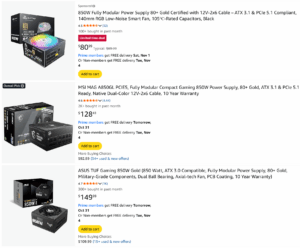
- Power Supply – 850W+ (80+ Gold or better)
- Cooling – AIO liquid cooler
Most people don’t need this.
And if you do, you probably already know.
Why This Works:
- 1440p 240Hz, 4K 120Hz, or ultra settings at max FPS
- Future-proofed for the next 5+ years
- Crushes video editing, streaming, and heavy workloads
The Biggest Mistakes Gamers Make When Buying a Setup
Keeping Up with the Joneses.
This is how people end up with a $3,000 setup…
and still suck at the game.
- Overspending on RGB & Aesthetics – Performance > Looks. A fully RGB setup won’t make you better at the game, but better FPS will.
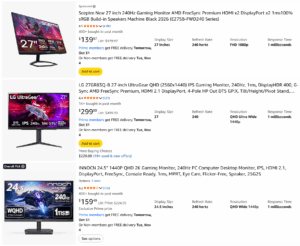
- Skipping the Monitor Upgrade – The biggest difference I noticed in my own setup wasn’t my GPU or CPU; it was going from a basic 60Hz screen to a high refresh rate monitor.
Bonus: What About Console Gamers?
If you’re on a tight budget and just want something that works without upgrades, the PlayStation 5 is hands-down the best choice. It runs at 4K, 120Hz, and costs less than most GPUs.
But if you’re serious about performance, customization, and content creation, PC is the way to go.
Final Thoughts: Get What You Can Afford & Upgrade Later
Don’t go broke trying to build a high-end PC.
Build something that works.
Upgrade when it stops keeping up.
What I’d Actually Do (If I Was Starting Today)
- Budget? → Build around performance
- Mid-range? → Upgrade GPU first
- High-end? → Only if you need it
Most people don’t need more power. They need better decisions.
Your Next Steps:
- Pick a build based on your budget
- Focus on performance, not hype
- Start gaming, creating, and leveling up your setup over time
Ready to start streaming? Check out Streaming Gear You Need (skip the overhype stuff).