
Starting a stream is already overwhelming.
- Microphones
- Lighting
- OBS
- Bitrate
- Overlays
The last thing you need is another article telling you that you must spend $300 on a webcam before you even hit “Go Live.”
You don’t.
I’ve been streaming and creating content for over a year now, and one thing I’ve learned is this:
A webcam won’t make you a better streamer.
A quality webcam just helps capture people’s attention.
The personality, consistency, and community are still on you.
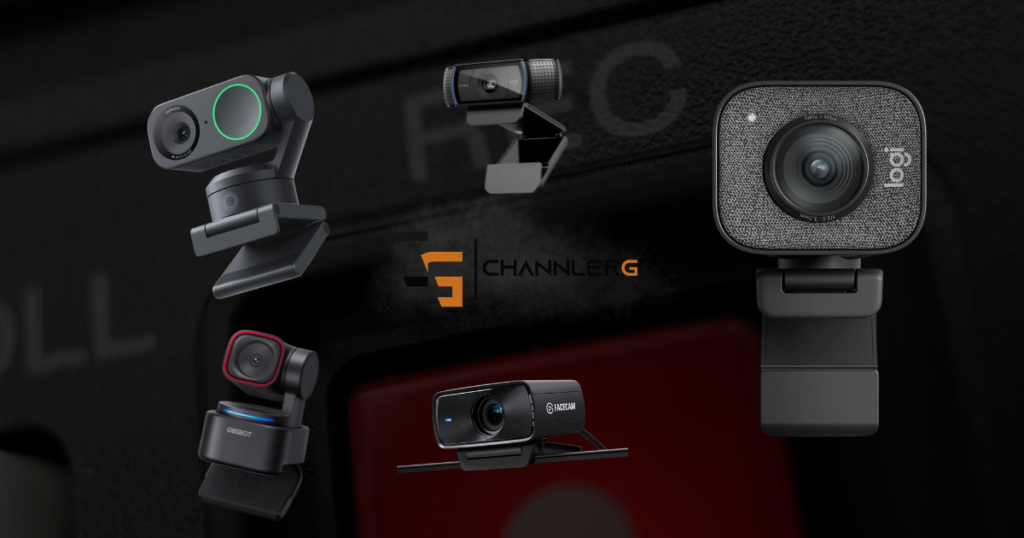
These are the webcams I’d actually recommend in 2026 if you’re streaming on Twitch, YouTube, TikTok, or creating gaming content.
Some links in this article may be affiliate links, meaning I may earn a commission at no extra cost to you.
Quick Picks
Best Overall
Best Budget
Best Mid-Range
Best Image Quality
Best Premium
Before You Spend Money…
Here’s something I wish more people talked about.
If I gave you two options…
- A $300 webcam in a dark room
or
- A $100 webcam with a decent ring light
I’m picking the second one every single time.
Lighting changes your image more than buying the most expensive camera ever will.
Don’t skip that part.
Best Overall: OBSBOT Tiny 3 Lite
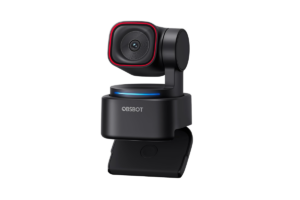
I use the OBSBOT Tiny 2 Lite and I love it.
This is what I use.
Every stream.
Every video.
Every piece of content.
I’ve had it for over a year now, and honestly, that’s probably the biggest compliment I can give it:
I don’t think about it.
It just works.
Why I Bought It
Originally, I bought it because of the AI tracking.
I thought I’d be moving around the room more while streaming.
Turns out…
I barely use that feature.
For my content, it honestly gets turned off most of the time.
What I actually ended up loving was everything else.
- Excellent image quality
- OBS integration
- Fast autofocus
- Easy setup
- Reliable every single stream
Yes, shooting in 4K is probably overkill for most people.
But having that image quality available is nice.
Who Should Buy It?
If you’re planning on streaming consistently and want something you’ll probably still be using a few years from now, this would still be my recommendation.
Best Budget: Logitech C920 HD Pro
There’s a reason this camera refuses to disappear.
It’s been recommended for years because…
…it’s simply good enough.
You don’t need every feature when you’re getting started.
You need something reliable.
The C920 has helped launch thousands of Twitch channels for exactly that reason.
Best For
- First-time streamers
- Students
- Budget gaming setups
CHECK LOGITECH C920 PRICE HERE
Best Mid-Range: Logitech StreamCam
If you want to step up from the C920 without jumping into premium pricing, this is where I’d look.
The image quality is noticeably cleaner, autofocus is quick, and Logitech’s software has been reliable for years.
It’s the kind of webcam you buy once and probably don’t think about replacing for a long time.
Best For
Content creators who want an obvious upgrade without spending a fortune.
Best Image Quality: Elgato Facecam MK.2
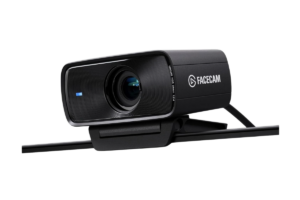
Elgato knows creators.
Their capture cards, Stream Decks, and lighting products are already staples in a lot of setups.
The Facecam MK.2 follows that same philosophy.
Excellent image.
Clean software.
Built specifically for creators instead of office meetings.
Best For
People who already have decent lighting and want to squeeze every bit of quality out of their setup.
Best Premium: Insta360 Link 2
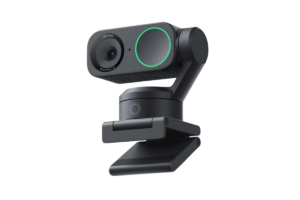
If money isn’t the deciding factor, the Link 2 deserves a look.
The image quality is outstanding, autofocus is excellent, and the tracking system is one of the best available.
Ironically…
Tracking isn’t something I personally care much about anymore.
But if you’re teaching, presenting, standing during streams, or filming away from your desk, this becomes much more useful than it is for someone like me.
Best For
Creators who move around while recording.
The Biggest Mistake New Streamers Make
I see this all the time.
Someone watches their favorite streamer.
That streamer uses a $350 webcam.
So naturally…
They think they need the exact same thing.
The reality?
That streamer also has:
- Professional lighting
- A powerful PC
- Years of experience
- Camera settings dialed in
- A room designed for content
The webcam isn’t doing all the work.
Don’t let someone else’s setup convince you to overspend on yours.
Check out My Gaming Setup Isn’t Impressive (And That’s Why It Works)
My Advice If You’re Buying Your First Webcam
If I were starting over today, I’d spend money in roughly this order:
- A decent microphone
- Good lighting
- A reliable webcam
- Everything else
Your audience will forgive an average video long before they’ll forgive bad audio.
Once you have both, you’re already ahead of a huge percentage of new creators.
Here’s more Streaming Gear You Need (Skip the Overhyped Stuff)
Last But Not Least
There’s no such thing as the perfect webcam.
Only the one that fits the way you create content.
For me, that’s still the OBSBOT Tiny 2 Lite.
Not because it has AI tracking.
Not because it shoots in 4K.
Because after more than a year of using it almost every day, it’s become one less thing I have to worry about.
And when you’re trying to create consistently, that’s worth a lot.