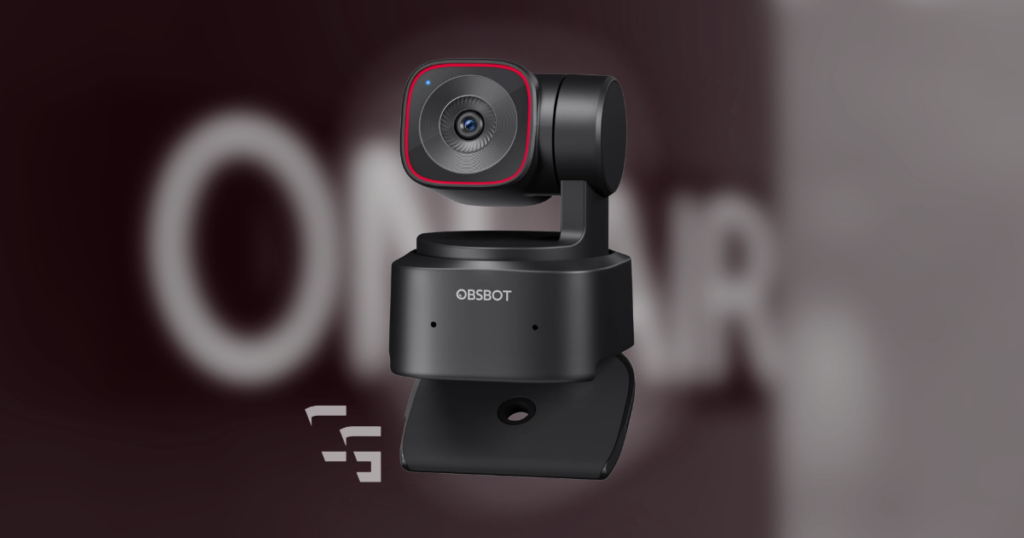
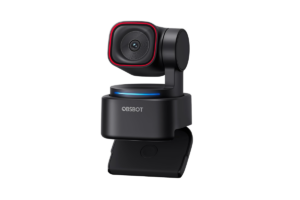
When I bought the OBSBOT Tiny 2 Lite, I wasn’t looking for the fanciest webcam on the market.
I wanted something I could set up once, plug into OBS, and never have to think about again.
Over a year later, after roughly 300 hours of streaming, recording videos, and creating content, that’s exactly what it’s been.
- No constant troubleshooting
- No fighting with settings before every stream
- No wondering why my camera suddenly looks terrible
It just works.
Some links in this article may be affiliate links, meaning I may earn a commission at no extra cost to you.
Need more options? Check out the Best Webcams for Streaming in 2026
Quick Verdict
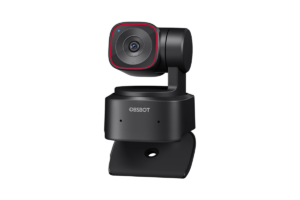
Rating: ★★★★☆ (9/10)
What I Loved
- Excellent image quality
- Reliable autofocus
- OBS integration is seamless
- Easy to position
- Simple to use every day
What I Didn’t Love
- AI tracking wasn’t for me
- Needs decent lighting to really shine
- Probably overkill for someone who just needs Zoom calls

Why I Bought It
When I started streaming, I didn’t even own a webcam.
Eventually, I realized that if I wanted to create better content, showing my face would probably help.
After looking around, I landed on the Tiny 2 Lite.
The feature that caught my attention?
AI tracking.
At the time I thought,
“This is awesome. I’ll be moving around all the time.”
Turns out…
I was completely wrong.
I made a list of Streaming Gear You Need (Skip the Overhyped Stuff)
The Feature I Thought I’d Love…
…And Almost Never Use
This is the most honest part of the review.
I almost never use the AI tracking.
Not because it’s bad.
Because of how I stream.
I mostly sit in one spot.
When I’m gaming, I’m constantly shifting around in my chair.
The tracking would follow every little movement.
Could I slow it down?
Absolutely.
But after trying it a few times, I realized I actually preferred a completely stationary camera.
It just feels cleaner.
So if AI tracking is the only reason you’re considering this webcam…
I’d actually tell you to think about how you create content first.
For me, it ended up being more of a bonus feature than something I actually needed.
What Impressed Me
The stuff I use every single stream.
1. OBS Integration
I use OBS almost every day.
The Tiny 2 Lite connects without drama.
OBS recognizes it immediately.
I don’t spend time troubleshooting.
I don’t constantly tweak settings.
I open OBS.
The camera works.
That’s exactly what I wanted.
2. Autofocus
I’ve never had autofocus become something I think about.
Which is probably the best compliment you can give autofocus.
It simply does its job.
The only time I noticed it struggling was when I had AI tracking turned on and I was moving around more than usual.
Outside of that…
It’s been great.
3. Image Quality
The image quality has been excellent.
Yes…
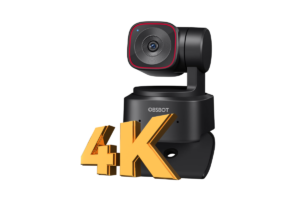
It shoots in 4K.
Do I need 4K?
Probably not.
But it’s nice knowing the camera is capable of it.
More importantly…
The picture looks good.
- Faces are sharp
- Colors look natural
- Everything feels clean without looking overly processed
Lighting Still Matters
A better webcam doesn’t magically fix bad lighting.
If my room is dark, my picture isn’t going to look nearly as good.
Give me:
- a decent ring light
- or my office lights
And this camera looks fantastic.
I’d rather use this webcam with good lighting than spend twice as much on another camera and stream in the dark.
Lighting is one of the best upgrades you can make.
Check out Do You Really Need A 4K Webcam to Stream
What Surprised Me
How little I’ve messed with it.
Seriously.
- I set it up
- Found the angle I liked
- Added it to OBS
- Mapped my camera position to my Elgato Stream Deck
And… that was basically it.
Sometimes I’ll open the software just to mess around.
But for the most part?
It quietly does its job in the background.
That’s become one of my favorite things about it.
My Gaming Setup Isn’t Impressive (And That’s Why It Works)
Who I Think Should Buy It
I think this webcam is perfect for:
- New streamers
- YouTube creators
- TikTok creators using OBS
- People building a long-term setup
- Anyone who wants a quality webcam they’ll likely keep for years
If you’re planning to create content consistently, I think it’s a great investment.
Who Probably Doesn’t Need It
If your budget is around $40…
This probably isn’t the webcam I’d recommend.
Likewise, if all you’re doing is the occasional Zoom meeting with family, this is probably more camera than you need.
There are cheaper options that make more sense.
Would I Buy It Again?
Actually…
No.
But not for the reason you think.
I wouldn’t buy another Tiny 2 Lite because I’d buy the OBSBOT Tiny 3 Lite instead.
I’ve had such a good experience with OBSBOT that I’d happily stick with the brand and simply buy the newer model.
To me, that’s probably the strongest endorsement I can give.
Complete your setup with the Best Wireless Gaming Headsets in 2026
Wrap It Up!
After more than a year of using the OBSBOT Tiny 2 Lite, I still think it’s one of the easiest pieces of gear in my setup to recommend.
- Not because it has AI tracking
- Not because it shoots in 4K
Because it lets me focus on creating content instead of constantly adjusting my camera.
Sometimes the best gear isn’t the product with the longest feature list.
It’s the one that quietly does exactly what you need it to do.
And that’s what this webcam has done for me.