
When I started setting up my gaming area, I thought buying a desk would be the easy part.
- Find one that looked cool
- Make sure it fit my room
- Done
A year later…
There are a handful of things I’d do differently.
- Some of these mistakes cost money
- Some cost desk space
- Some just annoy me every single day
If you’re building a setup in 2026, hopefully this saves you from making the same mistakes I did.
Some links in this article may be affiliate links, meaning I may earn a commission at no extra cost to you.
Quick Tips
- Measure your room first
- Plan your entire setup before buying a desk
- Don’t ignore cable management
- Leave room for upgrades
- Buy for comfort NOT RGB

Mistake #1: Buying the Desk Before Planning the Setup
I bought the desk…
Then I figured out where everything else would go.
If I could start over, I’d do the opposite.
I’d decide where my monitors, speakers, PC, microphone, controller chargers, and everything else would live before I bought anything.
The desk should fit the setup.
Not the other way around.
Mistake #2: Not Measuring Your Space
This sounds obvious…
Until you’re staring at a desk that’s six inches too wide.
Or one that technically “fits” but leaves no room to pull your chair back.
Before you order anything:
- Measure wall-to-wall
- Measure chair clearance
- Measure monitor depth
- Think about opening doors and drawers
Ten minutes with a tape measure can save you a huge headache.
Check out Gaming Desks for Small Rooms (You Don’t Need a Giant Space)
Mistake #3: Forgetting About the PC
My desk works great…
But I wish it had a dedicated spot for my PC.
Right now, it’s not exactly where I’d like it.
Whether you keep your PC on the desk, or on a stand, make sure you’ve already decided before buying the desk.
Future you will appreciate it.
Mistake #4: Ignoring Cable Management
Nothing makes an expensive setup look cheap faster than cables hanging everywhere.
You don’t need to spend hundreds of dollars fixing it.
Simple things help a lot:
- Under-desk cable trays
- Velcro cable ties
- Cable sleeves
- Power strip mounts
Small upgrades make the whole setup feel cleaner.
It took me awhile to figure out that The Best Gaming Setup Isn’t The Most Expensive One
Mistake #5: Buying the Coolest Desk Instead of the Most Practical One
Gaming desks love marketing.
- RGB lights
- Carbon fiber stickers
- Aggressive shapes
- Cup holders
- Controller hooks
Some of that stuff is nice.
Most of it won’t matter after the first week.
What you’ll notice every single day is:
- Is it sturdy?
- Is it comfortable?
- Does it have enough room?
- Does it fit your setup?
Those are the things worth paying for.
Comfort is key. Check out Best Gaming Chairs Under $200 (Comfort Without Destroying Your Budget)
Mistake #6: Not Thinking About the Future
When I bought my desk, I was thinking about the setup I had.
Not the one I’d eventually build.
Now I wish I had:
- More storage
- Better cable management
- A height-adjustable desk
None of those are deal-breakers.
But they’re things I’d absolutely consider next time.
Try to buy for where your setup is headed and not just where it is today.
Mistake #7: Assuming You Need an Expensive Desk
You don’t.
I’ve been using a basic 55-inch Amazon gaming desk for over a year.
Is it perfect?
No.
Would I buy it again?
Probably not.
But it proved something important.
You don’t need a $1,000 desk to enjoy gaming.
I’d rather spend the extra money on a better monitor, headset, or microphone.
Here are Five 1440P Monitors I’d Recommend to Almost Anyone in 2026
What I’d Prioritize Today
If I were shopping again, this is what I’d care about most:
1. Plenty of surface space
Enough room for monitors, keyboard, mouse, and everything else.
2. Solid construction
No wobbling.
No shaking every time I move my mouse.
3. Cable management
It doesn’t need to be perfect.
It just needs to exist.
4. Upgrade potential
Can I add monitor arms later?
Can I mount accessories?
Can it grow with my setup?
5. Height adjustment
This is probably the biggest thing I wish I had.
After spending so many hours at my desk every week, being able to switch between sitting and standing would be a really nice feature.
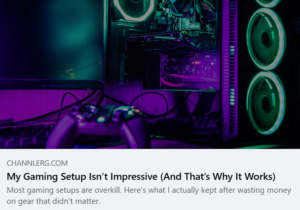
My Gaming Setup Isn’t Impressive (And That’s Why it Works)
Final Thoughts
Your desk is one of the few parts of your setup you’ll interact with every single day.
Don’t buy one because it has flashy marketing.
Buy one because it fits the way you actually game.
A clean, comfortable desk that works for your space will always beat a fancy one that creates problems every time you sit down.
Build your setup around how you use it, not how someone else says it should look.