I’ve spent a ridiculous amount of time talking about gaming gear on this website.
- Monitors
- Headsets
- IEMs
- Microphones
- Webcams
- Keyboards
- Controllers
- Desks
And somehow I’ve mostly ignored the thing sitting directly beside my keyboard.
My mouse.
Maybe that’s because my current mouse isn’t exciting.
I use a Logitech M510.
- I’ve had it for more than two years
- I paid around $28 for it
- and it still works
Do I think it’s an incredible gaming mouse?
No.
Would someone who actually knows gaming mice probably make fun of me?
Absolutely.
But I’ve always had the same philosophy with gaming gear:
“If what you have works, you don’t need to replace it just because something better exists.”
That said…
Researching this article has made me want a new mouse. So that’s unfortunate.
Some links in this article may be affiliate links, meaning I may earn a commission at no additional cost to you. Recommendations outside my own gear are based on current specs, independent testing, value, and what I’d actually consider buying.

TL;DR
You probably don’t need a $150+ gaming mouse.
There. I said it.
I’ve been using a $28 Logitech M510 for more than two years. It’s not even really a gaming mouse. I mostly use keyboard and mouse for work, and somehow I’ve survived.
But if I were upgrading today, there’s a massive range of legitimately good gaming mice available depending on what you actually play.
Here are my 10 picks:
- Best Overall – Razer Viper V4 Pro
- Best Budget – Logitech G305 LIGHTSPEED
- Best for FPS – Logitech G PRO X2 SUPERSTRIKE
- Best Wireless – Razer DeathAdder V4 PRO
- Best Battery Life – Razer Basilisk V3 X HyperSpeed
- Best All-Around Gaming – Logitech G502 X LIGHTSPEED
- Best MMO/Extra Buttons – Razer Naga V3 Pro
- Best Ergonomic/Comfort – Razer Basilisk V3
- Best Gaming + Productivity – Logitech G502 X PLUS
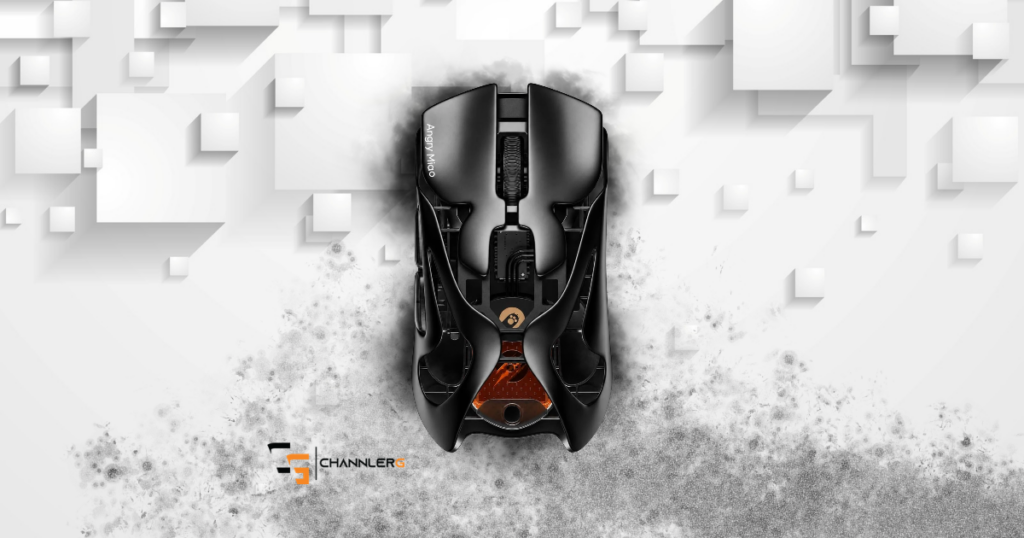
- Premium Pick – Angry Miao AM Infinity .97
I’d probably start looking at the Logitech G502 family. (More on that later)
What Actually Makes a Gaming Mouse Good?
Here’s where I think buying gaming gear gets unnecessarily complicated.
You’ll see numbers like:
- 50,000 DPI
- 8,000 Hz polling
- 930 IPS
- 90G acceleration
And suddenly the $30 mouse you’ve happily used for three years feels like an ancient artifact.
Those specifications aren’t meaningless.
High-end gaming mice really are incredibly fast and accurate. Current competitive models like the Razer Viper V4 Pro support 8,000Hz polling and extremely high-performance sensors.
But there’s another question:
Will you notice?
That’s what I care about.
For me, the priorities are much simpler:
Price. Comfort. Quality.
If you’re seriously competitive in Valorant or another FPS, your priorities may be completely different.
That’s why I don’t think there is one mouse that’s perfect for everybody.
So let’s do categories.
Best Overall: Razer Viper V4 Pro
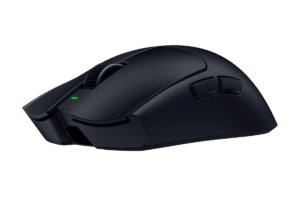
If I were trying to identify the mouse that represents the best combination of current gaming technology without going completely insane on price, I’d start here.
The Viper V4 Pro weighs roughly 49 grams, supports up to 8,000Hz polling, uses Razer’s newer Focus Pro 50K optical sensor and has up to 180 hours of rated battery life at 1,000Hz.
Independent testing has also found it to have exceptionally low latency and an accommodating shape across a variety of hand sizes and grip styles.
Why It Made My List
- Extremely lightweight
- Wireless
- Top-tier sensor performance
- Great for competitive gaming
- Shape works for a wide range of gamers
- Ridiculous performance without being the most expensive mouse here
Who I’d Buy It For
Someone who wants one seriously good gaming mouse and doesn’t mind paying for performance they’ll actually use.
Get it here: Check the Razer Viper V4 Pro on Amazon
Best Budget: Logitech G305 LIGHTSPEED
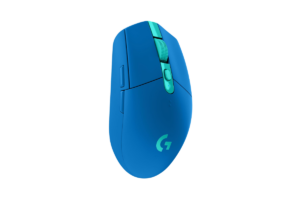
This one is much more my speed.
The G305 LIGHTSPEED isn’t new or flashy.
It doesn’t need to be.
Current independent testing still recommends it as one of the strongest budget gaming mice available. It offers reliable wireless performance, solid build quality and up to 250 hours of advertised battery life from a single AA battery.
That’s exactly what I want from budget gear.
Why It Made My List
- Affordable
- Wireless
- Proven design
- Excellent battery life
- Good enough performance for a huge percentage of gamers
If you’re building your first PC setup, I’d much rather see you buy something like this and put the extra money toward the parts of your setup where you’ll notice the difference.
Find it here: Check the Logitech G305 LIGHTSPEED on Amazon
Best for FPS: Logitech G PRO X2 SUPERSTRIKE
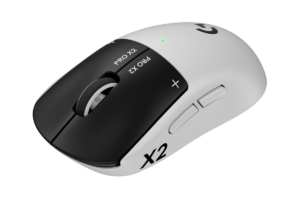
Now we’re entering the territory where the numbers start getting ridiculous.
The Logitech G PRO X2 SUPERSTRIKE is built for competitive gaming.
It weighs about 60 grams, supports up to 8,000Hz polling, has Logitech’s HERO 2 sensor and offers up to 90 hours of rated battery life.
It’s also one of the highest-performing gaming mice currently tested by RTINGS.
Do I need this?
Absolutely not.
But someone grinding competitive FPS games might actually appreciate the performance advantages that would be completely wasted on me.
Why It Made My List
- Extremely responsive
- Lightweight
- High-end wireless performance
- Built specifically around competitive play
This is also where I’d pair the article naturally with Best Monitors for FPS Games in 2026. If you’re chasing tiny latency advantages from your mouse while playing on a basic 60Hz display, I’d probably upgrade the monitor first.
Get it here: Check the Logitech G PRO X2 SUPERSTRIKE on Amazon
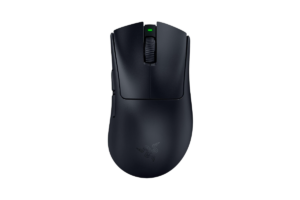
Best Wireless: Razer DeathAdder V4 Pro
I already use a wireless mouse.
I’d probably stay wireless when I eventually upgrade.
I’m never going to be competitive enough that I’m worried about some microscopic theoretical advantage from having a cable attached to my mouse.
And modern wireless gaming mice are ridiculously responsive anyway.
The DeathAdder V4 Pro delivers performance similar to the Viper V4 Pro but uses a larger right-handed ergonomic shape that’s particularly well suited to larger hands and palm grips.
Why It Made My List
- Excellent wireless performance
- Lightweight
- Comfortable ergonomic shape
- Strong option for larger hands
- Top-tier gaming performance
Find it here: Check the Razer DeathAdder V4 Pro on Amazon
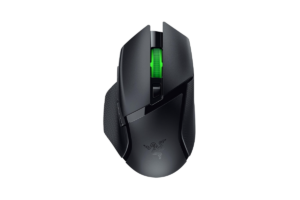
Best Battery Life: Razer Basilisk V3 X HyperSpeed
If I’m buying a wireless mouse, I don’t want to constantly think about charging it.
That’s kind of the point of wireless.
The Razer Basilisk V3 X HyperSpeed stands out because it offers up to 285 hours of battery life using Razer HyperSpeed Wireless, or up to 535 hours over Bluetooth. It runs on a single AA battery rather than having an internal rechargeable battery.
Is swapping an AA battery every once in a while as exciting as talking about insane sensors and polling rates?
No.
But it’s practical.
And honestly, practical features are usually the ones I end up appreciating the most.
Why It Made My List
- Excellent battery life
- HyperSpeed Wireless and Bluetooth
- Comfortable right-handed design
- 7 programmable controls
- Doesn’t require constant charging
- Reasonably priced compared with premium wireless mice
This is the mouse I’d look at if your biggest wireless-mouse requirement is simply:
“Please work, and don’t make me think about charging you all the time.”
That’s something I can get behind.
Get it here: Check the Razer Basilisk V3 X HyperSpeed on Amazon
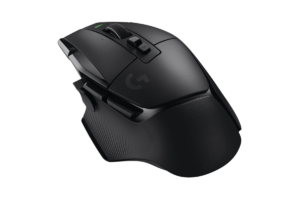
Best All-Around Gaming: Logitech G502 X LIGHTSPEED
This is probably the one I’d buy.
Before researching this article, if someone handed me $100 and told me I had to replace my mouse, my answer was:
Logitech G502 LIGHTSPEED.
After looking at what’s currently available, I’d actually move toward the newer G502 X LIGHTSPEED, assuming the current price makes sense.
It isn’t trying to be the lightest competitive FPS mouse.
That’s why I like it.
It gives you 13 programmable controls, Logitech’s HERO 25K sensor, USB-C charging and up to 140 hours of rated battery life.
Independent testing specifically recommends the G502 X family for people who play a wider mix of games instead of exclusively competitive FPS titles.
That’s me.
Why It Made My List
- Wireless
- Comfortable design
- Lots of programmable controls
- Great battery life
- Works across tons of genres
- Useful outside gaming too
I play shooters.
Then I’ll play LEGO Batman.
Then a story game.
Then I’ll spend hours working on ChannlerG.
I don’t want a mouse that’s incredible at one thing and annoying everywhere else.
Find it here: Check the Logitech G502 X LIGHTSPEED on Amazon
Best MMO / Extra Buttons: Razer Naga V3 Pro
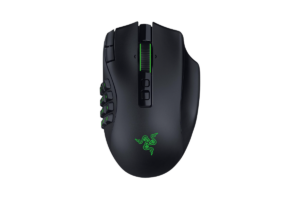
This thing is basically a keyboard attached to your thumb.
The newly released Naga V3 Pro offers interchangeable 2-, 6- and 12-button side plates, with up to 23 programmable controls depending on configuration. Razer also rates it for up to 155 hours over its HyperSpeed wireless connection.
PC Gamer praised its versatility and performance but also pointed out the obvious problem:
It’s expensive.
Why It Made My List
- Tons of programmable controls
- Swappable side panels
- Wireless
- Built for MMO players
- Can adapt to other genres
I barely use the two side buttons on my current mouse.
So this would be hilariously unnecessary for me.
But if you’re constantly firing off abilities and macros?
Now it makes sense.
Get it here: Check the Razer Naga V3 Pro on Amazon
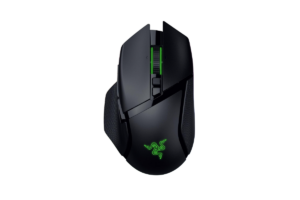
Best Ergonomic / Comfort: Razer Basilisk V3
Here’s a category I think gets overlooked.
Your mouse needs to feel good.
You’re potentially holding this thing for hours every day.
The wired Razer Basilisk V3 has a sculpted right-handed shape with a thumb rest, three side buttons and a scroll wheel with tilt and free-scrolling functions. Independent ergonomic testing specifically recommends it as a strong budget ergonomic gaming option.
Why It Made My List
- Comfortable right-handed design
- Thumb rest
- Useful extra controls
- Good gaming performance
- Reasonable price compared with premium options
It’s heavier than the competitive mice above, and it’s wired.
But that’s the point of categories.
Not everybody wants the same thing.
Find it here: Check the Razer Basilisk V3 on Amazon
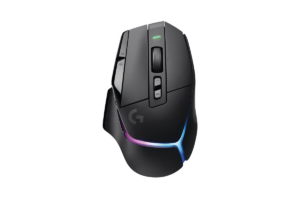
Best Gaming + Productivity: Logitech G502 X PLUS
This is where my gaming setup and actual life collide.
I don’t only use my computer to play games.
I’m writing.
Editing.
Working on the website.
Researching.
Managing content.
And then gaming on the same machine.
The G502 X PLUS is particularly good at crossing that line. It has a comfortable right-handed shape, plenty of programmable inputs, excellent gaming performance and a scroll wheel that can switch into free-scrolling mode for flying through long pages.
Why It Made My List
- Excellent for multiple game genres
- Lots of programmable controls
- Useful scroll wheel
- Comfortable
- Wireless
- Doesn’t stop being useful when the game closes
This is probably one of the strongest options here for someone who uses the same PC for gaming and work.
Get it here: Check the Logitech G502 X PLUS on Amazon
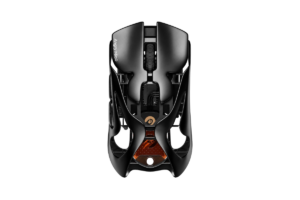
Premium Pick: Angry Miao AM Infinity .97
I wanted the premium category to actually be interesting.
Not just:
“Here’s the normal mouse, except it costs more.”
The Angry Miao AM Infinity .97 weighs around 47 grams with its battery, uses a magnesium-aluminum chassis, supports up to 8,000Hz wireless polling and has a swappable magnetic battery system. PC Gamer found the design and performance impressive, although the roughly $189 price puts it well above what most people need.
Why It Made My List
- Magnesium-aluminum construction
- Lightweight
- Swappable battery system
- Premium design
- High-end performance
- Actually feels different from the cheaper recommendations
Would I personally spend almost $200 on a mouse?
No.
Not right now.
But that’s why it’s the premium pick.
Find it here: Check current availability and pricing
Please Don’t Spend $180 Because Someone Told You To
This is probably the biggest takeaway from the entire article.
A more expensive gaming mouse can absolutely be better.
That doesn’t mean it’s better for you.
If you’re playing competitive shooters for six hours every day and trying to squeeze every possible advantage out of your setup?
Different conversation.
If you’re playing Fortnite with your family, working during the day and jumping into a story game at night?
You probably don’t need the mouse an esports professional uses.
That’s the same philosophy behind Gaming Setups for Every Budget.
Buy within your means.
Figure out what matters to you.
Then spend accordingly.

What Would Make Me Replace My $28 Mouse?
Mine would probably have to break.
Or someone would have to give me one. (Cough cough, Logitech.)
But researching this article has definitely shown me what I’d look for when that day comes.
Wireless.
Comfortable.
Built well.
Good battery life.
Enough gaming performance that I never need to think about it.
I don’t need the lightest mouse ever created.
I don’t need 50,000 DPI.
I don’t need 23 buttons.
I need a mouse that works every single time I sit down.
That’s why the G502 X LIGHTSPEED is probably closest to what I’d personally buy from this list.
And if you’re looking at the rest of your desk while you’re upgrading, Top 5 Gaming Keyboards Worth Your Desk Space is probably the next place I’d go.

Final Thoughts
I think gaming mice are a perfect example of how ridiculous buying gaming gear can become.
There’s always something:
- Faster
- Lighter
- More precise
- More expensive
And that’s cool.
I love that this stuff exists.
But don’t confuse better specifications with something you need.
My $28 Logitech mouse has lasted more than two years.
I’m doing fine.
When I eventually replace it, I’ll buy something better because I want the comfort, quality, and features. Not because somebody convinced me my current mouse is costing me games.
Although…
If Logitech wants to send over a G502 X LIGHTSPEED for scientific purposes…
I suppose I could make the sacrifice.