
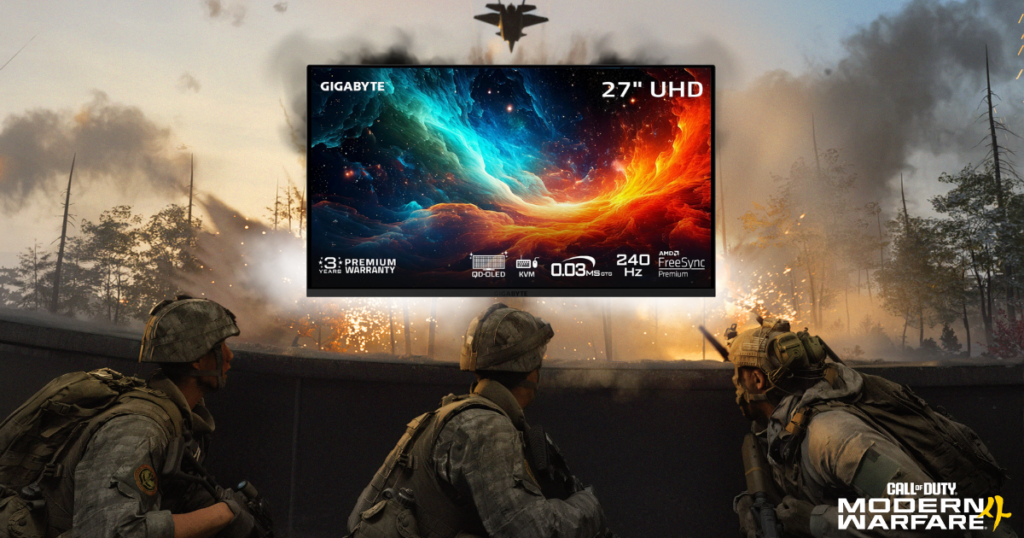
If you’re buying a gaming monitor specifically for Call of Duty: Modern Warfare 4, I’m going to save you some time.
- You probably don’t need a 500Hz monitor.
- You probably don’t need to spend $1,000, either.
- And buying the monitor with the highest refresh rate doesn’t automatically mean you’re going to play better.
I say that as somebody who has spent a ridiculous amount of time messing with gaming settings, chasing higher FPS, and comparing monitors.
My own setup includes an Acer Nitro XV272U F3, a 1440p 300Hz gaming monitor, and a Sony INZONE M9, a 4K 144Hz display.
And despite the Acer having more than double the refresh rate, I actually prefer the Sony’s picture quality.
So when it comes to choosing the best monitor for Modern Warfare 4, I think there’s a lot more to consider than the number printed on the box.
I’ve narrowed this guide down to six monitors for different types of Call of Duty players, from budget-friendly 1080p displays to some pretty ridiculous 480Hz OLED options.
And I’ll explain which ones I think are actually worth considering.
This article may contain affiliate links. As an Amazon Associate, I earn from qualifying purchases at no additional cost to you.

Best Modern Warfare 4 Monitors at a Glance
- Best Overall: Gigabyte AORUS FO27Q2
- Competitive OLED: MSI MAG 271QPX QD-OLED
- Enthusiast Esports: LG UltraGear 27GX790A-B
- Budget Competitive Gaming: Acer Nitro KG251Q
- Best Visuals: Gigabyte MO27U2
- Affordable High Refresh: Dell SE2426HGS
These are different tools for different players.
A competitive PC player chasing 300 FPS doesn’t necessarily need the same monitor as somebody playing Modern Warfare 4‘s campaign on a PS5.
And somebody with a midrange GPU probably shouldn’t spend hundreds extra on a 480Hz display that their computer can’t fully utilize.

Best Overall: Gigabyte AORUS FO27Q2
27 inches | 2560 × 1440 | 240Hz | QD-OLED
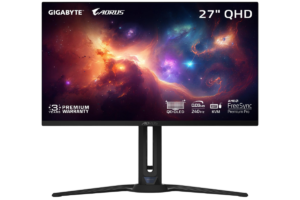
If I were buying a new monitor primarily for Call of Duty and wanted something that could also handle all the other games I play, this is the type of monitor I’d be looking at.
A 27-inch 1440p OLED running at 240Hz.
That’s a combination I really like.
You get the clarity of 1440p, a refresh rate that’s already extremely fast, and the excellent pixel response times associated with OLED technology.
The AORUS FO27Q2 uses a QD-OLED panel with a claimed 0.03ms gray-to-gray response time.
Now, I wouldn’t get too caught up in advertised response-time numbers. They don’t tell you everything about real-world motion clarity or input lag.
But OLED’s extremely fast pixel transitions are a genuine advantage when you’re tracking movement across the screen.
Why I like it for Modern Warfare 4
Call of Duty is one of those games where I want everything to feel immediate.
- Turning corners
- Tracking players
- Snapping between targets
- And dealing with all the movement happening around me
A fast 240Hz OLED makes sense for that.
But what makes this particularly appealing to me is that you’re not sacrificing picture quality just to get a fast monitor.
I play plenty of games outside Call of Duty.
And when I switch from competitive multiplayer to something like Batman: Arkham City, I still want my games to look great.
That’s one reason I prefer my Sony INZONE M9 over my Acer in a lot of situations.

What I’d consider before buying
OLED monitors cost more than many IPS alternatives.
There’s also the possibility of burn-in over time. Particularly with prolonged static elements (although manufacturers have introduced protective features to reduce the risk).
And 240Hz is only fully useful if your system can actually deliver high frame rates.
My verdict: My best overall pick for somebody who wants one excellent monitor for Modern Warfare 4 and everything else they play.
GET IT HERE: CHECK PRICE of GIGABYTE AORUS FO27Q2 on AMAZON
Best Competitive OLED: MSI MAG 271QPX QD-OLED
27 inches | 2560 × 1440 | 360Hz | QD-OLED
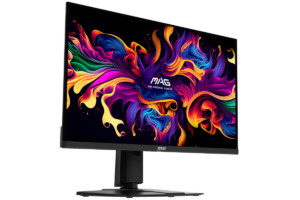
The MSI MAG 271QPX combines a 1440p QD-OLED panel with a 360Hz refresh rate.
That’s a serious amount of speed.
And unlike older high-refresh monitors that sometimes required you to sacrifice resolution, this gives you 1440p and OLED together.
Is 360Hz actually better than 240Hz?
Technically, yes.
But here’s where I think people need to be realistic.
- At 240Hz, the display can refresh every 4.17 milliseconds.
- At 360Hz, that drops to approximately 2.78 milliseconds.
That’s an improvement of about 1.39 milliseconds per refresh.
It matters in high-level competitive gaming, but it’s not some magical upgrade that’s going to turn an average player into a professional.
And if your PC is only delivering 160 FPS during actual matches, you’re not getting the full benefit of that 360Hz screen.

Who should buy it?
I’d look at this if:
- You have a powerful gaming PC
- Primarily play competitive multiplayer
- And want to prioritize speed without giving up the benefits of OLED
But I wouldn’t automatically spend extra on it over a good 240Hz model.
My verdict: A strong choice for serious competitive players with the hardware to support it, but 240Hz is already plenty fast for many people.
FIND IT HERE: CHECK PRICE of MSI MAG 271QPX QD-OLED on AMAZON
Best for Esports Enthusiasts: LG UltraGear 27GX790A-B
27 inches | 2560 × 1440 | 480Hz | OLED
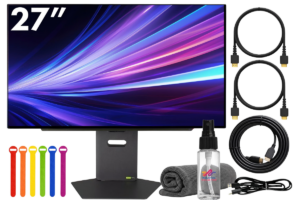
Gaming monitors can start to get ridiculous.
- 480Hz
- At 1440p
- On an OLED panel
That’s impressive.
The LG UltraGear 27GX790A-B is built for players who want extremely high refresh rates without dropping all the way down to 1080p.
And I can absolutely understand the appeal.
But there’s a pretty big catch.
You need an incredibly fast PC to take full advantage
A 480Hz monitor can refresh every 2.08 milliseconds.
That’s incredibly quick.
But if your system is producing 180 or 220 FPS in Modern Warfare 4, you’re not suddenly going to see 480 unique game frames every second.
Your monitor’s refresh rate and your actual in-game FPS are two different things.
And that’s something I think gets overlooked when people shop for gaming monitors.
A monitor can display frames extremely quickly.
It can’t make your graphics card render them any faster.

Would I buy a 480Hz monitor?
Not with my current PC.
I have an RX 6700 XT, and while it’s still a capable graphics card, buying a premium 480Hz OLED specifically for Call of Duty wouldn’t make much sense for my setup.
I’d be paying for performance my system couldn’t consistently take advantage of.
If I eventually upgrade to a much more powerful PC, that’s a different conversation.
My verdict: Extremely impressive technology, but it’s overkill for most Modern Warfare 4 players. I’d only consider it with a high-end competitive gaming setup and the budget to match.
GET IT HERE: CHECK PRICE of LG ULTRAGEAR 27GX790A-B on AMAZON
Best Budget Competitive: Acer Nitro KG251Q
24.5 inches | 1920 × 1080 | Up to 280Hz | IPS
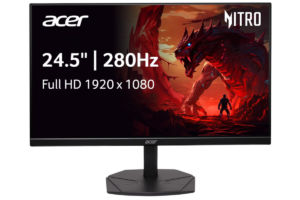
Not everybody wants to spend $500 or more on a monitor.
And honestly, you don’t have to.
The Acer Nitro KG251Q is a much more affordable option that still offers a very high refresh rate.
You’re getting a 24.5-inch 1080p display with up to 280Hz.
That’s a pretty appealing combination if your priority is competitive Call of Duty.
Why 1080p still makes sense
I know 1440p and 4K get most of the attention these days.
And personally, I prefer higher resolutions.
But 1080p still has advantages for competitive gaming.
It’s less demanding on your graphics card, which can make it easier to reach higher FPS.
A smaller 24.5-inch screen also keeps everything within a relatively compact viewing area.
For someone playing close to their monitor and focusing almost entirely on multiplayer, that’s not a bad setup.

The downside
You’re giving up image sharpness compared with 1440p.
And if you’re playing story-driven games, watching videos, or doing other things on your PC, you might eventually wish you had a higher-resolution display.
I know I would.
My verdict: A practical budget option for competitive players who prioritize FPS and refresh rate over resolution.
FIND IT HERE: CHECK PRICE of ACER NITRO KG251Q 280HZ on AMAZON
Best 4K: Gigabyte MO27U2
27 inches | 3840 × 2160 | 240Hz | QD-OLED
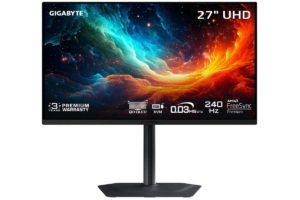
Even though I have a 1440p 300Hz Acer sitting right there, I prefer how games look on the 4k 144Hz Sony.
The colors, sharpness, and overall presentation are noticeably more appealing to me.
The Gigabyte MO27U2 takes that idea further with a 4K QD-OLED panel and a 240Hz refresh rate.
Why I’d consider it
If you’re somebody who plays Modern Warfare 4 multiplayer but also spends a lot of time in:
- Campaigns
- Single-player games
- And visually impressive titles
this is a compelling option.
You get the sharpness of 4K and the contrast of OLED without being limited to 60Hz or 120Hz.
But don’t assume you’ll actually get 240 FPS at native 4K in Modern Warfare 4.
That depends heavily on your GPU, CPU, graphics settings, and upscaling choices.

The downside
4K gaming is demanding.
And if your main objective is to get the highest possible FPS in competitive Call of Duty, 1440p may be a more sensible choice.
My verdict: Best suited to players who care just as much about how their games look as how fast they run.
GET IT HERE: CHECK PRICE of GIGABYTE MO27U2 on AMAZON
Best Affordable: Dell SE2426HGS
23.8 inches | 1920 × 1080 | 240Hz | Full HD
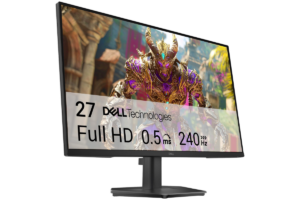
I wanted to include one more monitor for people who just want to get into high-refresh-rate gaming without spending much money.
That’s where the Dell SE2426HGS comes in.
It’s a compact 1080p 240Hz display.
Nothing overly fancy.
But that’s kind of the point.
You don’t need an OLED panel or a massive screen to enjoy competitive Call of Duty.
If you’re upgrading from a basic 60Hz monitor, moving to a capable 240Hz display can be a substantial improvement, assuming your PC can produce enough frames.
Why I’d consider it
The biggest advantage is affordability.
You get a high refresh rate without paying for expensive premium features.
It’s also a sensible choice for a secondary gaming setup or someone who’s just getting started with PC gaming.

What I’d watch out for
At 1080p, you’re not getting the sharpness of 1440p.
And like any budget monitor, I’d pay close attention to independent testing of response times, overshoot, and input lag rather than assuming the advertised specifications tell the whole story.
My verdict: A reasonable entry point into 240Hz gaming, particularly if your budget matters more than resolution or premium image quality.
FIND IT HERE: CHECK PRICE of DELL SE2426HGS on AMAZON
Is 1440p Better Than 1080p for Modern Warfare 4?
I like the additional sharpness of 1440p, especially on a 27-inch monitor.
It gives you a clearer image without being nearly as demanding as native 4K.
That’s why I think 1440p is such a good resolution for competitive PC gaming.
You can get fast monitors, excellent image quality, and reasonable performance with the right hardware.
But that doesn’t mean everybody should switch.
If you’re playing on a lower-end PC and struggling to maintain high FPS, 1080p might be the better choice.
There’s no reason to sacrifice smooth gameplay just to chase a higher resolution.
And if you already have a good 1080p 240Hz monitor, I wouldn’t rush out and replace it simply because 1440p is popular.

My Experience: 300Hz Acer vs. 144Hz Sony INZONE M9
[PERSONAL PHOTO — Your actual Sony INZONE M9 and Acer Nitro XV272U F3 setup. This is the strongest original photo opportunity in the article.]
This is the part of the discussion where I can actually speak from personal experience.
I own two very different gaming monitors.
- My Acer Nitro XV272U F3 is a 1440p display with a 300Hz refresh rate.
- My Sony INZONE M9 is a 4K display with a 144Hz refresh rate.
On paper, the Acer sounds like the obvious choice for competitive gaming.
And when I’m specifically prioritizing high refresh rates, it absolutely has advantages.
But I prefer the Sony’s picture quality.
- I love the colors.
- I love how sharp everything looks.
- And I enjoy playing games on it more than I expected.
That experience changed how I think about gaming monitors.
I used to focus heavily on getting the highest FPS possible.
And I still care about performance.
But I don’t think raw refresh rate should be the only thing driving a monitor purchase.
Especially when you play more than one type of game.
I’ve written a full comparison of my monitors in Acer Nitro 300Hz vs. Sony INZONE M9: Which Is Better for FPS Games?
What About Your Graphics Card?
Before buying any of these monitors, I would look at your PC.
Because your graphics card and processor are going to determine how much performance you can actually get.
If you’re playing Modern Warfare 4 at 1440p and averaging 140 FPS, a 240Hz monitor can still be useful.
But spending significantly more on a 480Hz model probably isn’t the smartest upgrade.
On the other hand, if you have a powerful PC consistently producing 300 FPS or more, a faster monitor becomes more appealing.
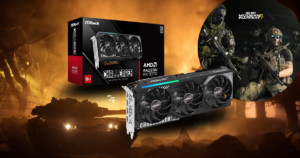
I’ve already covered the GPU side of this decision in Best GPU for Call of Duty: Modern Warfare 4 at 1440p
What About PS5 and Xbox Series X?
Console players need to approach this differently.
The PS5 and Xbox Series X don’t output 240Hz or 360Hz gameplay.
Their maximum supported gaming output is 120Hz.
That means buying a 480Hz monitor specifically for console Call of Duty is unnecessary.
For console players, I’d prioritize a display that handles 120Hz properly, supports the relevant HDMI features, has low input lag, and offers good image quality.
A 4K monitor with HDMI 2.1 support can be a particularly appealing option.
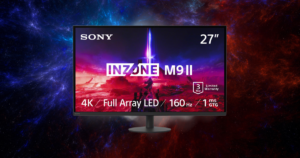
And if you’re shopping specifically for PlayStation, I’ve already written a dedicated guide: Best Gaming Monitors for PS5 in 2026
Should You Buy OLED for Competitive Call of Duty?
OLED isn’t just about making games look prettier.
OLED panels generally have extremely fast pixel response times.
That can help produce clear motion during fast gameplay.
And in a game like Modern Warfare 4, where you’re constantly moving and tracking targets, that’s appealing.
You also get excellent contrast and deep blacks.
But there are tradeoffs.
- OLED monitors are typically more expensive than basic IPS models.
- They can be susceptible to burn-in with prolonged static content.
- And depending on the model and room lighting, brightness and reflections can matter.
So I wouldn’t say everybody needs OLED.
If you’re shopping on a tight budget, a good IPS gaming monitor is still an excellent option.
But if you’re already considering spending $500 or more on a monitor, I’d absolutely compare OLED alternatives before making a decision.

Final Verdict: Which Monitor Would I Buy for Modern Warfare 4?
If I were buying a monitor specifically for Modern Warfare 4 in 2026, here’s how I’d narrow it down.
- For most serious PC players: I’d start with the Gigabyte AORUS FO27Q2. A 1440p 240Hz OLED is an excellent balance of speed and image quality.
- For competitive players chasing higher FPS: I’d look at the MSI MAG 271QPX 360Hz OLED.
- For enthusiasts with extremely powerful PCs: The LG UltraGear 480Hz OLED is impressive, but I’d make sure I could actually benefit from it.
- For budget buyers: The Acer Nitro KG251Q and Dell SE2426HGS offer high refresh rates without the premium price tags.
- For players who care about visuals: The Gigabyte MO27U2 is the one I’d investigate.
But here’s what I’ve learned from owning both a 300Hz Acer and a 144Hz Sony.
The best gaming monitor isn’t necessarily the fastest one. It’s the one that makes sense for your PC, your games, and what you actually enjoy.
If you’re only playing competitive Call of Duty, refresh rate deserves a lot of attention.
If you’re playing Modern Warfare 4, Batman, racing games, and everything else that catches your interest, I’d pay just as much attention to the picture quality.
Because the last thing I’d want is to spend hundreds of dollars upgrading my monitor and realize I don’t actually enjoy looking at it.