
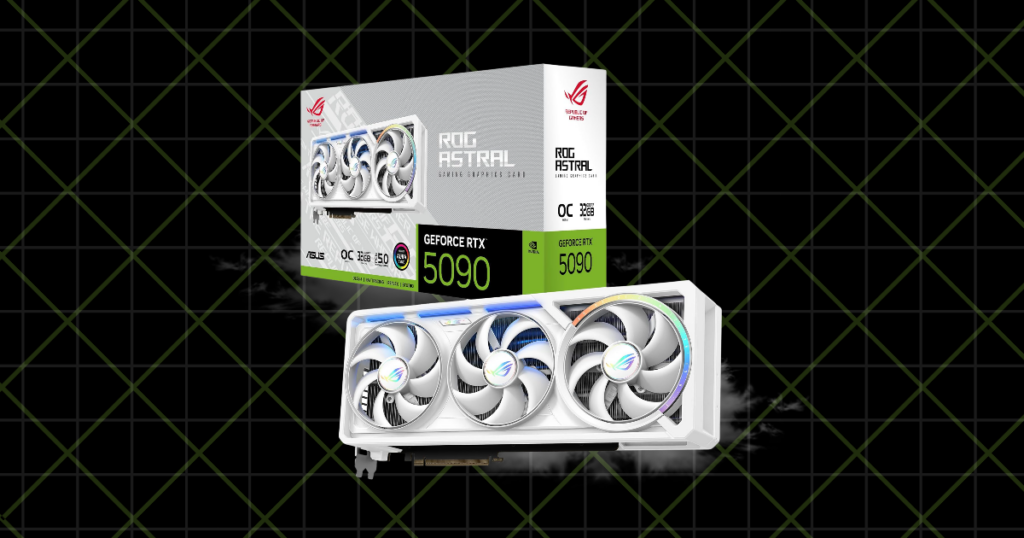
I’ve been gaming on my AMD RX 6700 XT for quite a while now, and it’s been a pretty good graphics card.
I’ve played:
- Competitive shooters
- Story-driven games
- Streamed on YouTube
- Recorded gameplay
- And spent more time messing with OBS than I’d like to admit
But I’ve also started thinking about upgrading and weighing my options.
And wow, some of these prices are ridiculous!
You can spend a few hundred dollars on a GPU, or you can spend more than an entire gaming PC should cost.
So I wanted to put together a list of the best graphics cards for gaming in 2026, focusing on what really makes sense for different budgets and gaming setups.
I haven’t personally tested every card here. These recommendations come from researching:
- Specifications
- Gaming performance
- Features
- Current pricing
- Along with what I’ve learned using my own PC
And there’s one thing I want to make clear right away.
The best graphics card isn’t necessarily the most powerful one! It’s the one that gives you the gaming experience you want without wasting your money!
This article contains affiliate links. If you purchase through one of these links, I may earn a commission at no additional cost to you.

TL;DR: My Top Graphics Cards for 2026
- Best Overall: AMD Radeon RX 9070 XT
- Best Budget: NVIDIA GeForce RTX 5050
- Best Budget 16GB Option: AMD Radeon RX 9060 XT 16GB
- Best Value for 1440p: AMD Radeon RX 9070 GRE
- Best NVIDIA Alternative: NVIDIA GeForce RTX 5070
- Best for 1440p Ultra & 4K: NVIDIA GeForce RTX 5070 Ti
- Best High-End: NVIDIA GeForce RTX 5080
- Most Powerful: NVIDIA GeForce RTX 5090
If I were buying a graphics card today, I’d spend most of my time comparing the RX 9070 XT, RX 9070 GRE, and RTX 5070.
Those are much more realistic options for somebody who wants great gaming performance without spending an unreasonable amount of money.
Plus, with GPU prices climbing in October 2026, what a card actually costs matters more than ever.
Best Overall: AMD Radeon RX 9070 XT
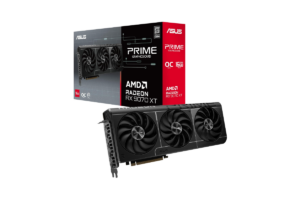
The AMD Radeon RX 9070 XT offers the kind of performance that makes sense for someone who takes PC gaming seriously without needing the absolute best hardware available.
You get:
- 16GB of GDDR6 VRAM
- AMD’s RDNA 4 architecture
- Improved ray tracing
- And support for modern FSR features
It’s a strong 1440p card and capable of 4K gaming, depending on the game and settings.
And that’s exactly the range I’d be shopping in.
Why I’d recommend it
I currently use a Sony INZONE M9 4K monitor.
And while I love the picture quality, I don’t necessarily need to run every game at native 4K with every setting maxed out.
- I want games to look good.
- I want them to run smoothly.
- And I don’t want to spend $2,000 making that happen.
The RX 9070 XT strikes a nice balance between performance and cost, particularly when compared with more expensive NVIDIA alternatives.
Its original MSRP was $599, although actual prices have risen significantly.
That’s the catch.
At a reasonable price, I’d happily recommend this card.
At $900 or more?
I’m starting to compare other options.
Best for: Gamers who want excellent 1440p performance and a capable entry into 4K without paying flagship prices.
Get it here: Check AMD Radeon RX 9070 XT price on Amazon
Best Budget Graphics Card: NVIDIA GeForce RTX 5050
Not everybody needs a $600 graphics card.
And honestly, not everybody should buy one.
If you’re:
- Building your first gaming PC
- Playing at 1080p
- Or upgrading an older budget system,
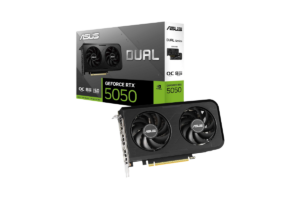
The NVIDIA RTX 5050 deserves consideration.
It comes with 8GB of GDDR6 VRAM and support for NVIDIA’s newer DLSS technologies.
This isn’t a card I’d buy for serious 4K gaming.
But for someone playing games at 1080p, especially with reasonable graphics settings, it can get the job done.
Who I’d recommend this to
Someone who just wants to play games.
- Maybe you’re building your first PC.
- Maybe you mostly play Fortnite, Valorant, Rainbow Six Seige or other popular fps games.
- Maybe you’ve got a 1080p monitor and don’t plan on replacing it anytime soon.
You don’t need a $1,000 GPU for that.
Your graphics card should match your monitor and the games you actually play.
Spending a fortune on a GPU when you’re gaming at 1080p on a basic monitor doesn’t automatically make sense.
And if you’re building your first PC rather than upgrading an existing one, I’d also look at the Best Prebuilt Gaming PCs for Every Budget before spending your entire budget on individual components.
The RTX 5050 launched at $249, but current pricing is closer to $300 in many listings.
At that price, I’d also compare Intel’s Arc B580 and other discounted cards before buying.
Best for: Entry-level 1080p gaming and budget PC builds.
What I’d watch: Its 8GB of VRAM and performance in demanding newer games.
Find it here: Check NVIDIA GeForce RTX 5050 price on Amazon
Best Budget 16GB GPU: AMD Radeon RX 9060 XT 16GB
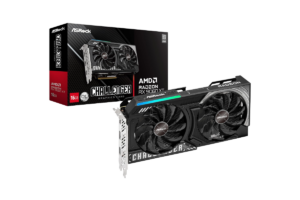
The AMD Radeon RX 9060 XT 16GB gives you something that’s becoming increasingly attractive in modern gaming.
More VRAM.
With 16GB of GDDR6 memory, this card offers considerably more memory capacity than many entry-level options.
That’s useful if you’re playing newer games with demanding textures or want a card that has some room to grow.
But I want to be careful here.
More VRAM doesn’t automatically mean better performance.
A graphics card can have 16GB of memory and still be slower than another card with 12GB.
The actual GPU matters.
Why I’d consider it
- For 1080p gaming, this is a solid option.
- For 1440p, it can work well depending on the game and settings.
- And 16GB is appealing if you’re planning to keep the card for several years.
The problem is pricing.
The RX 9060 XT 16GB launched at $349, but many models are selling considerably higher now.
And once you’re getting close to $500 or more, I start wondering whether it’s worth saving a little longer for something faster.
That’s why I’d compare this directly against the RX 9070 GRE.
If the price difference is small, I’d probably take the stronger GPU.
Best for: Gamers who want a reasonably priced 16GB card for 1080p and 1440p gaming.
Get it here: Check AMD Radeon RX 9060 XT 16GB price on Amazon
Best Value for 1440p: AMD Radeon RX 9070 GRE
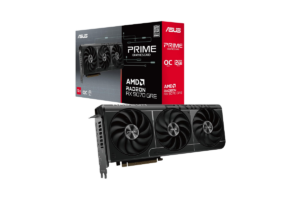
The AMD Radeon RX 9070 GRE sits between the RX 9060 XT and the more powerful RX 9070-series cards.
It comes with 12GB of GDDR6 memory and offers a substantial performance improvement over the RX 9060 XT.
And depending on pricing, this could be a great option.
Why I like this one
I’ve said it before, but I think 1440p is a fantastic resolution for PC gaming.
You get a noticeable improvement in picture quality over 1080p without putting the same demands on your GPU as native 4K.
And the RX 9070 GRE fits that kind of setup nicely.
Its original $549 price wasn’t especially exciting, but seeing models closer to $500 makes it much more interesting.
If I were building a gaming PC around a 1440p monitor, I’d absolutely have this on my shortlist.
Especially if the RX 9060 XT 16GB was only slightly cheaper.
The downside
It has 12GB of VRAM rather than 16GB.
For many 1440p games, that’s still enough.
But if you want maximum texture settings in demanding future games or plan on keeping your card for a very long time, it’s something to consider.
Still, I’d generally rather have a faster graphics card with enough VRAM than a slower one with more memory I don’t fully use.
Best for: 1440p gamers looking for strong performance without moving into premium GPU pricing.
Find it here: Check AMD Radeon RX 9070 GRE price on Amazon
Best NVIDIA Alternative: NVIDIA GeForce RTX 5070
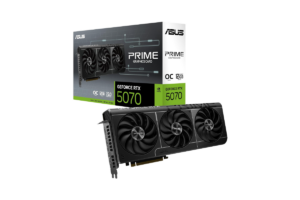
The RTX 5070 has:
- 12GB of GDDR7 memory
- NVIDIA’s Blackwell architecture
- And access to DLSS 4 technologies
It’s a capable 1440p graphics card with features that make it especially attractive for people who care about ray tracing and NVIDIA’s upscaling ecosystem.
Why I’d consider it for my own PC
- I stream.
- I record gameplay.
- I edit videos.
- And I’ve had some frustrating experiences trying to do multiple things simultaneously on my current PC.
I’m not saying my AMD GPU caused all those issues.
There are plenty of things that can affect streaming and recording performance.
But NVIDIA’s NVENC encoder and creator software support are things I’d look closely at before upgrading.
If I could improve my gaming performance and make my content creation workflow easier at the same time, that would be worth something to me.
The problem is the price
The RTX 5070 originally launched at $549.
But by October 2026, prices have climbed significantly.
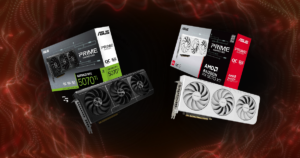
At $650 or more, I’d start comparing it very carefully against the RX 9070 XT.
The Radeon offers 16GB of VRAM and stronger traditional gaming performance in many comparisons.
The RTX 5070 offers NVIDIA’s feature advantages.
Neither is automatically the better purchase.
If you’re torn between the two brands, check out AMD vs. NVIDIA: Which GPU Should You Buy in 2026?
Best for: 1440p gamers who specifically value NVIDIA’s DLSS, ray tracing, and creator features.
Get it here: Check NVIDIA GeForce RTX 5070 price on Amazon
Best for 1440p Ultra & 4K: NVIDIA GeForce RTX 5070 Ti
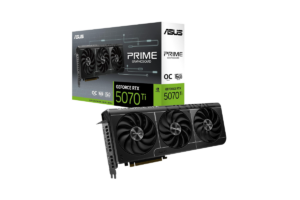
The RTX 5070 Ti comes with 16GB of GDDR7 memory and delivers strong performance at 1440p, with plenty of capability for 4K gaming.
It also offers NVIDIA’s DLSS technologies and stronger ray tracing performance than comparable AMD cards in many demanding titles.
On paper, there’s a lot to like.
And if I were upgrading my PC specifically for high-resolution gaming, streaming, and editing, this would definitely get my attention.
But here’s my problem
Price.
The RTX 5070 Ti launched at $749.
Now we’re seeing prices around $1,100 in some market comparisons.
And I just can’t get excited about that.
It’s a great graphics card, but that doesn’t mean it’s a great purchase at any price.
If I could get one at a reasonable premium over the RX 9070 XT, I’d seriously consider it.
But if the difference is several hundred dollars?
Probably not…
Best for: Enthusiasts who want high-refresh-rate 1440p gaming, capable 4K performance, and NVIDIA’s advanced graphics features.
Find it here: Check NVIDIA GeForce RTX 5070 Ti price on Amazon
Best High-End Graphics Card: NVIDIA GeForce RTX 5080
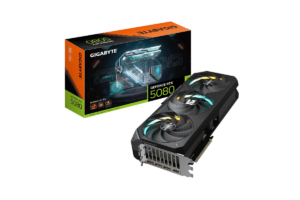
The RTX 5080 is for people who want serious gaming performance.
It has:
- 16GB of GDDR7 VRAM
- Strong 4K capabilities
- And NVIDIA’s high-end graphics features.
This is the kind of GPU you’d pair with a premium 4K monitor, a powerful processor, and a PC built to handle demanding games.
And if you’ve got that setup?
I get it.
There’s something pretty appealing about turning up the settings in a gorgeous single-player game and just enjoying it.
Would I buy one?
Probably not at current prices.
I’ve seen RTX 5080 listings around $1,600 or more.
… That’s a lot of money.
For context, my entire approach to building a gaming setup has been about getting good equipment without buying things just because they’re expensive.
I’d rather have a balanced PC that performs well than one ridiculously expensive component surrounded by compromises.
But if you’ve got:
- The budget
- The right monitor
- And a legitimate reason to want this level of performance
…The RTX 5080 belongs on the list.
Best for: High-end 4K gaming and enthusiasts who want strong NVIDIA performance without stepping all the way up to the RTX 5090.
Get it here: Check NVIDIA GeForce RTX 5080 price on Amazon
Most Powerful: NVIDIA GeForce RTX 5090
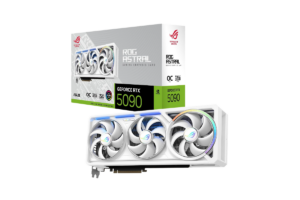
The RTX 5090.
- 32GB of GDDR7 memory.
- Incredible gaming performance.
- Massive processing power.
- And a price that makes me question some people’s financial decisions.
Its original MSRP was $1,999.
Which was already a lot.
But in October 2026, some market tracking puts its median price above $4,000.
Four thousand dollars…
…For a graphics card.
Is it the fastest?
Yes, among current consumer gaming GPUs.
Is it the best gaming GPU for most people?
Absolutely not.
I don’t care how good something is.
At some point, the price stops making sense for the average person.
If you’re a:
- Professional creator using GPU-heavy applications
- Running local AI workloads
- Or building a no-compromise workstation
…you might have a reason to consider it.
But if you’re buying it just to play games?
I’d have a very hard time recommending it.
You can build an excellent gaming PC for considerably less than the price of this card alone.
Best for: Buyers with extreme performance requirements and budgets where value is not the primary concern.
Find it here: Check NVIDIA GeForce RTX 5090 price on Amazon
Which Graphics Card Should You Buy for Your Resolution?
I think this is a much better way to shop for a GPU than starting with a brand.
- 1080p gaming: I’d look at the RTX 5050 or RX 9060 XT 16GB.
- 1440p gaming: The RX 9070 GRE and RX 9070 XT are my favorites.
- 1440p with NVIDIA features: I’d compare the RTX 5070 and RTX 5070 Ti.
- 4K gaming: I’d look at the RX 9070 XT, RTX 5070 Ti, or RTX 5080.
- No-compromise 4K: The RTX 5090 is incredibly powerful, but the price makes it difficult to recommend.
And remember, your monitor matters.
If you’ve got a 1080p monitor and no intention of upgrading it, you probably don’t need a premium 4K graphics card.
If you’re using a high-refresh-rate 1440p monitor, I’d prioritize strong, consistent frame rates.
And if you’ve got a 4K monitor like my Sony INZONE M9, then spending more on GPU performance starts making sense.
Your monitor and GPU should complement each other.
I’ve also written about the Best Monitors for FPS Games in 2026

AMD vs. NVIDIA: Does the Brand Matter?
Yes, but not as much as some people make it seem.
AMD can offer excellent traditional gaming performance for the money.
NVIDIA generally has stronger ray tracing, DLSS technology, and certain creator-focused advantages.
But neither company deserves your automatic loyalty.
If AMD gives you the gaming experience you want for less money, buy AMD.
If NVIDIA offers features you’re actually going to use, consider paying more.
It’s really that simple.
I wrote more about this in AMD vs Nvidia: Which GPU Should You Buy In 2026
What About Intel Graphics Cards?
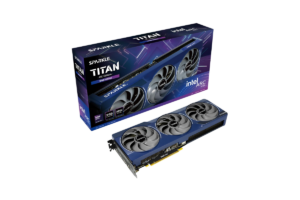
I didn’t want to ignore Intel completely.
The Intel Arc B580 is worth considering for budget gaming, particularly when you can find it around its original $249 MSRP.
It offers 12GB of VRAM and can provide good value for 1080p gaming.
However, I’d pay closer attention to game compatibility, driver behavior, and your system’s support for Resizable BAR before buying one.
I wouldn’t automatically recommend it over the RTX 5050 for everyone, but it’s absolutely worth comparing when prices are close.
Should You Buy a Graphics Card Right Now or Wait?
Normally, I’d tell you not to overthink this.
If you need a graphics card and find a good one within your budget, buy it.
But October 2026 is a strange time for GPU pricing.
Some cards are selling substantially above their launch prices, especially NVIDIA’s higher-end models.
I’d be much more willing to buy an RX 9070 XT at a reasonable price than an RTX 5070 Ti carrying an enormous markup.
And I wouldn’t buy an RTX 5090 at several thousand dollars just because it’s the fastest thing available.
If your current graphics card still works well, there’s nothing wrong with waiting for a better deal.
Black Friday is approaching, but I wouldn’t assume every GPU will suddenly become affordable.
Set a budget.
Know which cards you’re considering.
And don’t let a countdown timer convince you to spend more than you planned.
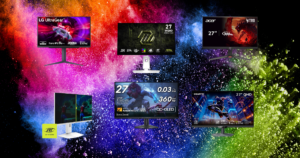
And if you’re still deciding on a display to pair with your new GPU, check out Five 1440p Monitors I’d Recommend to Almost Anyone in 2026
Which Graphics Card Would I Buy in 2026?
After going through all of these, my overall choice is still the AMD Radeon RX 9070 XT.
- It’s powerful enough for excellent 1440p gaming
- Capable of 4K
- And has 16GB of VRAM
At the right price, that’s a combination I really like.
For someone trying to spend less, I’d take a close look at the RX 9070 GRE.
And if I specifically wanted NVIDIA?
I’d compare the RTX 5070 and RTX 5070 Ti, paying very close attention to their actual prices.
For my personal setup, I still haven’t decided what my next graphics card will be.
I’m leaning toward NVIDIA because I’m interested in its gaming and creator features.
But I’m not paying hundreds of extra dollars just to switch brands.
My RX 6700 XT has served me well.
And until I know exactly what I need from an upgrade, there’s no reason to rush.
Buy the graphics card that makes sense for your games, your monitor, and your budget. Not the one somebody else says you need.