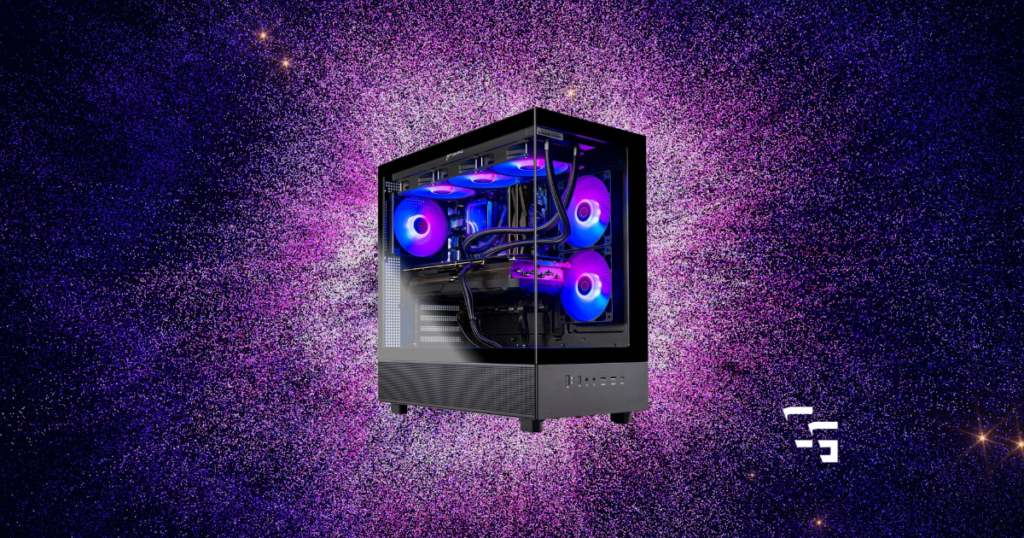
I didn’t build my own PC because I suddenly became a computer expert.
My buddy told me what parts to buy, showed up one afternoon, and we built it together.
Looking back, it wasn’t nearly as intimidating as I thought.
But I also completely understand why someone would rather buy a prebuilt and start gaming the same day.
If that’s you, these are the prebuilt gaming PCs I’d recommend.
Some links in this article may be affiliate links, meaning I may earn a commission at no extra cost to you.

TL;DR
If you’re in a hurry, these are the prebuilt gaming PCs I’d recommend checking out:
- Best Overall: Skytech Shadow
- Best Value: CyberPowerPC Gamer Xtreme
- Best for Gaming & Content Creation: iBUYPOWER Slate Mesh
- Best for Future Upgrades: MSI Codex R2
- Best Premium Pick: Skytech Azure
What I Look For in a Prebuilt Gaming PC
I don’t really care which company made the graphics card.
I don’t care whether it’s Intel or AMD.
I don’t care if it has ten RGB fans.
What I care about is getting the most value for my money.
That means looking for a PC with:
- Solid performance
- Quality components
- Room to upgrade
- Good airflow
- Standard parts
- A reputation for reliability
I’d rather buy one good PC that lasts several years than save a couple hundred dollars today and regret it six months later.
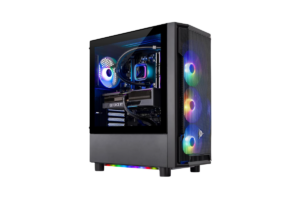
Best Overall: Skytech Shadow
If someone walked up to me and said,
“I don’t know anything about gaming PCs. Just tell me what to buy.”
The Skytech Shadow would probably be my first recommendation.
Skytech has built a strong reputation for offering systems with quality, name-brand components instead of cutting corners where most people won’t notice.
I also like that they typically use standard parts, making future upgrades much easier than some big-box brands.
Why I Like It
- Great overall value
- Easy to upgrade
- Good airflow
- Clean design without feeling overdone
Great For
- First gaming PC
- Fortnite
- Call of Duty
- Minecraft
- GTA V
- 1080p and 1440p gaming
Get it here: Check current price on Amazon
Best Value: CyberPowerPC Gamer Xtreme
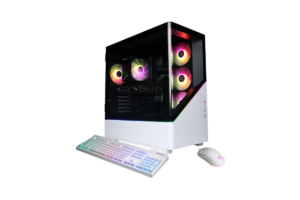
CyberPowerPC has been around for years, and one thing I appreciate is the variety of configurations they offer.
Instead of forcing everyone into one expensive build, they usually have several options depending on your budget and performance needs.
That makes it easier to find something that fits your situation instead of paying for hardware you’ll never use.
Why I Like It
- Lots of configuration options
- Good performance for the money
- Easy to find replacement parts
- Widely available
Find it here: Use this link
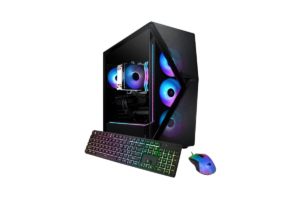
Best for Gaming & Content Creation: iBUYPOWER Slate Mesh
Gaming isn’t the only thing I use my PC for.
- I stream
- I edit videos
- I write blog posts
- I manage a website
If you’re planning to do more than just play games, I’d definitely look at the Slate Mesh lineup.
One thing I like is that iBUYPOWER generally sticks with standard components, making upgrades much simpler down the road.
The airflow is another big plus.
Keeping your PC cool means your parts last longer and perform better under load.
Why I Like It
- Excellent cooling
- Great upgrade potential
- Clean cable management
- Good balance between gaming and productivity
Check it out: Find price on Amazon
Best for Future Upgrades: MSI Codex R2
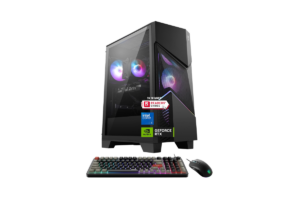
MSI is already one of the biggest names in PC hardware.
Chances are you’ve already seen their motherboards, graphics cards, monitors, or laptops.
That familiarity gives me confidence in their desktop lineup.
The Codex R2 is a great option if you’re thinking long term.
Maybe today you just want to game.
Two years from now you might decide to stream, edit videos, or upgrade your graphics card.
Having room to grow is something I always appreciate.
Why I Like It
- Trusted brand
- Standard components
- Easy upgrade path
- Great everyday gaming performance
Get it here: Check current price on Amazon
Best Premium Pick: Skytech Azure
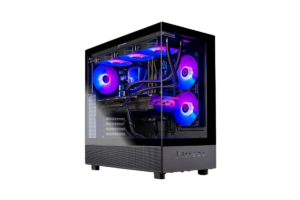
If I knew I wanted one gaming PC that would last me a long time, I’d seriously consider the Skytech Azure.
You’re spending more upfront.
But you’re also buying hardware that’s going to stay relevant much longer before you start thinking about upgrades.
That doesn’t mean everyone needs one.
In fact…
Most people don’t.
But if you know you’ll be gaming almost every day, streaming, editing, or creating content, I think it’s worth taking a look.
Why I Like It
- Excellent long-term value
- Powerful hardware
- Plenty of room to grow
- Built for demanding games and content creation
Fint it here: Use this link
Don’t Buy a Gaming PC Because of RGB
This is probably my biggest piece of advice.
RGB lights are awesome.
I love a good-looking setup.
But colorful fans don’t make your games run better.
I’d much rather buy the PC with:
- Better cooling
- Better airflow
- Better upgrade options
- Better power supply
- Better components
You can always add more RGB later.
It’s a lot harder to replace cheap internal parts.
Check out Five 1440P Monitors I’d Recommend to Almost Anyone in 2026
My Biggest Recommendation
Don’t get caught up in the AMD vs. NVIDIA debate.
Don’t stress over Intel vs. Ryzen.
Buy the computer that gives you the best value.
There are passionate fans on both sides, but at the end of the day, what matters is how well the PC fits your budget and the games you actually play.
Most people simply don’t need the absolute fastest hardware on the market.
Buy what you’ll actually use, not what YouTube tells you to buy.
Don’t forget The Best Gaming Chairs in 2026 (That Won’t Destroy Your Back)
Final Thoughts
Buying your first gaming PC can feel overwhelming.
Every company tells you their PC is the fastest.
Every YouTube video has a different opinion.
My advice?
Keep it simple.
Buy from a company with a good reputation.
Leave yourself room to upgrade.
Focus on value instead of hype.
And remember…
The best gaming PC isn’t the most expensive one.
It’s the one that lets you enjoy the games you love without making you wonder if you should’ve spent twice as much.
Continue Building Your Setup
If you’re shopping for a new PC, these guides might help too: