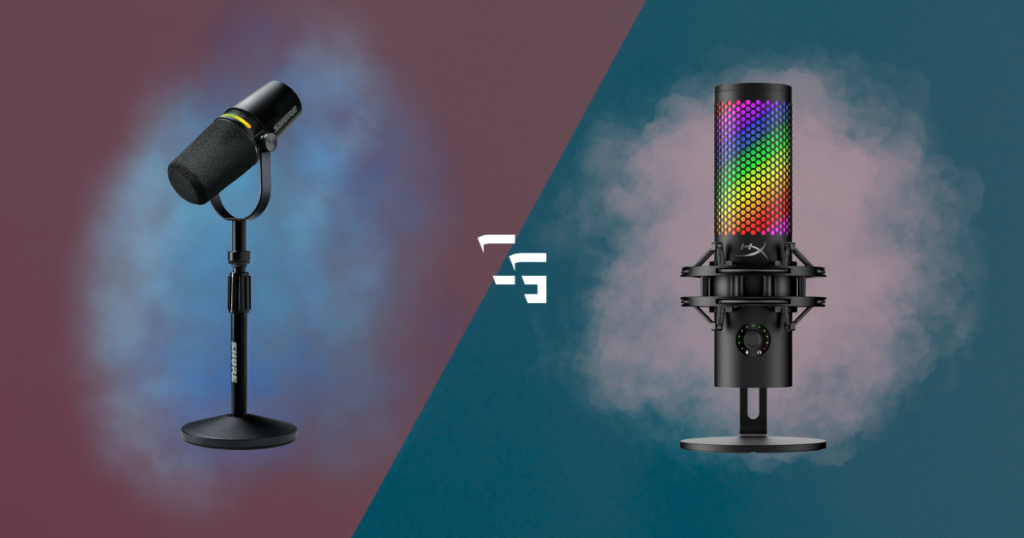
When I first started researching microphones, I had no idea what XLR even meant.
So obviously, I headed over to YouTube.
Within a few videos, everyone was talking about audio interfaces, gain staging, phantom power, preamps, and balanced cables. Five minutes later, I had somehow convinced myself I needed a microphone that cost several hundred dollars.
…I hadn’t even outgrown the headset microphone I was already using.
That experience taught me something that I think every new creator should hear:
The best microphone isn’t always the most expensive one. It’s the one that helps you start creating.
If you’re trying to decide between a USB and XLR microphone, here’s what I’d recommend.
Some links in this article may be affiliate links, meaning I may earn a commission at no extra cost to you.

My Recommendation
If you’re a:
- Gamer
- Streamer
- New content creator
I’d start with a good USB microphone every time.
Learn what you need before spending hundreds of dollars on professional equipment.
Or… Check out the Best Gaming/Streaming Microphones in 2026 (Top 5)
What Is a USB Microphone?
A USB microphone is exactly what it sounds like.
You plug it into your computer with a USB cable, select it in OBS, Discord, or whatever software you’re using, and you’re ready to go.
That’s one of the biggest reasons USB microphones have become so popular.
They’re simple.
There isn’t much to figure out, which means you can spend more time creating content instead of troubleshooting your setup.
What Is an XLR Microphone?
An XLR microphone works a little differently.
Instead of plugging directly into your computer, it connects to an audio interface using an XLR cable. The interface then connects to your PC.
That extra hardware gives you more flexibility and more control over your audio.
It also adds:
- More cost
- More cables
- More settings
- More things to learn.
None of that is bad, just worth noting before you buy one.
Why Most New Creators Should Start with USB
When I first got into content creation, I didn’t even know what XLR was.
I wasn’t looking for studio-quality audio.
I just wanted people to hear me clearly.
For over a year, I’ve streamed using the microphone built into my HyperX Cloud III Wireless headset.
Has it been perfect?
- Probably not.
Has it stopped me from creating content?
- Not once.
Nobody has ever joined my stream just to complain about my microphone.
Could a dedicated mic sound better?
- Absolutely.
But my headset microphone was more than good enough to get started.
That’s why I don’t think beginners should feel pressured into buying professional audio equipment on day one.
Need a new headset? Check out the 5 Best Wireless Gaming Headsets in 2026
When Does XLR Actually Make Sense?
XLR isn’t better simply because it’s XLR.
It’s better when you need what it offers.
An XLR setup starts making more sense if you:
- Record podcasts with multiple people
- Want more control over your audio
- Plan to keep upgrading your setup over time
- Enjoy learning the technical side of audio
- Need the flexibility that an audio interface provides
If you’re just streaming games after work or uploading YouTube videos, there’s a good chance a quality USB microphone will do everything you need.
Don’t Buy Features You Don’t Understand
This is something I constantly have to remind myself.
- I’ll start researching microphones
- Then I compare specs
- Then I watch comparison videos
Before I know it, I’m looking at microphones that cost three or four times my original budget.
The problem is, my ears probably wouldn’t even notice the difference.
It’s easy to convince yourself that more expensive automatically means better.
Sometimes it does.
But not always.
Buying features you don’t understand rarely makes your content better.
This all leads me to… Do You Really Need a 4K Webcam to Stream?
Your Audience Doesn’t Care About Your Cable
This might sound harsh, but it’s true.
Most viewers don’t know whether you’re using USB or XLR.
They care about whether they can hear you.
If your microphone cuts out, sounds distorted, or is buried under game audio, people notice.
If your voice is clear and easy to understand, most people won’t think about your microphone again.
That’s exactly where you want them.
Your personality and your content should be the focus, not your equipment.
So… Which Would I Buy?
Right now?
I’d still buy a USB microphone.
In fact, the microphone I’m currently leaning toward is the FIFINE AmpliGame AM8 ProT.
I’ve heard consistently positive things about it from creators whose opinions I trust, and it seems to strike the balance I’m always looking for:
- Good sound quality
- Easy setup
- Reasonable price
Most importantly, it lets me improve my content without spending money just because the internet told me I should.
Final Thoughts
If you’re just getting started, don’t let gear keep you from creating.
A good USB microphone is capable of producing excellent audio for gaming, streaming, and YouTube videos.
You can always upgrade later.
Once you’ve spent hundreds of hours making content, you’ll have a much better understanding of what you actually need and whether moving to XLR is worth it.
For most people, that’s a much smarter path than buying expensive equipment before you’ve even hit “Go Live”.
Once you’ve picked out a mic, head over to The Best Webcams for Streaming in 2026 (Five I’d Recommend)
Frequently Asked Questions
1. Is USB or XLR better for beginners?
For most beginners, USB is the better choice. It’s easier to set up, costs less overall, and doesn’t require an audio interface.
2. Does XLR always sound better than USB?
Not necessarily. A high-quality USB microphone can sound excellent. While XLR setups often provide more flexibility and upgrade options, the difference isn’t always noticeable for casual streaming or YouTube content.
3. Do I need an audio interface for a USB microphone?
No. That’s one of the biggest advantages of USB microphones. You plug them directly into your computer.
4. Should I upgrade from a headset microphone?
If your headset mic is clear and reliable, there’s no rush. A dedicated microphone is a nice upgrade, but it shouldn’t stop you from creating content today.