

If you’re looking for the best gaming monitor in 2025, most lists are useless.
4K. 240Hz. OLED. $1,000+.
And somehow, none of them really tell you what to buy.
I’ve used multiple monitors daily (early mornings, long sessions, streaming, everything) and most people are overpaying for specs they don’t need.
So here’s what I’d actually buy right now based on real use.
This post contains affiliate links. If you purchase through these links, I may earn a commission at no extra cost to you. Thank you for supporting ChannlerG!
🔥 What I’d Buy (Quick Picks)
If you don’t feel like reading all this, here’s the short answer:
- On a budget? → Acer Nitro XF243Y
- Want the best for most people? → Gigabyte M27Q X
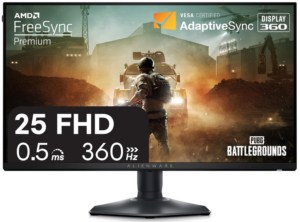
- Serious competitive player? → Alienware AW2523HF
- Money doesn’t matter? → ASUS ROG Swift PG27AQN
Best Competitive Gaming Monitors (Based on Budget & Performance)
Budget (Under $300) – Best Bang for Your Buck
If you’re trying to stay under $300, don’t overthink this. You’re not missing out on anything crazy at this level—you just need something smooth, responsive, and reliable.
Acer Nitro XF243Y (Best Budget Pick)
This is what most people should just buy and move on.
165Hz is more than enough for competitive gaming, IPS panel looks solid, and it’s cheap enough that you don’t feel like you made a dumb purchase later.
Best for: FPS players who just want smooth gameplay without spending a ton
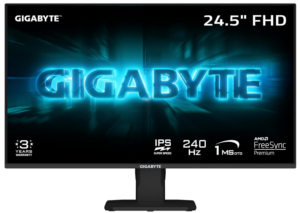
Gigabyte G24F 2 (Best All-Around Budget Option)
If you want something that works for both competitive gaming and casual use, this is a really solid middle ground.
180Hz feels great, colors are better than most budget monitors, and it doesn’t feel “cheap” like some others in this range.
Best for: Someone who plays everything—not just sweaty FPS
ViewSonic XG2431 (Best for Motion Clarity)
This one is for people who care about how the game actually feels mid-fight.
The motion clarity on this thing is legit, and if you play fast-paced shooters, you’ll notice the difference immediately.
Best for: Competitive players who want the cleanest motion possible
Downsides (Let’s be real)
At this price:
- You’re getting 1080p
- Build quality isn’t amazing
- Nothing is going to feel “premium”
But honestly? Most people don’t need more than this.
Best Monitors for Console Gaming (PS5, Xbox Series X, Switch)
If you’re gaming on console, don’t overcomplicate this. Most people overbuy monitors for consoles. You really don’t need to.
Most PS5 and Xbox games cap at 120Hz, so spending money on 240Hz or 360Hz monitors is honestly a waste.
You just need something that looks good, runs smooth, and actually works with your console.
🔥 What I’d Buy (Quick Picks)
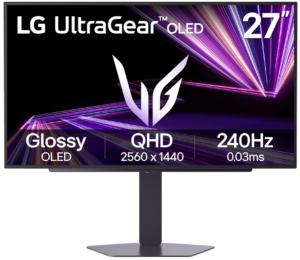
- Best overall (PS5/Xbox) → LG 27GP850-B
- Best budget option → AOC 24G2
- Best 4K option → Gigabyte M28U
LG 27GP850-B (Best Overall for PS5 & Xbox)
This is the easiest recommendation on the list.
1440p looks noticeably better than 1080p, 165Hz gives you more than enough smoothness, and it supports HDMI 2.1—so you’re fully covered for current-gen consoles.
If you just want something that works and looks great without overthinking it, this is it.
Best for: Most console players who want a clean upgrade
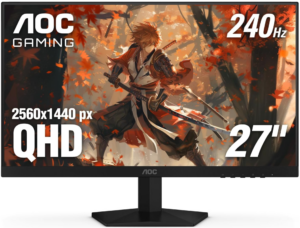
AOC 24G2 (Best Budget Console Monitor)
If you’re trying to spend as little as possible, this is the move.
It’s 1080p, but still looks solid, runs at 144Hz, and gets the job done without feeling cheap.
You’re not getting anything crazy—but you’re also not wasting money.
Best for: Casual players or anyone on a tight budget
Gigabyte M28U (Best 4K Console Option)
If you want your games to actually look insane, this is where you go.
4K + 144Hz + HDMI 2.1 makes this one of the best console monitors you can get right now.
It’s more expensive, but if visuals matter to you, it’s worth it.
Best for: Players who care about graphics and immersion
What’s Overrated or Not Worth It?
- Sony Inzone M9
I own this, and it’s just not worth the price. HDR sounds great on paper, but in real use, it just feels average. You’re paying for the name more than the performance. - Anything Over 360Hz
Unless you’re playing in actual tournaments, you will not notice the difference enough to justify the price. Save your money. - 4K 144Hz for Competitive Gaming
Sounds cool, but your FPS will suffer unless you have a god-tier PC.
What I’d Buy (If I Were You)
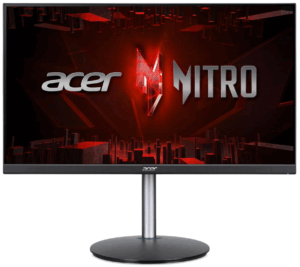
- On a Budget? – Acer Nitro XF243Y
- Best Upgrade for Most People – Alienware AW2523HF
- If Money Isn’t a Factor – ASUS ROG Swift PG27AQN
That’s it.
You don’t need 10 options. You don’t need to overanalyze specs.
Pick one of these based on your budget, and you’re good.
Final Thoughts: What’s Really Worth It?
If you’re playing competitive games, here’s what actually matters:
- High refresh rate
- Low response time
- Consistent performance
That’s it.
You don’t need the most expensive monitor.
You don’t need crazy specs you’ll never use.
Most people overbuy and don’t even notice the difference.
👉 If you just want a safe pick, go with the Alienware AW2523HF.
It’s the easiest “you won’t regret this” option on the list.
👉 If you’re on a budget, grab the Acer Nitro XF243Y and call it a day.
🔥 Quick Recommendation (If You’re Still Deciding)
If you’re stuck between options, don’t overthink it:
👉 Go with the Alienware AW2523HF
👉 Check current price here
It’s the best balance of performance, price, and actual real-world use.
If you’re building a full setup, check out my actual gaming setup and what was actually worth paying for → [link]