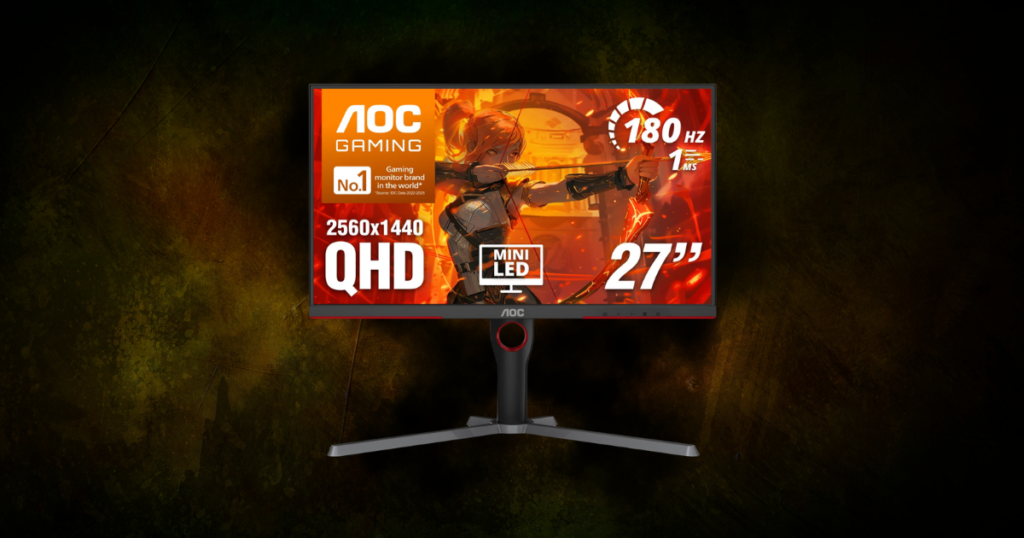
There was a time when shopping for a 1440p gaming monitor under $300 meant making some pretty obvious compromises.
That really isn’t the case anymore.
You can get:
- 1440p
- High refresh rates
- Good color
- Fast response times
- & even Mini-LED without blowing past $300.
The problem now is almost the opposite:
There are so many monitors throwing huge numbers at you that it’s easy to spend money on something you don’t actually need.
I use two 27-inch monitors every day, and I’ve never once sat there wishing they were bigger. I’ve also learned that when I actually notice a difference between displays, picture quality and color stand out to me more than anything else. My Sony absolutely wins there.
So that’s how I approached this list.
I’m not automatically giving the win to whichever monitor has the biggest refresh-rate number on the box.
I looked for monitors that balance:
- Picture quality
- Refresh rate
- Response time
- Value
- Size
- HDR
- & Build quality
…roughly in that order.
Prices change constantly, especially on monitors, so always check the current price before buying.
This post contains affiliate links. If you purchase through one of these links, I may earn a commission at no additional cost to you.

TL;DR: My Picks
- Best Overall: AOC Q27G3XMN
- Best Under $200: ASUS ROG Strix XG27ACS
- Best for FPS: MSI MAG 274QF X24
- Best All-Around Alternative: Alienware AW2725DM
- Best 32-Inch: ASUS TUF Gaming VG32WQ3B
- Best Higher-Refresh Alternative: ASUS TUF Gaming VG27AQL5A
AOC Q27G3XMN — Best Overall
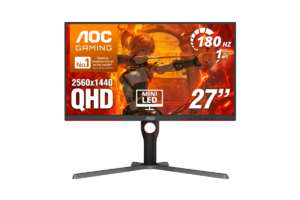
27-inch | 2560×1440 | 180Hz | VA | Mini-LED
This is probably the most interesting monitor on this entire list.
The AOC Q27G3XMN tops out at 180Hz, while we’re going to look at monitors below $300 that can hit 210Hz and 240Hz.
I still think I’d take the AOC.
The reason is Mini-LED.
Rather than using a basic backlight like most inexpensive gaming monitors, the Q27G3XMN uses Mini-LED with hundreds of local dimming zones. That allows parts of the screen to become much darker while other areas remain bright.
The result is significantly better contrast and a much more meaningful HDR experience than you’re going to get from most budget gaming monitors.
And that’s exactly where my priorities land.
I’m not saying refresh rate doesn’t matter. It absolutely does. But 180Hz is already fast.
If I’m choosing between better picture quality at 180Hz and sacrificing that picture quality so I can see “240Hz” on the box, I’m taking the better-looking monitor unless I have a specific reason to need 240Hz.
What I Like
- Mini-LED backlighting
- Excellent contrast for the price
- 180Hz refresh rate
- 1440p resolution
- 27-inch size
- Actual HDR capability
- Regularly stays below our $300 ceiling
What I’d Consider
It’s a VA panel rather than IPS, and VA isn’t going to be everyone’s first choice for motion performance.
But that’s also part of why this monitor can deliver the deeper blacks and contrast that make it stand out.
Who I’d recommend it to: Someone who plays a little bit of everything and cares about how their games actually look.
Find it here: Check the AOC Q27G3XMN price on Amazon
ASUS ROG Strix XG27ACS — Best Under $200
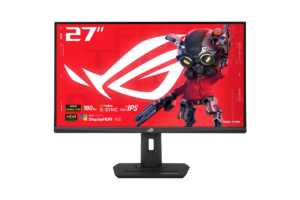
27-inch | 2560×1440 | 180Hz | Fast IPS
The ROG Strix XG27ACS gives you the combination I’d probably point the average gamer toward:
- 1440p
- 27 inches
- Fast IPS
- 180Hz
- 1ms GTG response time
And lately, it’s been available around $200 on Amazon. At that price, this is one of the easiest monitors on this list to recommend.
I like 27 inches for 1440p because that’s what I personally use. I’ve got two 27-inch monitors and I’ve never felt like I needed more screen.
At 27 inches, 1440p also stays nice and sharp without requiring a giant monitor sitting three feet from your face.
The XG27ACS also supports variable refresh rate technologies and includes USB-C, which gives it a little more versatility than some gaming-only displays.
What I Like
- Excellent price
- Fast IPS panel
- 180Hz
- 1ms GTG response time
- 27-inch sweet spot
- USB-C
- Adjustable stand
- Good gaming/productivity crossover
What I’d Consider
You’re not getting the Mini-LED contrast of the AOC.
That’s really the decision.
If the ASUS is around $200 and the AOC is pushing $280–$300, I’d have a hard time telling someone they absolutely need to spend the extra $80–$100.
Personally?
I’d probably spend it.
But that’s me. I’ve already established that I’m not always great at following my own advice when the nicer piece of tech is sitting right there.
For most people, save the money if the cheaper monitor already does everything you need.
Get it here: Check the ASUS ROG Strix XG27ACS price on Amazon
MSI MAG 274QF X24 — Best for FPS
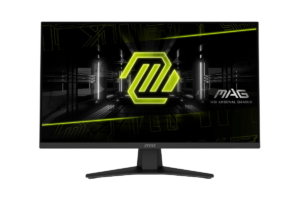
27-inch | 2560×1440 | 240Hz | Rapid IPS
The MSI MAG 274QF X24 gives you a 240Hz Rapid IPS panel at 1440p, with a rated 0.5ms minimum GTG response time.
If you’re playing competitive shooters and your PC can actually push somewhere near those frame rates, this is exactly the situation where I’d prioritize refresh rate more heavily.
Call of Duty, Valorant, Counter-Strike, Fortnite, The Finals, whatever your game is.
But there’s an important second half to that recommendation:
Can Your PC Actually Use 240Hz?
That’s the question I’d ask before buying it.
If you’re playing a game at 90 FPS, buying a 240Hz monitor doesn’t magically turn it into 240 FPS.
Your GPU still has to render those frames.
That’s why I wouldn’t automatically recommend this monitor over the AOC just because 240 is bigger than 180.
Buy the MSI because you need 240Hz. Don’t buy it because 240Hz sounds better.
The good news is that MSI hasn’t completely ignored picture quality to get there. It’s still a Rapid IPS panel with a wide color gamut, so this isn’t some one-trick display built exclusively around speed.
One limitation worth knowing is that you’ll want to use DisplayPort with your PC to take full advantage of the monitor’s maximum refresh rate.
What I Like
- 240Hz
- Rapid IPS
- Very fast response time
- 1440p
- 27 inches
- Strong option for competitive gaming
- Still comfortably below $300
What I’d Consider
You’re paying for performance that a lot of gamers simply won’t use.
If your PC isn’t pushing high frame rates, I’d spend that money somewhere else.
Find it here: Check the MSI MAG 274QF X24 price on Amazon
Alienware AW2725DM — Best All-Around Alternative
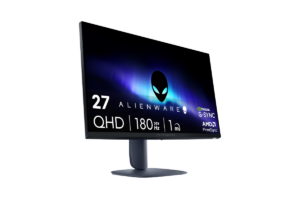
27-inch | 2560×1440 | 180Hz | Fast IPS
Not everybody wants to overthink this.
The Alienware AW2725DM is basically the monitor I’d put here for someone who says:
“Just give me a good 27-inch 1440p gaming monitor.”
And that’s not an insult.
You get a Fast IPS panel, 180Hz refresh rate, 1ms-class response time, adaptive-sync support, and the 27-inch size I think makes the most sense for 1440p.
Recent Amazon pricing has also been roughly $210–$220, which puts it in a really competitive spot.
- It’s not trying to beat the AOC at HDR.
- It’s not trying to beat the MSI at refresh rate.
- It’s just a solid middle ground.
What I Like
- Fast IPS
- 180Hz
- 1440p
- 27 inches
- Good balance between color and speed
- Frequently around $200–$220
What I’d Consider
Its biggest problem might actually be the ASUS ROG Strix XG27ACS.
When two monitors with similar core specs are sitting around the same price, I’d compare the current Amazon prices and features rather than blindly choosing one based on the logo.
Get it here: Check the Alienware AW2725DM price on Amazon
ASUS TUF Gaming VG32WQ3B — Best 32-Inch
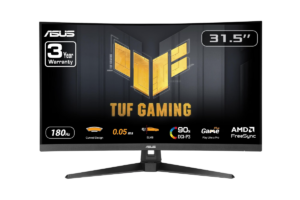
31.5-inch | 2560×1440 | 180Hz | Curved VA
If you’re specifically searching for something larger, the ASUS TUF VG32WQ3B gives you a 31.5-inch curved display, 1440p resolution, 180Hz refresh rate, and a VA panel with strong contrast.
The 1500R curve also makes more sense to me at this size than it would on a smaller screen.
What I Like
- Larger 31.5-inch screen
- 180Hz
- Good VA contrast
- 1500R curve
- 1440p
- FreeSync support
What I’d Consider
1440p doesn’t become more detailed because the monitor gets bigger.
You’re spreading the same 2560×1440 pixels across a larger physical area. That means a 27-inch 1440p monitor will look sharper at a normal desk distance than a 32-inch 1440p monitor.
That’s not necessarily a dealbreaker.
If you want immersion and screen size, go 32.
If you want the balance I’d personally choose, I’d stay at 27 inches.
Also check the Amazon price before buying this particular model. It has moved above and below $300, so I wouldn’t buy it if the current listing breaks our budget.
Find it here: Check the ASUS TUF VG32WQ3B price on Amazon
ASUS TUF Gaming VG27AQL5A — Best Higher-Refresh Alternative
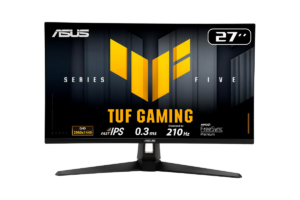
27-inch | 2560×1440 | Up to 210Hz | Fast IPS
This sits in an interesting spot between our 180Hz monitors and the 240Hz MSI.
You get a 27-inch Fast IPS panel, 1440p resolution and refresh rates up to 210Hz.
I wouldn’t choose it simply because 210 is bigger than 180.
In fact, that’s exactly what I don’t want you doing.
But if the Amazon price is right and you want something faster than the typical 165–180Hz options without making 240Hz the entire reason for your purchase, it deserves a look.
What I Like
- Fast IPS
- Up to 210Hz
- 1440p
- 27 inches
- G-SYNC Compatible
- Good middle ground for faster gaming
What I’d Consider
Pricing matters a lot here.
I’ve seen this model move around enough that I wouldn’t automatically choose it over a $199 XG27ACS or ~$220 MSI.
Compare the prices when you’re actually ready to buy.
If the 240Hz MSI is cheaper, the ASUS becomes harder to justify.
Get it here: Check the ASUS TUF Gaming VG27AQ5A price on Amazon
Don’t Waste Your Money on Refresh Rate You Can’t Use
Refresh rate matters.
Overkill doesn’t.
If you’re buying a new gaming monitor in 2026, I’d want at least 120Hz. That gives console players room to take advantage of 120Hz modes and gives PC players a noticeably smoother experience than 60Hz.
From there?
It depends.
144Hz, 165Hz and 180Hz are already extremely smooth.
240Hz makes more sense for competitive players with PCs capable of pushing very high frame rates.
Beyond that, the use case gets even narrower.
I’d much rather have great color, good contrast and 180Hz than sacrifice the stuff I notice every second I’m looking at the screen just so I can brag about a refresh rate my computer isn’t even reaching.
I have an entire article on the Best Monitors for FPS Games in 2026 (Warzone, Apex, Valorant & More)
Is 1440p Still the Sweet Spot for Gaming?
I think so.
4K looks fantastic, but it’s also significantly harder for your GPU to run at high frame rates.
1080p is easier to drive and still makes plenty of sense for competitive gaming, but you give up noticeable sharpness compared with 1440p.
1440p lands right in the middle.
You get a significant improvement in image detail without putting the same demand on your PC that 4K does.
And with good 1440p monitors now sitting around $200, you don’t necessarily need a premium monitor budget anymore.
If you’re deciding between resolutions, I’ve also written about The Gaming Monitors I’d Actually But in 2026 (After Using Them Daily)
Final Verdict
You don’t need $500 to get a really good 1440p gaming monitor anymore.
Honestly, you may not even need $300.
If picture quality is the priority, the AOC Q27G3XMN is my favorite because Mini-LED gives it an advantage you’ll actually be able to see.
If value matters more, the ASUS ROG Strix XG27ACS is hard to argue against when it’s around $200.
And if you’re actually a competitive player capable of pushing huge frame rates, that’s when I’d look at the 240Hz MSI MAG 274QF X24.
Just don’t buy 240Hz because 240 is bigger than 180.
Buy the monitor that fits your games, your PC or console, your desk, and your budget.
The best spec is the one you’re actually going to use.