
I’ve been streaming with a roughly $30 Amazon ring light for almost two years.
It still works.
Which is important to say before I recommend a bunch of more expensive lights.
I don’t suddenly need a key light because my cheap ring light stopped doing its job.
Turn it on and my webcam looks significantly better.
Turn it off and my OBSBOT immediately reminds me why lighting matters.
The reason I’m finally considering upgrading is because I’ve started wanting more control.
- My current stand is getting old and wobbly.
- I want something I can mount cleanly around my desk
- I want something I can position exactly where I want it, and leave there.
- I also wear glasses, so being able to move the light away from directly behind my camera matters more than I originally realized.
After nearly two years with a cheap ring light, I finally know what I’d want from the next step.
So if I were buying a key light for my streaming setup today, these are the ones I’d consider.
This post contains affiliate links. If you buy something through one of these links, I may earn a commission at no additional cost to you.
TL;DR
My picks for the best key lights for streaming in 2026:
- Best Overall: Elgato Key Light Air MK.2
- Best Budget: Elgato Key Light Neo
- Best Value: NEEWER GL25B
- Best for Small Setups: Logitech Litra Glow
- Best Face + RGB: Logitech Litra Beam LX
- Best Premium: Elgato Key Light
If I were upgrading my own setup today, I’d probably buy the Elgato Key Light Air MK.2.
It gives me the things I’m actually looking for
- Good light
- Plenty of control
- Clean desk-mounted setup
- Enough positioning flexibility to work around my glasses without jumping all the way to the most expensive option.

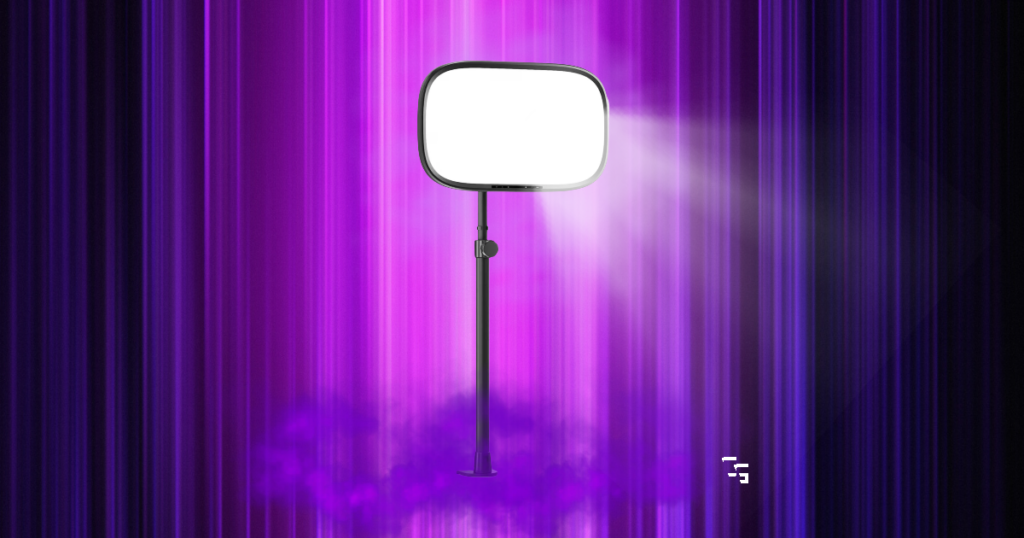
Best Overall: Elgato Key Light Air MK.2
The Elgato Key Light Air MK.2 hits the sweet spot between a cheap starter light and a full-size professional lighting setup.
It can produce up to 2,100 lumens depending on how it’s powered, with adjustable color temperature from 2900K to 7000K. You can control it directly on the light or through Elgato’s software, and it can integrate with Stream Deck.
That last part is particularly interesting to me because I already own a Stream Deck MK.2.
I’ve admitted that I don’t use my Stream Deck nearly as much as I thought I would, so adding brightness and color-temperature controls could actually give me another reason to use the thing.
But that’s not why this wins.
Why I’d choose it
The mounting and positioning are what sell me.
I’ve spent nearly two years with a basic ring light on a stand.
The light is still fine.
The stand isn’t.
It’s getting wobbly, and I constantly wish I had more freedom to position the light exactly where I want it.
The Key Light Air MK.2 uses a desk-mounted system, which is much more appealing for my small office.
- Clamp it to the desk
- Position it
- Leave it alone
That’s what I want now.
It also lets me put the light off to one side rather than directly behind my webcam, which is something I’ve learned matters quite a bit when you wear glasses.
Best for: Most streamers ready to move beyond basic lighting.
Get it here: Check Elgato Key Light Air MK.2 price on Amazon
Best Budget: Elgato Key Light Neo
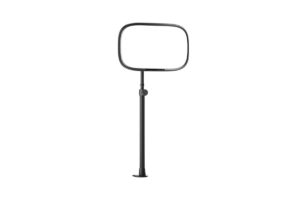
The Elgato Key Light Neo is where I’d look if you want to try a proper key light without immediately spending Key Light Air money.
Not everybody needs a giant panel.
If you’re sitting fairly close to your monitor and webcam, you need enough soft light to properly expose your face.
That’s it.
The Neo:
- Is considerably more compact than Elgato’s larger key lights
- Offers adjustable brightness and color temperature
- & can be controlled directly or through software
For a small streaming setup, that makes a lot of sense.
Who should buy this instead of a ring light?
If your budget is extremely tight, I’d still buy a cheap ring light.
- I’ve done it
- It works
But if you’re already willing to spend more and know that streaming is something you’re going to continue doing, I’d rather start looking at a compact key light like this.
You’re getting away from the traditional ring-light shape and gaining more freedom in how you position the light across your face.
That’s particularly useful if reflections or a completely flat look are bothering you.
Best for: Someone who wants to make the jump from starter lighting to a key light without spending a fortune.
Find it here: Check Elgato Key Light Neo price on Amazon
Best Value: NEEWER GL25B
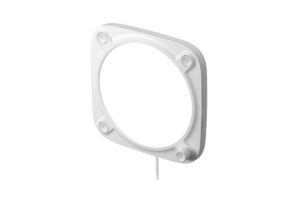
The NEEWER GL25B is a 12.9-inch diffused panel with adjustable color temperature from 2900K to 7000K and a CRI rating above 98.
It also gives you:
- Onboard controls
- A wireless remote
- & computer control
And this is exactly the kind of product I look for when I’m researching gear.
I don’t care whether every item on my desk has the same logo.
If another company gives me the features I actually need for less money, I want to know about it.
Why it’s my value pick
You’re getting:
- A proper diffused lighting panel
- A wide color-temperature range
- & multiple ways to control it without pushing into premium pricing
That’s a pretty strong combination.
And for someone like me, the remote actually has some appeal.
I adjust my current ring light depending on what I’m playing.
If I’m playing a dark horror game, I usually turn it down a little.
If I’m playing a shooter or streaming during the day, I’ll turn it up.
Being able to make those changes without messing around behind the light is useful.
I don’t need 400 different lighting effects.
I need brighter, darker, warmer and cooler.
That’s plenty.
Best for: Streamers who care more about features and value than staying inside one brand ecosystem.
Get it here: Check the NEEWER GL25B price on Amazon
Best for Small Setups: Logitech Litra Glow
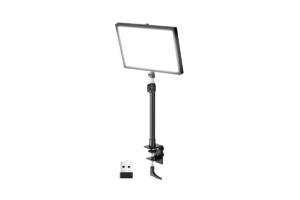
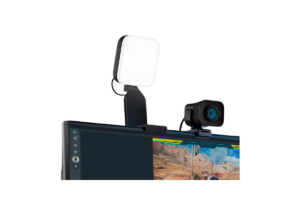
If desk space is the problem, the Logitech Litra Glow deserves a look.
This is a much smaller light than the big panels on this list, and that’s the point.
Not everybody has a huge streaming room.
I definitely don’t.
Once you’ve got:
- Monitors
- A microphone arm
- Keyboard
- Mouse
- Stream Deck
- Speakers
- Webcam
- & everything else around a desk
…Finding room for another giant piece of equipment can become its own problem.
A compact light makes considerably more sense in that situation.
Small doesn’t automatically mean bad
For webcam use, you’re not trying to light an entire movie set.
You’re trying to light your face.
If you’re sitting a couple feet from your monitor, you may not need an enormous light blasting across the room.
Something compact that mounts around your monitor can be enough.
This is also one of those situations where I’d think about the setup before the spec sheet.
If a larger, technically better light won’t fit where you need it?
It’s not better for you.
Best for: Small desks, tight streaming rooms and simple webcam setups.
Find it here: Check Logitech Litra Glow price on Amazon
Best Face + RGB: Logitech Litra Beam LX
Normally, I don’t care whether my main face light has RGB.
I actually prefer keeping my face lighting relatively normal and putting the fun lighting in the background.
My current background lighting isn’t exactly a professional studio setup.
I’ve used old Christmas lights woven through my shelf.
My PC has RGB.
There’s light from a mini fridge my wife bought me.
And it works.
But the Logitech Litra Beam LX does something I actually find interesting.
One side is designed for white key lighting.
The other provides RGB accent lighting.
That means one device can help light your face while also adding color to the setup behind or around you.
Do you need this?
Absolutely not.
But unlike adding RGB to something just because it’s a gaming product, I can actually see the purpose here.
If you’re working with a small room and don’t want multiple lights scattered everywhere, combining your face lighting and accent lighting into one product could be useful.
I’d still buy based on the face lighting first.
Your viewers being able to see you matters more than making the wall purple.
But if you want both?
This is the option I’d look at.
Best for: Streamers who want good face lighting and RGB accent lighting without buying multiple separate lights.
Get it here: Check Logitech Litra Beam LX price on Amazon
Best Premium: Elgato Key Light
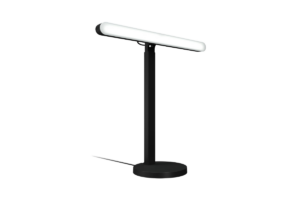
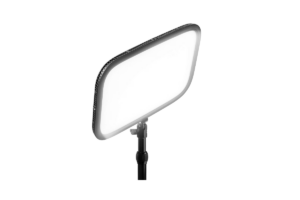
The full-size Elgato Key Light can produce up to 2,800 lumens and gives you the larger lighting panel, desk mounting and wireless control you’d expect from Elgato’s premium option.
Technically, it’s better than the Key Light Air MK.2 in several ways.
That doesn’t mean it’s the one I’d buy.
This is something I think gets lost constantly when shopping for gaming and streaming equipment.
Best specs and best purchase aren’t always the same thing.
If you’re lighting a larger area, need the additional output or simply want the premium option, the full-size Key Light makes sense.
For me?
I’d probably save the money and buy the Air MK.2.
- My office is small.
- I’m sitting at a desk.
- I’m lighting one person.
- I don’t need to recreate daylight inside the room.
When I’d spend the extra money
If I had a larger streaming space or needed more flexibility with distance, the additional output would become more valuable.
I’d also consider it if streaming/video production had reached the point where lighting was becoming a serious part of my work rather than simply making my webcam look better.
But for a normal gaming stream?
The Air MK.2 looks like the better balance for me.
Best for: Larger setups and streamers who genuinely need more output.
Find it here: Check Elgato Key Light price on Amazon
What I Actually Use Right Now
None of these.
I’m still using my cheap Amazon ring light.
I’ve had it for almost two years, and it has handled livestreams, recordings and Shorts.
Turn it off and my OBSBOT Tiny 2 Lite looks considerably worse.
Turn it back on?
Problem solved.
That’s why I don’t want this article to convince somebody who’s streaming for the first time tomorrow that they need to order a $140 key light tonight.
You don’t.
Lighting matters.
Expensive lighting doesn’t automatically matter.
Get enough decent light on your face first.
Then figure out what your cheap setup isn’t doing well enough.
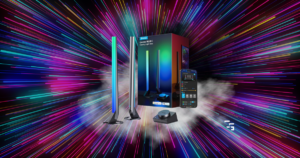
Check out the Best RGB Lights for Gaming Setups in 2026
Why I’m Finally Ready to Upgrade From a Ring Light
My current ring light hasn’t failed.
I’ve just started noticing its limitations more.
- The stand is getting worn
- It’s wobbly
- I wish I could move the light around more easily
And after streaming for this long, I’ve learned more about where I actually want the light positioned.
For probably my first year of streaming, I had the ring light sitting pretty much directly behind the webcam.
I wear glasses.
You can probably guess what happened.
Hello, giant glowing circles in my lenses.
Eventually I moved the light higher and off to the left of my camera.
Most of the reflection problem disappeared.
That experience is one of the reasons a key light appeals to me now.
I want more control over the direction of the light, not simply more brightness.
Make sure to check out Best Lighting for Streaming in 2026: What You Really Need
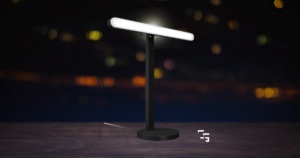
Key Lights Are Better for Positioning
A ring light naturally encourages you to put the camera in the middle and blast light straight toward your face.
That’s simple.
It’s also why they’re so beginner-friendly.
A key light gives you more freedom.
- You can move it higher
- Put it to one side
- Angle it downward
- Adjust the distance
- Change the brightness
That lets you create more depth on your face instead of lighting everything completely evenly from the front.
And if you wear glasses like I do, moving the light off-axis can also help control reflections.
That flexibility is what I’m actually paying for if I upgrade.
How Much Should You Spend on a Key Light?
For a normal desktop streaming setup, roughly $50–$150 is where I’d be shopping.
Below that, I’d also consider whether a cheap ring light solves the problem.
Once we’re getting significantly above that range, I need a very good reason for spending more.
- Maybe you’re creating YouTube videos every day.
- Maybe streaming is part of your job.
- Maybe you’ve got a larger studio.
- Maybe you just have the money and want really nice lighting.
That’s fine.
But don’t convince yourself that your stream can’t look good without premium lights.
I’ve been using a $30 ring light for almost two years.
I made a list of the Best Ring Lights for Streaming in 2026
Key Light vs. Ring Light for Streaming
I’ve already written an entire Ring Light vs. Key Light for Streaming
Ring lights win on price and simplicity.
Key lights win on control and positioning.
That’s why I’ve been perfectly happy recommending ring lights to beginners.
You can spend very little money, put one behind your webcam and immediately improve your image.
Key lights make more sense once you start caring about exactly how the light is hitting you.
That’s where I am now.
I’ve already written an entire comparison in Ring Light vs. Key Light for Streaming: Which is Better?
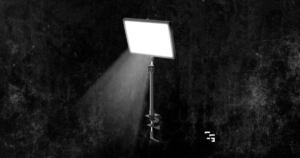
Which Key Light Would I Buy?
Right now?
It seems like the best balance for my setup.
- It’s powerful enough for what I’m doing
- Gives me considerably more positioning control than my current ring light
- Mounts cleanly to the desk
- & works with an ecosystem I’m already using because I own a Stream Deck
Would the full-size Elgato Key Light technically give me more?
Yes.
Do I think I need it?
Probably not.
The Air MK.2 looks like the point where I’d get the upgrade I’m actually looking for without paying extra for output I don’t really need.
And that’s the same way I’d approach your purchase.
Don’t ask:
“What’s the most powerful key light?”
Ask:
“What problem am I trying to solve?”
For me, it’s not that my face isn’t bright enough.
It’s that I want:
- Better mounting
- Better positioning
- More control
After almost two years, my cheap ring light finally taught me exactly what I want from the upgrade.
That’s when I think spending more money makes sense.