
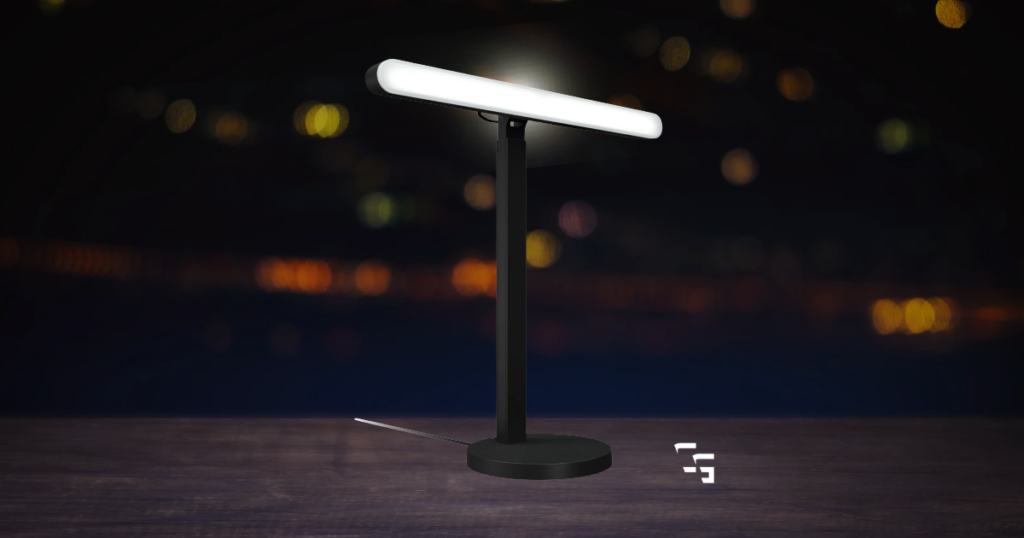
Lighting was one of those things I seriously underestimated when I started streaming.
You think about:
- The webcam.
- The microphone.
- The PC.
- OBS settings.
- Maybe a Stream Deck if you’re feeling fancy.
Then you turn your camera on without a light and suddenly look like you’re broadcasting from the corner of a haunted basement.
…At least that’s what happens to me.
I’ve been using a roughly $30 ring light for almost two years, and it has done exactly what I needed it to do.
- I stream with it.
- I record with it.
- I make Shorts with it.
And when I forget to turn on that $30 ring light, the difference in my webcam is immediately obvious.
Now that I’m creating content basically every day, I’m finally getting to the point where I want something better.
I don’t think a beginner needs a $200 lighting setup.
You need enough light for your camera to see you properly.
Everything after that is an upgrade.
This post contains affiliate links. If you buy something through one of these links, I may earn a commission at no additional cost to you.

TL;DR
If you’re building a streaming setup, spend your lighting budget on your face first.
A decent $30 ring light can make a bigger difference to your webcam than spending hundreds of dollars decorating the wall behind you.
My picks for 2026:
- Best Overall: Elgato Key Light Air MK.2
- Best Budget: Elgato Key Light Neo
- Best Ring Light: NEEWER 18-Inch Ring Light
- Best Premium: Elgato Key Light
- Best Value Panel: NEEWER GL25B
- Best Face + RGB Combo: Logitech Litra Beam LX
And if you already own a cheap ring light or desk lamp that makes your face look good?
Keep using it.
You can upgrade when you actually have a reason to.
Why Lighting Matters So Much for Streaming
A better camera can produce a better image.
Obviously.
But cameras need light.
That’s something I’ve seen firsthand with my OBSBOT Tiny 2 Lite.
I’ve used that webcam for more than a year, and the difference between having my ring light on and trying to use the camera in a dark room is ridiculous.
Without enough light, the image gets dark and just looks bad.
Honestly, it looks a little creepy.
Turn my ring light on and suddenly the webcam has enough light to actually produce the image it’s capable of producing.
It’s also why I’d consider spending $50–$100 on better lighting before replacing a perfectly good webcam with a significantly more expensive one.
Resolution isn’t going to fix terrible lighting.
Best Overall: Elgato Key Light Air MK.2
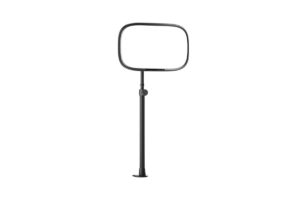
If I were upgrading my own streaming light today and wanted something I could use for years, this is where I’d start.
The Elgato Key Light Air MK.2 is a proper edge-lit panel designed specifically around content creation.
You get:
- Adjustable brightness and color temperature
- A large diffused lighting surface
- Onboard controls
- USB-C power
- & integration with Elgato’s software and Stream Deck ecosystem.
That last part matters more to me now than it would have when I started.
When you’re creating content constantly, convenience starts becoming valuable.
Being able to sit down, hit a button and have your lighting ready to go is different from manually messing with a cheap ring light every morning.
The Key Light Air MK.2 also gives you considerably more control over how your face is lit than the basic ring-light setup I’ve been using.
Why I’d Recommend It
It’s the balance that wins for me.
There are cheaper lights.
There are more powerful lights.
But this is about the point where you’re getting a legitimate creator-focused lighting setup without going completely insane on price.
Best for: Regular streamers and creators ready to upgrade from beginner lighting.
Skip it if: You’re just starting and aren’t even sure you’re going to stick with streaming.
Get it here: Check Elgato Key Light Air MK.2 price on Amazon
Best Budget Key Light: Elgato Key Light Neo
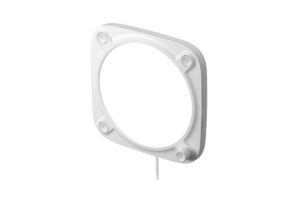
This is probably the light I’d recommend to the most people who want something better than a cheap ring light without spending $150+.
The Elgato Key Light Neo is a smaller light designed to mount around your monitor or desk setup.
You still get adjustable brightness and color temperature, physical controls and Elgato’s software ecosystem.
And that’s really what I like about it.
- It’s simple.
- You don’t need another giant tripod sitting beside your desk.
- You don’t need a massive studio.
- You don’t need to spend a fortune.
For someone streaming from a bedroom, office or smaller gaming setup, that makes a lot of sense.
I stream from a pretty small office myself, so I’m always going to value gear that doesn’t consume half the room.
Why I’d Recommend It
The Neo gives you a legitimate dedicated key light without jumping straight into premium creator gear.
If your current problem is simply:
“My face is too dark on camera.”
Start here.
Best for: Newer streamers who want a compact dedicated face light.
Skip it if: You need to illuminate a much larger area or want significantly more output.
Find it here: Check Elgato Key Light Neo price on Amazon
Best Ring Light: NEEWER 18-Inch Ring Light
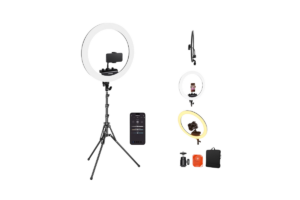
Ring lights aren’t suddenly bad because key lights became popular.
They’re simple, relatively affordable and extremely easy to understand.
- Put the light in front of you.
- Adjust the brightness.
- Turn the camera on.
- Done.
The NEEWER 18-Inch Ring Light is essentially a more serious version of the type of setup I’ve been using for the past two years.
Its larger lighting area can provide much more even illumination than the tiny ring lights you’ll find bundled with cheap phone stands, and kits typically include the stand and accessories you need to position it.
For someone who records Shorts, TikToks, talking-head videos and livestreams, that simplicity is still valuable.
The Downside of Ring Lights
They’re not particularly subtle.
They’re big.
They take up space.
And if you wear glasses like I do, positioning becomes especially important because congratulations—you’ve now put a glowing circle directly in front of your lenses.
That’s another reason I’m personally interested in moving toward a panel-style light.
But ring lights remain one of the easiest ways to get decent lighting without learning much about lighting.
Best for: Beginners, Shorts creators and anyone wanting a simple all-in-one solution.
Skip it if: You have limited floor space or want more control over the direction of your light.
Get it here: Check NEEWER 18-inch Ring Light price on Amazon
Best Premium: Elgato Key Light
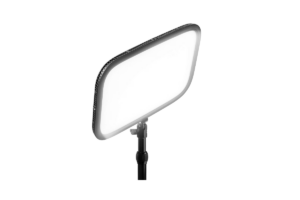
If you want the bigger, more powerful version of the Elgato experience, there’s the full-size Elgato Key Light.
This is a large diffused panel capable of putting out considerably more light than the smaller options above.
It attaches to your desk rather than requiring a traditional floor tripod, and you get the software and Stream Deck controls you’d expect from Elgato.
For a dedicated streaming room or someone making content professionally, I get it.
For somebody who’s streamed three times?
This is overkill.
That’s not a criticism of the light. It’s a question of where your money actually makes sense.
If you’re already using a:
- Good webcam
- Good microphone
- Solid PC
- & you’re creating content constantly
…lighting is absolutely an area where spending more can improve the final product.
But if you’re trying to assemble your first streaming setup on $500?
I’d put that money somewhere else.
Best for: Serious streamers and creators who want a powerful permanent lighting setup.
Skip it if: You’re trying to build your first setup on a budget.
Find it here: Check Elgato Key Light price on Amazon
Best Value Panel: NEEWER GL25B
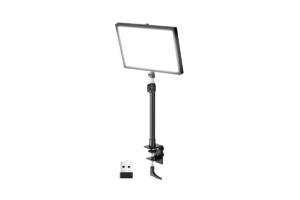
This is the option I like for someone looking at Elgato prices and thinking:
Yeah…I’m not doing that.
The NEEWER GL25B gives you a large bi-color LED panel with adjustable brightness and color temperature without pushing as far into premium pricing.
That’s really the appeal.
You’re getting the style of light I’d personally want for streaming (a larger diffused panel) without paying primarily for an ecosystem.
And for plenty of people, that’s the smarter purchase.
- Not everybody owns a Stream Deck.
- Not everybody cares about controlling every light from software.
- Sometimes you just want to turn the light on and stream.
Why I’d Recommend It
This is where I’d look if actual lighting performance per dollar matters more to you than having everything connected to one creator ecosystem.
Best for: Streamers who want a proper panel without premium pricing.
Skip it if: Stream Deck integration and ecosystem convenience are major priorities.
Get it here: Check NEEWER GL25B price on Amazon
Best Face + RGB Combo: Logitech Litra Beam LX
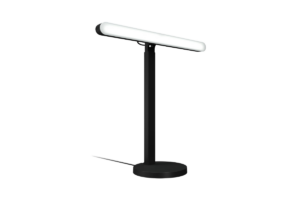
The Logitech Litra Beam LX basically combines two things we’re talking about here.
One side provides adjustable white lighting that can illuminate your face.
The other provides RGB lighting.
That means you can use one device to improve how you look on camera while also adding color to your setup or background.
For smaller streaming rooms, that’s clever.
Instead of adding a key light, RGB light bar and another stand somewhere behind the desk, you’re getting multiple functions from one device.
Would I choose it over a dedicated panel if my only priority were lighting my face?
Probably not.
But that’s not really the point.
The Litra Beam LX is for someone who wants their setup to look good and wants functional lighting without filling the room with equipment.
Best for: Smaller setups where face lighting and RGB both matter.
Skip it if: You only care about getting the strongest dedicated key light for your money.
Find it here: Check Logitech Litra Beam LX price on Amazon
Ring Light vs. Key Light: Which Should You Buy?
If you’re brand new and want the simplest possible answer:
A cheap ring light is fine.
I’ve proven that to myself for nearly two years.
- They’re inexpensive
- Easy to position
- & can immediately improve a dark webcam image
If you’re building a more permanent streaming setup, though, I’d lean toward a key light or panel.
You have more freedom to:
- Position the light off-center
- Create a more natural look
- & avoid the giant circular reflection that ring lights can create in glasses
(That’s why I’m looking at moving away from mine.)
It’s not because ring lights stopped working.
My needs changed.
Dont forget your background. Check out the Best RGB Lights for Gaming Setups in 2026
Don’t Buy a New Webcam Before You Fix Your Lighting
This deserves its own section because I think people get this backward.
If your webcam looks terrible, your first assumption might be:
“I need a better webcam.”
…Maybe.
But turn some lights on first.
If your current webcam is trying to capture you in a dark room, replacing it with a more expensive camera isn’t necessarily fixing the underlying problem.
Good lighting can make an inexpensive camera look dramatically better.
Bad lighting can make an expensive camera look disappointing.
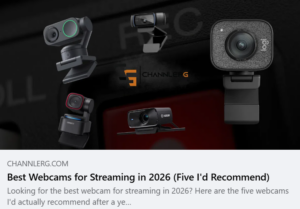
If you’ve already fixed your lighting and the camera is still the weak point, then I’d start looking through my Best Webcams for Streaming in 2026
What Lighting Would I Buy for My Own Stream?
After almost two years with my cheap ring light, I’m personally ready for a proper key light.
I’d lean toward something like the Elgato Key Light Air MK.2 because I’m at the point where I would actually use the additional control and convenience constantly.
I’m also much more interested in background accent lighting than I was when I started.
That’s because my setup has evolved.
When I started, I needed people to see me.
Now I’m thinking about making the entire camera frame look better.
And I think spending money in that order saved me from buying a bunch of crap I didn’t need.
Which goes perfectly with Do You Really Need a 4K Webcam to Stream?
Final Thoughts
You don’t need a professional studio to make your stream look good.
You need enough light.
That’s where I’d start.
I’ve used a roughly $30 ring light for almost two years, while my background lighting consists largely of Christmas lights I found around the house and a glowing mini fridge.
And you know what?
It worked.
Now that I’m streaming, recording and making Shorts constantly, I’m finally ready to upgrade because better lighting would actually improve something I use every day.
If you’re in that position, products like the:
and other dedicated creator lights start making a lot more sense.
But if you’re just getting started?
- Buy a cheap light.
- Use the lamp you already own.
- Steal the Christmas lights out of the closet.
Just make sure we can see you.
You can make it pretty later.