
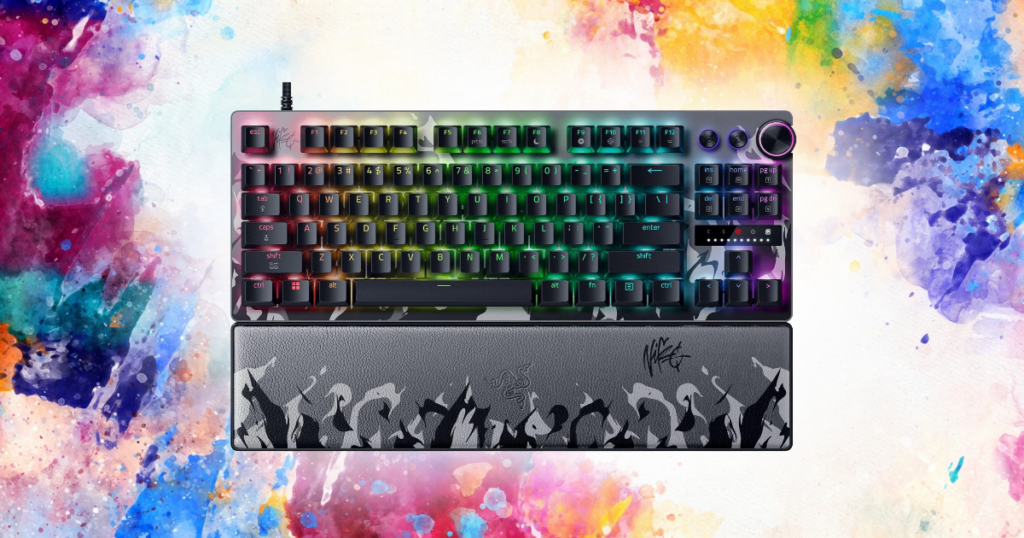
Mechanical keyboards have basically become the default recommendation for gaming.
If you start looking for a new gaming keyboard, it doesn’t take long before you’re reading about:
- Red switches
- Brown switches
- Actuation points
- Rapid trigger
- Hall Effect sensors
- Polling rates
- & approximately 47 other things you didn’t know you were supposed to care about.
Meanwhile, I’m sitting here using a SteelSeries Apex 3.
It’s a membrane keyboard.
- I use it for gaming.
- I use it for work.
- It’s quiet
- Has RGB
- Came with a magnetic wrist rest
- & does everything I’ve needed it to do.
Could I buy something technically better for gaming?
Absolutely.
Do I need to replace a perfectly good keyboard just because mechanical keyboards are considered better?
Not really.
So let’s talk about what actually changes when you go from membrane to mechanical, where mechanical keyboards have a legitimate advantage, and whether any of it is important enough to spend your money on.
This post contains affiliate links. If you buy something through one of these links, I may earn a commission at no additional cost to you.

TL;DR
Mechanical keyboards are generally better for gaming.
You get:
- More switch options
- Better feedback
- Greater customization
- Typically better durability
- & potentially faster or more adjustable inputs.
But that doesn’t mean membrane keyboards are bad for gaming.
If you already own a membrane keyboard that feels good, responds properly, and does everything you need it to do, I wouldn’t replace it just because the internet says gamers need mechanical keyboards.
If you’re buying a new keyboard anyway? I’d probably lean mechanical.
And if competitive gaming is your priority, modern Hall Effect/magnetic keyboards take things another step further with features like adjustable actuation and rapid trigger.
Unfortunately, none of them are going to magically make you better at the game.
What’s the Difference Between Mechanical and Membrane Keyboards?
The biggest difference is underneath the keys.
A traditional membrane keyboard uses rubber domes and membrane layers beneath the keys. When you press a key far enough, the layers make contact and register the input.
It’s a relatively simple design, and that’s one reason membrane keyboards can be so inexpensive.
Mechanical keyboards work differently.
Instead of having one membrane underneath everything, each key uses an individual mechanical switch.
That seemingly small change creates a lot of the differences people associate with mechanical keyboards.
You can:
- Choose different switches.
- Keys can feel more precise.
- Some switches are incredibly light, while others require more force.
- Some are quiet.
- Some make enough noise to announce to everyone in your house that you’re writing an email.
And that’s where mechanical keyboards start getting interesting.
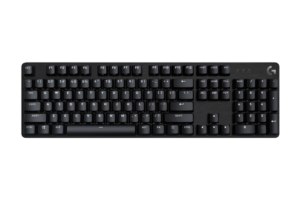
Find it here: Check Logitech G413 SE price on Amazon
Are Mechanical Keyboards Actually Better for Gaming?
Generally, yes.
But I think we need to separate better from necessary.
A good mechanical gaming keyboard can give you precise and consistent key presses, low latency, better rollover, customizable switches and, depending on the keyboard, adjustable actuation.
Those are legitimate advantages.
If you’re playing a competitive shooter where movement matters constantly, having a keyboard that quickly and consistently registers every input is obviously a good thing.
But we’re also talking about modern gaming keyboards.
A decent membrane gaming keyboard isn’t sitting there taking half a second to figure out whether you pressed W.
My SteelSeries Apex 3 is a good example.
SteelSeries specifically designed it as a gaming keyboard despite using membrane-style switches. It has anti-ghosting support, dedicated media controls, RGB lighting and quiet switches.
I’ve never been sitting in the middle of a game thinking:
“Dang. The membrane got me again.”
That’s the distinction I’d make.
Mechanical keyboards have technical advantages.
Whether those advantages matter enough to you is a completely different question.
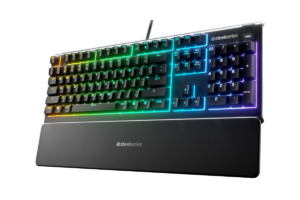
Get it here: Check SteelSeries Apex 3 price on Amazon
Mechanical Keyboards Give You Way More Choice
You can actually choose how you want your keyboard to feel.
Mechanical switches generally fall into a few broad categories.
- Linear switches have a smooth press without a noticeable bump. They’re popular for gaming because they can feel fast and consistent.
- Tactile switches give you a noticeable bump as the key actuates. Some people prefer having that physical feedback.
- Clicky switches give you tactile feedback along with an audible click.
You can go considerably deeper than that.
Different switches have different actuation forces, travel distances, sounds and overall feel. Some keyboards are also hot-swappable, meaning you can replace the switches without buying an entirely new keyboard.
Membrane keyboards don’t give you nearly that level of customization.
You basically buy the keyboard and get whatever feel the manufacturer designed.
Whether you see that as a problem depends on how much you care.
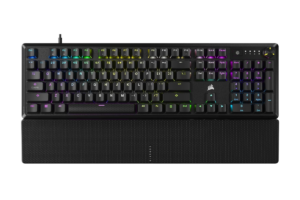
Find it here: Check CORSAIR K70 Core price on Amazon
What About Responsiveness?
This is where gaming keyboard marketing can get a little ridiculous.
You’ll see manufacturers advertise incredibly low latency, huge polling rates and increasingly tiny actuation distances.
Those things aren’t fake.
A faster keyboard can legitimately register an input sooner than a slower one.
The question is whether you’ll actually notice the difference.
For most casual gaming, I don’t think someone should replace a keyboard they like because another keyboard can technically register a key press a few milliseconds faster.
Competitive gaming is where I start caring more.
If you’re trying to reduce latency everywhere possible:
- High-refresh-rate monitor
- High-performance mouse
- High frame rate
- Low-latency peripherals
…then your keyboard becomes another part of that equation.
That’s also why I wouldn’t look at any one component in isolation.
I talked about the same problem in Best Gaming Mice for FPS Games in 2026

At some point, we’re comparing incredibly good hardware where the measurable differences are much easier to see in testing than they are while actually playing.
Better is still better.
Just don’t confuse a benchmark advantage with an automatic skill advantage.
Then Hall Effect Keyboards Showed Up
Some of the most gaming-focused keyboards aren’t traditional mechanical keyboards at all.
They’re magnetic Hall Effect keyboards.
Instead of relying on a traditional mechanical contact to determine when a key has been pressed, Hall Effect switches use magnets and sensors to detect movement.
That allows the keyboard to know how far you’ve pressed the key.
Why does that matter?
Because manufacturers can let you change the actuation point.
Instead of every key activating at one fixed position, you might be able to make a movement key activate after an extremely small press.
And then there’s rapid trigger.
With a normal switch, the key generally needs to return to a particular reset point before it can activate again.
Rapid trigger can dynamically reset the key as you begin releasing it.
For competitive games that involve extremely fast movement and repeated directional changes, that’s genuinely useful technology.
This is one area where I wouldn’t dismiss the improvement as pure marketing.
But again:
Do you need it to play games?
No.
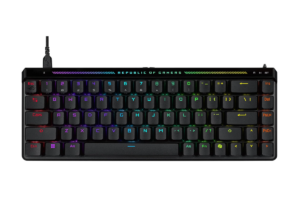
Find it here: Check ASUS ROG Falchion Ace price on Amazon
Mechanical Keyboards Usually Win on Durability
This is another legitimate advantage.
Mechanical switches are generally designed to withstand tens of millions of key presses, and individual switches can sometimes be replaced if something goes wrong.
A membrane keyboard uses rubber domes that can eventually wear down and change how the keys feel.
Mechanical keyboards can therefore be a better long-term investment.
But there’s an obvious counterargument:
If your $40–$60 membrane keyboard lasts for years, how concerned are you really about eventually replacing it?
That’s basically where I am with mine.
I’ve used the Apex 3 for gaming and work, and it still works.
Until it gives me a reason to replace it, I’m not particularly interested in creating one.
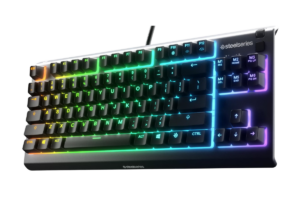
Get it here: Check SteelSeries Apex 3 TKL price on Amazon
What About Noise?
This was something I thought mattered more before looking deeper into keyboards.
Mechanical does not automatically mean loud.
It depends heavily on the switch.
Clicky mechanical switches can be extremely loud.
Linear and silent switches can be much quieter.
Membrane keyboards tend to be quieter overall, and that’s something I like about the Apex 3. SteelSeries literally markets its switches as “whisper quiet,” and considering I use the same desk for work and gaming, I’m perfectly happy with that.
But noise isn’t a huge factor for me either way.
If you:
- Stream
- Work around other people
- Game late at night
- Or have a microphone sitting a foot away from your keyboard
…It’s absolutely worth considering.
Nobody needs your keyboard joining the Discord call.
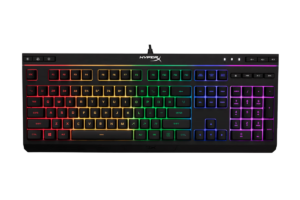
Find it here: Check HyperX Alloy Core price on Amazon
What About Price?
This is where membrane keyboards still make a really strong argument.
You can get a perfectly functional membrane gaming keyboard without spending much money.
Mechanical keyboards have also gotten dramatically cheaper, though, so the price gap isn’t what it used to be.
There are now legitimate mechanical gaming keyboards under $100.
Which is why I put together a separate guide to the Best Gaming Keyboards Under $100 in 2026

If you’re already shopping for a new keyboard and have enough room in the budget, that’s where I’d start looking.
But let’s say you’ve got a $40 membrane keyboard sitting in front of you right now.
It works perfectly.
You like how it feels.
Every key registers.
Nothing is broken.
Would I tell you to throw it out and spend $100+ because mechanical is technically better?
No.
Keep using it.
Put the money toward something that will make a bigger difference to your setup.
Should You Upgrade From Membrane to Mechanical?
Not unless you have a reason to.
- Upgrade because you want better switches.
- Upgrade because you want a different feel.
- Upgrade because your current keyboard is wearing out.
- Upgrade because you want a smaller layout.
- Upgrade because you’re getting more serious about competitive gaming and want features like adjustable actuation or rapid trigger.
- Upgrade because you tried a mechanical keyboard and thought, Okay, yeah, this feels way better.
Those are all good reasons.
But don’t upgrade because somebody told you that you can’t properly game on a membrane keyboard.
Because you absolutely can!
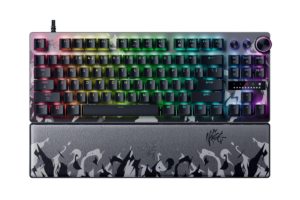
Get it here: Check Razer Huntsman V3 Pro TKL Niko Edition price on Amazon
If I Were Buying a New Keyboard Today
If my Apex 3 died tomorrow and I needed to buy another keyboard?
I’d probably go mechanical or Hall Effect.
Not because I suddenly think membrane keyboards are bad.
I’m already spending the money. At that point, I’d rather get the additional switch options, customization and gaming features available with newer keyboards.
And that’s exactly why I think these two questions have different answers:
“Should I replace my working membrane keyboard with a mechanical one?”
Probably not.
“Should I consider a mechanical keyboard if I’m already buying a new gaming keyboard?”
Absolutely.
If you’re at that point, check out my Top 5 Gaming Keyboards Worth Your Desk Space
Mechanical vs. Membrane for Different Types of Gamers
For casual gaming, use whichever one you like.
- For single-player games, I wouldn’t make mechanical switches a priority unless you simply prefer the feel.
- For competitive FPS games, I’d lean mechanical or Hall Effect. This is where low latency, consistent inputs, adjustable actuation and rapid trigger have the strongest argument.
- For gaming and work, I’d pay close attention to feel and noise. You’re going to spend a lot of time typing on the thing too.
- & if you barely use keyboard and mouse because you primarily play with a controller?
Then this decision matters even less.
I’ve already gone much deeper into that argument in Keyboard vs. Controller: Does It Matter?
So, Mechanical or Membrane?
If we’re asking which technology is better for gaming, I’m giving it to mechanical.
And for competitive gaming specifically, I’d also be looking very closely at Hall Effect keyboards.
But that’s not the same as saying membrane keyboards are bad.
My own keyboard is proof of that.
I’ve been using a SteelSeries Apex 3 for both gaming and work.
- It’s inexpensive
- Quiet
- Comfortable
- Has RGB
- & does exactly what I need it to do
Could I replace it with something faster?
Yep.
Would I notice a different feel?
Almost certainly.
Would replacing it suddenly make me dramatically better at games?
I wish.
If your membrane keyboard works perfectly fine, keep it.
If you’re already shopping for something new, that’s when I’d spend a little more time looking at mechanical and Hall Effect options.
Buy the keyboard that fits your budget, feels good under your fingers, and has the features you’ll actually use.
Then stop worrying about what’s underneath the keycaps and play the game.