
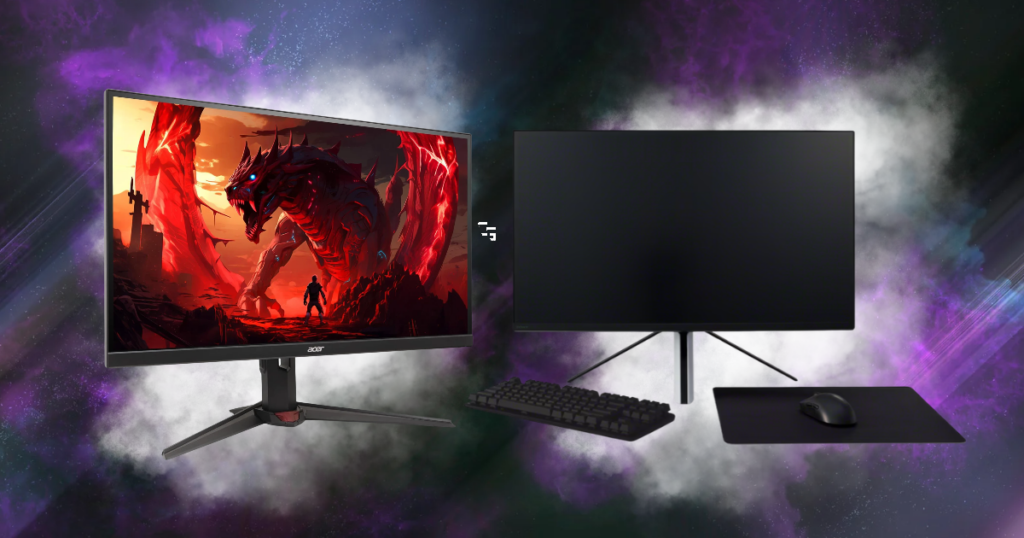
I’ve got two gaming monitors sitting on my desk, and they couldn’t be more different.
One is my Acer Nitro, a 1440p monitor with a 300Hz refresh rate.
The other is my Sony INZONE M9, a 4K monitor with a 144Hz refresh rate.
Both are great monitors, but they’re built for slightly different experiences.
And since I’ve been playing more competitive shooters like Rainbow Six Siege, I’ve started paying more attention to what each one actually offers.
Do I want the higher refresh rate of the Acer? Or would I rather have the better image quality of the Sony?
I’ve been using both monitors with my RX 6700 XT and Ryzen 7 3700X, so I wanted to compare them from the perspective of somebody who actually owns them.
This article may contain affiliate links. If you purchase through one of these links, I may earn a commission at no additional cost to you.

Acer Nitro vs. Sony INZONE M9: The Specs
Before getting into my experience with each monitor, here’s a quick look at what I’m working with.
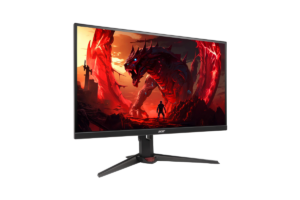
My Acer Nitro XV272U F3
- Screen Size: 27 inches
- Resolution: 2560 × 1440 (1440p)
- Refresh Rate: 300Hz
- Panel: IPS
- Biggest Strength: High refresh rates for competitive gaming
My Sony INZONE M9
- Screen Size: 27 inches
- Resolution: 3840 × 2160 (4K)
- Refresh Rate: 144Hz
- Panel: IPS
- Biggest Strength: Image quality, sharpness, and HDR performance
The Acer is built around speed, while the Sony gives me a sharper image and better HDR capabilities.
But having both on my desk has made me realize that the numbers don’t necessarily tell the whole story.
Why the Acer Makes Sense for Competitive FPS Games
The biggest selling point of my Acer is obviously the 300Hz refresh rate.
That’s more than double what my Sony can display.
And when you’re playing competitive shooters, having a monitor capable of displaying more frames can make a difference.
Higher refresh rates can improve motion clarity and reduce the time between screen updates, which is particularly useful when tracking moving targets.
But there’s something people need to understand before spending money on a 300Hz monitor.
Your PC needs to produce enough frames to take advantage of it.
I’m running an AMD RX 6700 XT with a Ryzen 7 3700X. It’s a capable setup, but I’m certainly not getting 300 FPS in every modern shooter at 1440p.
And that’s okay.
The Acer doesn’t suddenly become a bad monitor because I’m not hitting 300 FPS.
It just means I’m not always taking full advantage of what it can do.
For somebody who mainly plays competitive shooters and has a PC capable of pushing high frame rates, I think a native 1440p 300Hz monitor makes a lot of sense.
You get a good balance of image sharpness and speed without the extra demands of 4K gaming.
Get it here: Check Acer Nitro price on Amazon
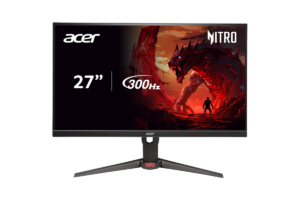
Why I Love My Sony INZONE M9
I really like my Sony.
It’s a 4K display, and the image quality is a big part of why I bought it.
The Sony also has full-array local dimming, which helps it deliver a better HDR experience than a typical gaming monitor without that feature.
And when I’m playing something that focuses more on visuals, I appreciate having that option.
It’s also an excellent monitor for my PS5.
But for competitive FPS games, the Sony has one obvious disadvantage compared with the Acer.
It’s limited to 144Hz.
Now, 144Hz is still very smooth. Especially compared with 60Hz.
But if you’re consistently getting 200 FPS or more in a competitive game, the Acer can display more of those frames.
That doesn’t automatically mean the Acer is the better monitor for everything.
It just means they prioritize different things.
Find it here: Check Sony Inzone M9 price at Sony
Why I Switched My Sony Back to 4K
I recently experimented with setting my Sony INZONE M9 to 1440p in Windows so it would match my Acer.
At first, that seemed like the logical thing to do.
I’m using an RX 6700 XT, and gaming at 1440p is significantly easier on my graphics card than gaming at 4K.
But after looking into it more, I decided to switch the Sony back to its native 4K resolution at 144Hz.
And here’s why.
The Sony is a 4K monitor, so I want my desktop running at its native resolution.
Instead of lowering my entire Windows display to 1440p, I can adjust the graphics settings inside each game.
For example, if a game supports AMD FSR, I can use an upscaling option to reduce the internal rendering workload while still outputting a 4K image.
With FSR Quality at 4K, the game typically renders internally at 1440p and reconstructs the image for the 4K display.
That isn’t exactly the same as native 4K rendering, but it can provide a good balance between performance and image quality.
And if a game doesn’t support a good upscaling option, I can always try lowering its in-game resolution.
The important thing is that I don’t need to sacrifice my desktop’s sharpness just because my graphics card isn’t designed for high-refresh-rate 4K gaming in every modern title.
For anyone wondering what graphics cards make sense at different resolutions, I recently covered the Best GPUs for 1440p Gaming in 2026
Is 300Hz Actually Better Than 144Hz?
Technically, yes, in terms of refresh rate.
But that doesn’t mean the difference will be equally noticeable to everyone.
- At 144Hz, the monitor refreshes roughly every 6.94 milliseconds.
- At 300Hz, it refreshes approximately every 3.33 milliseconds.
That’s about a 3.6-millisecond difference between refresh intervals.
It isn’t a guaranteed reduction in total input lag, because pixel response times, processing, and the rest of your system also matter.
But it helps explain why high-refresh-rate monitors are appealing for competitive gaming.
The biggest improvements in smoothness are usually more noticeable when moving from something like 60Hz to 144Hz.
Going from 144Hz to 300Hz can still be beneficial, particularly for competitive players, but it’s a smaller improvement.
And it depends heavily on whether your PC can deliver high enough frame rates.
If I’m only getting 100 FPS in a demanding game, the Acer’s 300Hz capability isn’t going to magically create extra frames.
That’s why I wouldn’t tell somebody with a perfectly good 144Hz monitor that they absolutely need to upgrade.
Get it here: Check Acer Nitro price on Amazon
Which Monitor Makes More Sense for Rainbow Six Siege and Call of Duty?
For competitive shooters, I’d generally lean toward the Acer.
The combination of native 1440p and 300Hz is a strong fit for someone who wants high FPS and responsive gameplay.
But I’d also consider the type of shooter.
If I’m playing Rainbow Six Siege and can get consistently high frame rates, the Acer’s refresh rate becomes more useful.
If I’m playing a demanding Call of Duty title where I’m getting significantly lower FPS, the advantage may be less noticeable.
And if I prefer the Sony’s image quality, there’s nothing wrong with playing on that instead.
For competitive games, I also tend to prioritize visibility and smooth performance over maximum graphics settings.
I don’t need every shadow and reflection turned up if it’s costing me performance.
I’ve covered other options in Best Monitors for FPS Games in 2026
Should You Buy a 4K 144Hz or 1440p 300Hz Monitor?
If you’re shopping for a new monitor and mainly play competitive shooters, I’d lean toward the 1440p 300Hz option.
Especially if your PC can consistently deliver high frame rates.
But if you’re someone who plays a mix of:
- Competitive games
- Story-driven games
- And console games
…A 4K 144Hz monitor can be a great choice.
You get the sharper native resolution and potentially better image quality while still having a refresh rate that’s more than capable for most gaming.
The other thing I’d consider is your graphics card.
A 4K monitor can be demanding, especially if you’re trying to play newer games at high settings.
And if your PC is more comfortable at 1440p, a native 1440p monitor might make more sense.
That’s why I wouldn’t buy a monitor based entirely on refresh rate or resolution.
I’d look at the entire setup.
Check out the Best Graphics Cards for Streaming in 2026
My Final Take: Acer or Sony?
For somebody buying a monitor strictly for competitive FPS gaming, I’d recommend the Acer Nitro 300Hz.
It’s a native 1440p display with a refresh rate designed for high-FPS gaming.
But if I had to choose a monitor for a mix of gaming, streaming, everyday PC use, and my PS5, the Sony INZONE M9 would be very difficult to give up.
I love the image quality, and keeping it at its native 4K resolution makes sense for everything else I do on my PC.
I’m still experimenting with which monitor I prefer for individual shooters, and I don’t want to pretend I’ve measured some enormous competitive advantage between them.
But I do know this.
A higher refresh rate doesn’t automatically make a monitor better, and a higher resolution doesn’t automatically make it the right choice either.
The best monitor is the one that fits the games you play, the hardware you own, and what you actually care about when you’re gaming.
And for now, I’m pretty happy having both options sitting on my desk.