
A few weeks ago, I was trying to do something that sounded pretty simple.
- Stream on YouTube
- Record the same gameplay locally
- And capture a separate vertical recording for Shorts
My PC disagreed.
- Recordings started getting choppy
- Performance suffered
- And I spent more time changing OBS settings than actually playing games.
Naturally, I started wondering whether I needed a better graphics card.
I’m currently running an AMD RX 6700 XT alongside a Ryzen 7 3700X and 32GB of RAM. It’s the same PC I’ve used for gaming, streaming, and building ChannlerG.
But here’s what that experience taught me…
A streaming problem isn’t automatically a graphics card problem.
- Sometimes it’s your encoder settings.
- Sometimes your GPU is overloaded by the game.
- Sometimes it’s your CPU
- Recording configuration
- Or even your internet connection
And sometimes you really do need better hardware.
So for this article, I wanted to look at graphics cards specifically from a streamer’s perspective.
Not just which GPU gets the highest FPS in a benchmark, but which ones make sense for gaming, streaming, recording, and creating videos in 2026.
This article contains affiliate links. If you purchase through one of these links, I may earn a commission at no additional cost to you.

My Top Streaming GPU Picks for 2026
- Best Budget: NVIDIA GeForce RTX 5060 Ti 16GB
- Best Overall for Single-PC Streaming: NVIDIA GeForce RTX 5070 Ti
- Best AMD Alternative: AMD Radeon RX 9070 XT
- Best Midrange NVIDIA Option: NVIDIA GeForce RTX 5070
- Best Premium: NVIDIA GeForce RTX 5080
These recommendations assume you’re gaming and streaming from the same PC.
If you’re using a dedicated streaming PC with a capture card, your needs can be completely different.
And I wouldn’t recommend buying any of these without first checking whether your existing GPU can already do what you need.
Best Budget Streaming GPU: NVIDIA GeForce RTX 5060 Ti 16GB
The RTX 5060 Ti 16GB is where I’d start for somebody building a more affordable gaming and streaming PC.
It isn’t the cheapest graphics card available.
But I think there’s a difference between buying the cheapest GPU and buying something that makes sense for the next several years.
The 16GB version offers:
- Enough memory capacity for many modern games
- Supports NVIDIA’s newer hardware encoding technologies
- And provides access to NVENC AV1
That makes it a useful option for somebody who wants to play games, stream, and occasionally record footage for YouTube.
Why I’d choose the 16GB version
The RTX 5060 Ti is also available in an 8GB configuration.
For a new streaming build, I’d prefer the 16GB model if the price difference is reasonable.
Not because streaming automatically requires 16GB of VRAM.
But if you’re playing demanding games at higher texture settings while running OBS, having more memory capacity gives you some flexibility.
The important thing is not confusing VRAM with actual GPU performance.
The RTX 5060 Ti is still a midrange graphics card, regardless of how much memory it has.
Where it makes sense
I’d look at this for someone streaming at 1080p60 while gaming at 1080p or 1440p.
You could also record gameplay locally, although performance depends on your settings and workload.
I wouldn’t buy it expecting to max out demanding games at 1440p while running several separate recording encodes without making adjustments.
Who I’d recommend it to: Newer streamers who want a capable NVIDIA GPU without spending high-end money.
Get it here: Check GeForce RTX 5060 Ti 16GB price on Amazon
Best Overall for Single-PC Streaming: NVIDIA GeForce RTX 5070 Ti
This is my overall choice for someone who takes gaming and streaming seriously and wants to run everything from one PC.
The RTX 5070 Ti has
- 16GB of GDDR7 memory
- Strong 1440p gaming performance
- And NVIDIA’s ninth-generation NVENC technology.
But here’s something more relevant to streaming than its VRAM.
The RTX 5070 Ti has two NVENC encoding engines.
That’s one reason it stands out from the regular RTX 5070, which has one.
Why two encoders are interesting
Multiple hardware encoding engines can be useful in supported video-processing workloads, particularly when encoding several outputs or working with high-resolution video.
But I don’t want to oversell that.
Having two NVENC engines doesn’t guarantee you can run every possible OBS configuration without performance issues.
The software needs to use the hardware effectively, and the rest of your PC still matters.
For my setup, I’d want to test a few things before declaring the upgrade successful:
- A normal YouTube stream at 1440p60.
- Streaming while recording a separate high-quality horizontal video.
- Streaming with both horizontal and vertical recordings active.
- Gaming performance and frame-time consistency during all three scenarios.
That’s the kind of testing that would tell me whether the upgrade was worthwhile.
What about the price?
This is where I hesitate.
The RTX 5070 Ti is a strong graphics card, but its retail price has been significantly higher than its original $749 MSRP.
And I’m not recommending someone spend over $1,000 just because they want to stream.
If you’re starting out and barely getting viewers, that money might be better spent somewhere else.
But if you’ve identified a genuine GPU limitation and need strong gaming performance alongside NVIDIA’s encoding capabilities, the RTX 5070 Ti is one I’d seriously consider.
Who I’d recommend it to: Single-PC streamers who play demanding games at 1440p, record content, and want substantial GPU headroom.
Find it here: Check GeForce RTX 5070 Ti price on Amazon
Best AMD Graphics Card for Streaming: AMD Radeon RX 9070 XT
You do not need NVIDIA to stream.
I’m currently streaming on AMD hardware, and I’ve been doing it for quite a while.
The RX 9070 XT is a substantial upgrade over my RX 6700 XT in gaming performance and video encoding capabilities. It has:
- 16GB of GDDR6 VRAM
- AMD’s RDNA 4 architecture
- And a redesigned media encoder
AMD has improved its encoding hardware
The RX 9000 series includes improvements to video encoding, such as enhanced H.264 quality and AV1 encoding support.
Those are meaningful changes for someone creating gaming content.
One of the older criticisms of AMD graphics cards was that their H.264 encoding quality could fall behind NVIDIA’s at comparable bitrates.
AMD has clearly been working to address that.
And while I’d still investigate NVIDIA for my personal workflow, I wouldn’t dismiss a modern Radeon GPU without comparing actual output quality.
Why this might be the smarter purchase
Let’s say the RX 9070 XT delivers the gaming performance you want and costs substantially less than the RTX 5070 Ti.
- You primarily stream to YouTube.
- You record one local video.
- And you don’t need any NVIDIA-specific applications.
Why would you automatically pay hundreds more?
I wouldn’t.
I’d compare actual OBS encoding performance, image quality, and pricing before making that decision.
The RX 9070 XT could easily be the better value for someone who mainly wants strong gaming performance with capable streaming features.
Who I’d recommend it to: Gamers who want excellent 1440p performance, modern hardware encoding, and strong streaming capabilities without automatically paying the NVIDIA premium.
Get it here: Check RX 9070 XT price on Amazon
Best Midrange NVIDIA Streaming GPU: NVIDIA GeForce RTX 5070
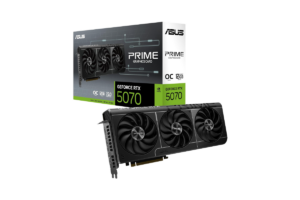
The RTX 5070 is interesting because it gives you many of NVIDIA’s modern streaming features without requiring you to buy a 5070 Ti.
It supports ninth-generation NVENC, AV1 encoding, and NVIDIA’s creator software ecosystem.
And for somebody who mainly streams to YouTube or Twitch and occasionally records gameplay, that may be plenty.
Do you actually need two encoders?
The regular RTX 5070 has one NVENC encoding engine.
The RTX 5070 Ti has two.
But that doesn’t mean a regular RTX 5070 can’t stream and record simultaneously.
It can support those workflows.
The real question is how demanding your specific configuration becomes.
If you’re streaming a single output and recording using the same encoder settings, OBS may be able to reuse the encoded stream rather than performing an entirely separate encode.
If you’re recording at different settings, resolutions, or codecs, that’s another story.
And this is exactly why I’d test OBS configurations before spending more on hardware.
Where I’d choose the RTX 5070
If someone wants to:
- Game at 1440p
- Stream regularly
- And occasionally edit videos
…The RTX 5070 is a reasonable option.
Its 12GB of VRAM is something to consider, particularly when AMD offers 16GB alternatives.
But if NVIDIA’s software support is valuable to you, the RTX 5070 may still make sense.
Who I’d recommend it to: Streamers who want NVIDIA’s encoding ecosystem and solid 1440p gaming without paying for a premium GPU.
Find it here: Check RTX 5070 price on Amazon
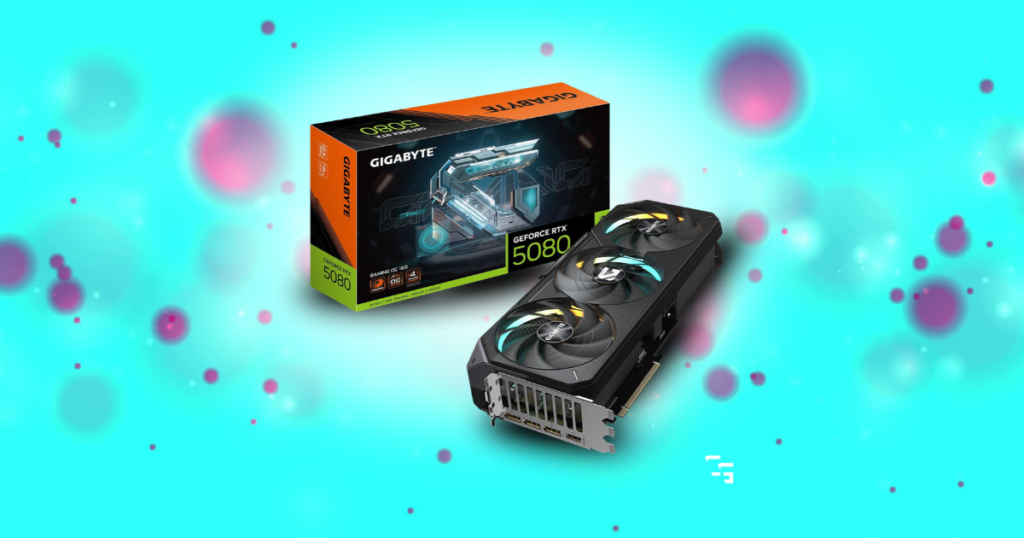
Best Premium Streaming GPU: NVIDIA GeForce RTX 5080
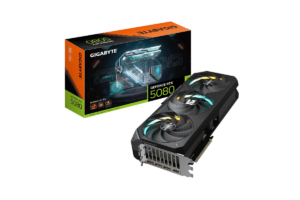
The RTX 5080 is where I’d start looking for somebody who wants a powerful gaming and content creation system and has the budget to support it.
It has:
- 16GB of GDDR7 memory
- Excellent high-resolution gaming capabilities
- Two NVENC encoding engines
- And supports modern AV1 and HEVC encoding
For demanding workloads, that combination is appealing.
Who actually needs this?
- Someone playing at 4K while streaming.
- Someone creating a lot of recorded content.
- Someone editing high-resolution footage and using GPU-intensive effects.
- Or someone who simply wants a powerful PC that handles several different workloads.
But I wouldn’t recommend an RTX 5080 to someone whose only goal is streaming a game at 1080p60.
That’s overkill for a lot of people.
The part I’d think about first
If you’re spending this much on a GPU, you need to look at the entire PC.
- CPU
- Power supply
- Cooling
- Storage
- And monitor
…all matter.
And if you’re running a demanding game that completely saturates the graphics card, you may still need to limit your FPS or adjust settings to give OBS enough room to operate smoothly.
A premium GPU isn’t a substitute for a balanced setup.
Who I’d recommend it to: High-end gamers and creators who genuinely need strong 4K performance and advanced encoding capabilities.
Get it here: Check RTX 5080 price on Amazon
Does NVIDIA Really Beat AMD for Streaming?
NVIDIA has some genuine advantages.
- Its NVENC ecosystem is mature.
- Its RTX 50-series includes updated encoding hardware.
- Certain cards offer multiple encoding engines.
- And it’s widely supported in creative software.
But AMD isn’t standing still.
The RX 9000 series brings meaningful encoding improvements and competitive gaming performance.
And for many creators, either brand can produce a good-looking stream.
I’d make the decision based on three things.
- First, the games you play: If one GPU delivers significantly better gaming performance for the money, that matters.
- Second, the platform you stream to: Different services have different codec and bitrate requirements.
- Third, your recording and editing workflow: Someone streaming one video feed has different requirements from somebody producing multiple recordings and editing everything afterward.
I’ve done more reasearch for you guys in AMD vs. NVIDIA: Which GPU Should You Buy in 2026?
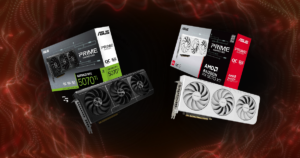
Should You Buy a GPU Just for AV1 Streaming?
I wouldn’t.
AV1 is useful because it can deliver better compression efficiency than H.264.
That can mean better image quality at a similar bitrate.
But there are a few things to consider:
- Your GPU needs to support hardware AV1 encoding.
- Your streaming platform needs to accept it.
- And your recording or editing software needs to work with the files you’re creating.
I use DaVinci Resolve for editing, so I’d check codec support for my installed version before switching all my recordings to AV1.
I wouldn’t want to finish a two-hour stream, download the footage, and discover I’ve created another editing problem for myself.
If H.264 already works reliably for your streams, there’s nothing wrong with continuing to use it.
AV1 is a useful feature.
It isn’t a requirement for becoming a successful streamer.
More features in What Should You Upgrade First in Your Gaming Setup?

My Final Recommendation: Which GPU Would I Buy for Streaming?
If I were buying a graphics card specifically for:
- Gaming
- Streaming
- And recording from one PC
…I’d start with the RTX 5070 Ti.
It offers:
- Strong 1440p performance
- 16GB of VRAM
- Updated NVENC hardware
- And two encoding engines
That combination makes it an appealing option for the kind of content creation I want to do.
But there’s a pretty big condition attached to that recommendation.
I would not pay an unreasonable premium for it.
If the RTX 5070 Ti costs hundreds more than the RX 9070 XT, I’d need to know exactly what I’m gaining.
- For a tighter budget, I’d look at the RTX 5060 Ti 16GB.
- For strong gaming value with modern streaming features, I’d seriously consider the RX 9070 XT.
- And if you already have a capable GPU? I’d start by making sure your OBS settings aren’t the actual problem.
Because I learned something during my own recording experiments.
Sometimes the difference between a choppy stream and a smooth one isn’t a new graphics card.
It’s one setting you didn’t realize was causing trouble.
Buy a better GPU when you’ve identified a limitation that better hardware can solve, not just because streaming feels complicated.