
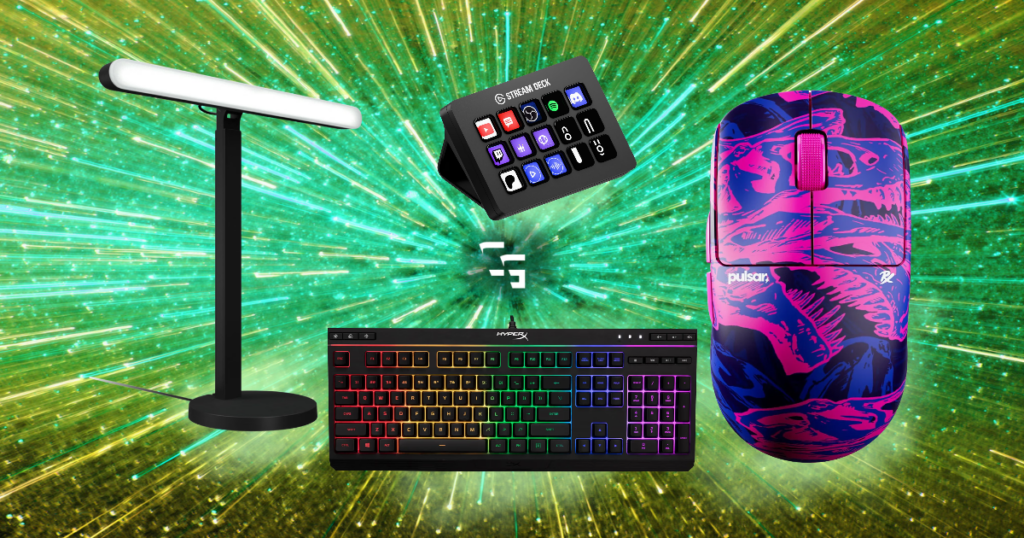
If you search for what you should upgrade first in your gaming setup, somebody will probably give you a nice little list.
- Upgrade your GPU first
- Then your monitor
- Then your mouse
- Then your keyboard.
- Then your headset
…I don’t really think it works like that.
- What if your games already run perfectly fine, but your headset gives you a headache after an hour?
- What if you’ve got a ridiculous graphics card hooked up to a crappy monitor?
- What if your $30 keyboard has worked perfectly for three years and you don’t care what kind of switches are underneath the keys?
The first thing you should upgrade in your gaming setup is entirely dependent on you and your setup.
And sometimes?
You shouldn’t upgrade anything.
This post contains affiliate links. If you buy something through one of these links, I may earn a commission at no additional cost to you.

TL;DR
Don’t follow some universal gaming setup upgrade order.
Figure out what’s actually limiting or annoying you first.
- If your PC can’t run the games you want to play, start with performance.
- If your games run great but look terrible, look at your monitor.
- If you’re uncomfortable after an hour, your chair or desk might matter more than another PC component.
- If your audio sucks, upgrade your headset or IEMs.
- If you stream, your microphone and audio setup might deserve the money before anything else.
And if you’ve got $300 sitting around but everything works?
Keep the $300!
You don’t have to invent a problem with your setup just because you have money available to upgrade it.
Stop Trying to Build the Perfect Gaming Setup
So many people go wrong by wanting the finished setup immediately.
- Perfect PC
- Perfect monitor
- Mechanical keyboard
- Gaming mouse
- Gaming chair
- RGB everywhere
- Fancy desk
- Stream Deck
- Microphone on an arm
…Everything they’ve seen in someone else’s setup on YouTube.
The problem is that when you’re just getting started, you probably don’t even know what matters to you yet.
This is my first gaming PC.
There wasn’t some horrible piece of my original setup that made me miserable. I’ve slowly changed things as I’ve figured out what I like, what I don’t like and what actually makes a difference for me.
And some of the things I thought would matter?
Didn’t.
Meanwhile, other upgrades mattered way more than I expected.
Trying to make everything perfect from day one would’ve just made this whole thing considerably more expensive.
First Question: Can You Actually Play the Games You Want?
Before we talk about chairs, RGB, keyboards or anything else:
Can your PC actually run your games properly?
If the answer is no, I’d start there.
- Maybe you’re dealing with low frame rates.
- Maybe you’re constantly lowering settings.
- Maybe you’re running out of storage.
- Maybe your hardware just can’t handle the game you’re trying to play.
Figure out the bottleneck before throwing money at random components.
If you can’t play the game, why would you upgrade your desk or mouse?
That’s like buying a lawn mower because you hope to have a yard someday.
Get the important parts working first.
And that’s actually where I’d be looking if someone forced me to spend $500 on my own setup today.
I want my PC to be able to handle gaming, streaming and recording at the same time without me constantly wondering if I’m asking too much from it.
I’d research exactly what’s limiting me before buying anything, because it could be hardware or it could be settings.
But that’s the point.
Identify the problem first. Buy the solution second.
Not the other way around.
Check out the Best Prebuilt Gaming PCs For Every Budget
If Your Games Run Fine, Look at Your Monitor
I use a Sony INZONE M9, and the picture quality is awesome.
I use it with my PC, and I’ve also used it with my PS5. Games look so good on it that if something happened to it tomorrow, downgrading would be tough.
I’ve gotten used to it.
That doesn’t mean everybody needs to run out and buy a 4K gaming monitor.
It means your display is worth considering because it’s literally how you see everything your PC or console is producing.
If you’ve spent a bunch of money building a PC capable of pushing high resolutions and frame rates but you’re still staring at an old display that can’t show any of it, then a monitor upgrade actually solves something.
But don’t upgrade just because a monitor exists with a bigger number on the box.
I’ve talked about this repeatedly in my monitor guides because I think people get way too obsessed with refresh rates they’ll never use.
Figure out what your hardware can actually produce and what games you play.
Then buy the monitor that makes sense.
Check out the Best 1440P Gaming Monitors Under $300 in 2026

Audio Made a Bigger Difference for Me Than I Expected
Of all the things I’ve changed, audio has probably been one of the most noticeable upgrades for me.
And it’s still changing.
I went from using my HyperX Cloud III Wireless headset to SIMGOT EW300 IEMs, largely because I wanted something more comfortable with my glasses.
Then I moved away from relying on a headset microphone and started using the FIFINE AM8 PRO-T.
Now I’m moving further into XLR and getting more control over my audio.
And there is a lot to learn.
I’m still tinkering with it.
But that’s an upgrade path that actually makes sense for what I do because I stream.
- Audio matters constantly.
- I need to hear the game.
- People need to hear me.
- I need control over the balance between everything.
Compare that with my keyboard.
It’s still a SteelSeries Apex 3 membrane keyboard.
Not some $200 custom mechanical keyboard.
It works.
So guess what?
I’m not replacing it.
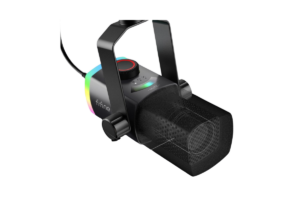
Get it here: Check FIFINE AM8T Pro price on Amazon
Your Keyboard Doesn’t Need an Upgrade Because Reddit Said So
I’ve researched mechanical keyboards.
I’ve written about mechanical versus membrane keyboards.
I understand why mechanical keyboards are generally considered better for gaming and why people love them.
And I’m still using my membrane keyboard.
Why?
Nothing is wrong with it.
- The keys work
- I like using it
- It has RGB
- It’s quiet
- It does everything I need it to do
Eventually I’ll probably replace it.
But right now I’d upgrade my mouse before my keyboard, and even my mouse isn’t exactly begging to be replaced.
I’m still using a cheap Logitech M510.
- It isn’t a gaming mouse
- It’s nothing exciting
- It works
That’s the theme you’re probably starting to notice.
You don’t have to replace perfectly functional equipment because something technically better exists.
There’s always something better.
That’s how you accidentally spend thousands of dollars chasing a finished gaming setup that will never actually be finished.
Read up on Mechanical vs. Membrane Keyboards: Does It Matter For Gaming?
Comfort Might Be More Important Than Performance
If you spend hours at your desk, it matters.
And I’ve learned that putting the word “Gaming” on something doesn’t automatically make it better.
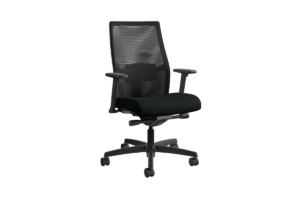
I bought a gaming chair.
I don’t even use it anymore.
I went back to an old office chair because it’s more comfortable for long periods.
- The old office chair isn’t as exciting.
- It doesn’t scream GAMER.
- It’s just more comfortable so that’s what I use.
If your back is killing you after an hour of gaming, I don’t care how old your graphics card is.
Maybe the chair should be your next upgrade.
Find it here: Check HON Ignition 2.0 price on Amazon
The Same Goes for Your Desk
I’d love a better desk!
- I’d like something bigger.
- I’d like adjustable height.
I’ve looked at standing desks and researched plenty of desks for ChannlerG.
But my current desk is cheap, stable and has lasted me more than two years.
So I’m still using it.
Stability is the big thing for me.
If the desk isn’t wobbling all over the place and everything fits well enough, I’m not in a rush to replace it.
Would a bigger adjustable desk be better?
Absolutely.
Do I need one?
Nope.
That’s money I can use somewhere else until the desk actually becomes a problem.
Check out the Best Budget Gaming Desks in 2026: 8 Worth Buying

Don’t Sleep on Audio If You Stream
Streaming changes the upgrade conversation quite a bit.
If you’re only gaming, you really only have to worry about what makes the experience better for you.
Once you’re streaming, somebody else is experiencing your setup too.
And I’d prioritize microphone and audio pretty high.
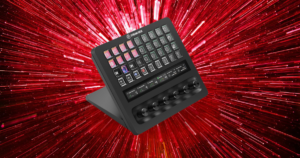
I recently wrote about whether you actually need a Stream Deck to stream, and that article made me realize something about my own upgrade order.
I probably should’ve spent more money on my audio before buying the Stream Deck.
I don’t regret buying it.
It’s extremely useful.
But I thought I was going to wear the thing out.
I originally wanted it mostly for sound effects and figured I’d constantly be hitting buttons while I streamed.
Now?
I probably use it once or twice during a normal day. (Switching OBS scenes is easily my favorite thing about it.)
- Meanwhile, my microphone is being used the entire time I’m live.
- My audio is being used the entire time I’m live.
Looking backward, the priority seems pretty obvious.
Here’s the article on Do You Need a Stream Deck to Stream? Here’s What I Know
That Doesn’t Mean Fun Upgrades Are Bad
I don’t want this article to become:
“You must maximize the value of every dollar. No fun allowed.”
That’s stupid too.
Sometimes you just want something because it’s cool.
That’s absolutely allowed.
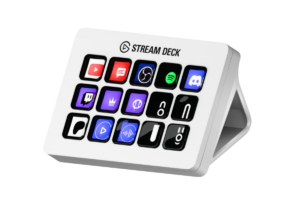
My Stream Deck is a perfect example.
Did I need it?
No.
Do I regret buying it?
Also no.
It was actually the first piece of gear I bought using money ChannlerG itself had made through TikTok donations and affiliate commissions, so it’ll probably always be a cool part of my setup for that reason alone.
And it is useful.
Maybe I need to find more things to do with it.
But there’s a difference between:
“I need this.”
and
“I want this, I can afford it, and it’ll be fun.”
You don’t have to lie to yourself about which one it is.
Get it here: Check Elgato Stream Deck MK.2 price on Amazon
What If You Have $300 to Upgrade Your Setup?
Let’s say your setup works.
- Your games run well.
- Your monitor looks good.
- You’re comfortable.
- Your audio is fine.
- Nothing is broken.
And somebody hands you $300 that you’re allowed to use on upgrades.
What should you buy?
Nothing! Keep it!
Why are we trying so hard to spend the $300? Put it away.
Then three months from now when:
- Your mouse starts double-clicking
- Your monitor dies
- You decide you want a better microphone
- You discover something that would genuinely improve your setup
…you’ve already got money waiting.
Having an upgrade budget doesn’t mean you’re required to use it.
Check out the Best Gaming Mice for FPS Games in 2026

So What Should You Upgrade First?
Ask yourself what’s actually wrong.
- Games aren’t running properly?
Look at your PC performance and figure out what’s limiting it. - Everything runs great but looks terrible?
Your monitor might be next. - Your headset hurts, gets hot or sounds bad?
Look at headsets or IEMs. - You stream and your microphone sounds terrible?
I’d prioritize audio. - Your back hurts every time you game?
Forget the RGB keyboard. Find a comfortable chair. - Your desk wobbles every time you move your mouse?
Maybe it’s finally desk time. - Your keyboard has keys sticking?
Okay. Now we have a reason to replace it. - Everything works perfectly and you’re happy?
Congratulations. You’re done.
…For now.
The Biggest Gaming Setup Mistake Is Trying to Be Perfect
If there’s one thing I’d tell someone building their first gaming setup, it’s this:
Stop trying to finish it!
- Your setup is going to change.
- You’re going to buy something you think you’ll love and barely use it.
- You’re going to keep some cheap piece of gear for years because it refuses to die.
- You’re going to discover something you didn’t think mattered that suddenly matters a lot.
That’s been my experience.
There isn’t a universal first upgrade because there isn’t a universal gaming setup.
The first thing you should upgrade is whatever is actually keeping your setup from doing what you want it to do.
And if nothing is?
Leave it alone.
Your money will still be there when something finally decides to stop working.