
In Rainbow Six Siege, sometimes all it takes is one shot.
You can have:
- The best monitor on the market
- Incredible directional audio
- And hundreds of frames per second
…but if you’re constantly fighting against your mouse to make small adjustments, you’re putting yourself at a disadvantage.
With gaming mice getting lighter, faster, and more expensive every year, what are professional Rainbow Six Siege players actually using?
Are they chasing the highest DPI, the fastest polling rates, and the lightest mice available? Or is there something more important when it comes to competitive performance?
After looking at professional player equipment data, manufacturer specifications, and independent hardware testing, a few interesting trends stand out.
Let’s break them down, look at the most popular gaming mice among professional Siege players, and figure out whether any of them are worth adding to your setup.
This article contains affiliate links. If you purchase through one of these links, I may earn a commission at no additional cost to you.

What Mice Do Professional Rainbow Six Siege Players Use?
According to ProSettings’ Rainbow Six Siege equipment database, Logitech and Razer are currently tied as the most popular mouse brands among the 105 professional players tracked.
Here’s how the manufacturer breakdown looks:
- Logitech G: 36.19%
- Razer: 36.19%
- ZOWIE: 6.67%
- Lamzu: 4.76%
- Finalmouse: 3.81%
- Other brands: Approximately 12%
Combined, Logitech and Razer account for more than 72% of the tracked players.
However, unlike the professional Siege monitor market, where ZOWIE has established a substantial lead, there isn’t one individual gaming mouse that overwhelmingly dominates professional Siege.
The Logitech G Pro X Superlight 2 leads the current ProSettings rankings, followed by several competing lightweight wireless mice.
The Most Popular Choice: Logitech G Pro X Superlight 2
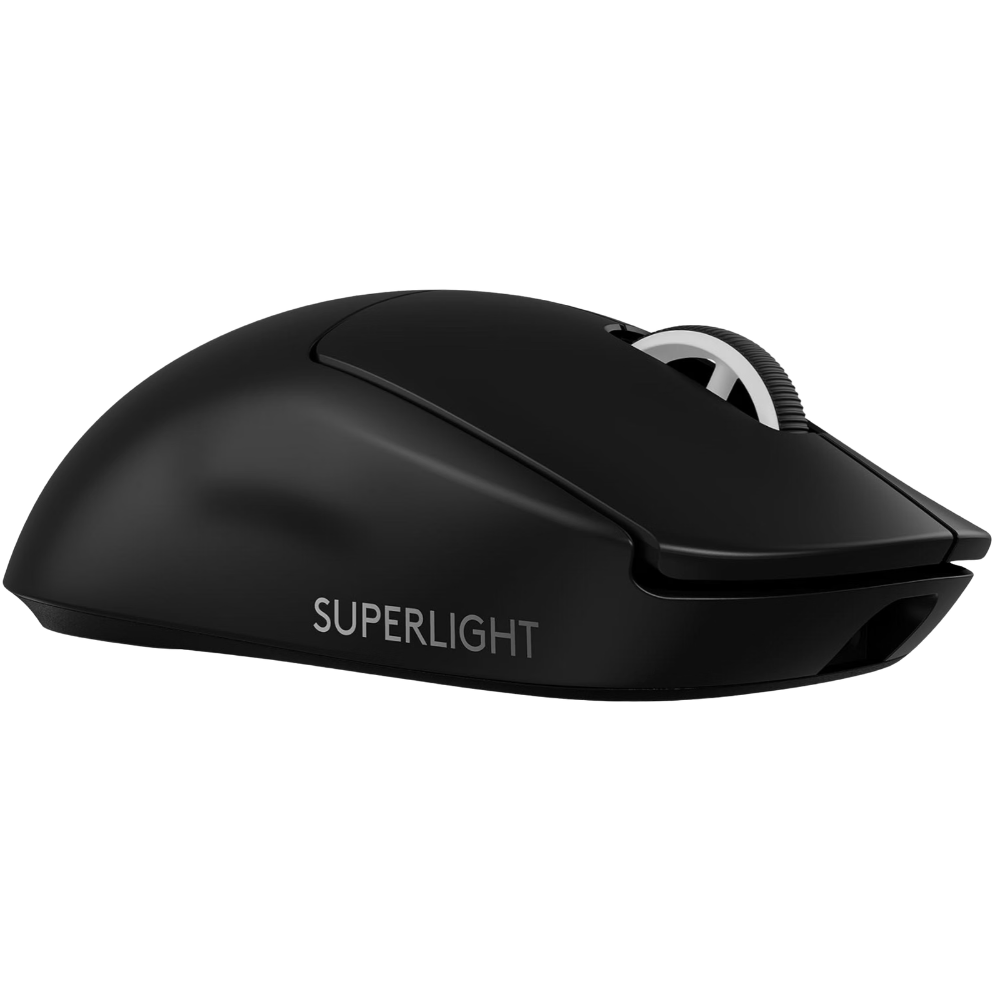
The Logitech G Pro X Superlight 2 is one of the most recognizable gaming mice in competitive esports, and Rainbow Six Siege is no exception.
Its lightweight construction and relatively neutral shape make it appealing to players who want a mouse that doesn’t require a particularly specialized grip.
Rather than adding unnecessary features, Logitech focuses on tracking performance, wireless reliability, and keeping the overall weight low.
The Superlight 2 features Logitech’s HERO 2 sensor, LIGHTFORCE hybrid switches, USB-C charging, and LIGHTSPEED wireless connectivity.
There isn’t anything particularly flashy about its appearance, but that’s part of its appeal.
It’s a competitive gaming mouse designed to do the fundamentals well.
Best for: Competitive Siege players looking for a lightweight, versatile wireless mouse.
My take: If you’re unsure where to start with premium competitive gaming mice, the Superlight 2 would be one of the first options I’d consider. Its shape is relatively approachable, although no mouse is guaranteed to fit everyone comfortably.
Best for Ergonomic Comfort: Razer DeathAdder V4 Pro
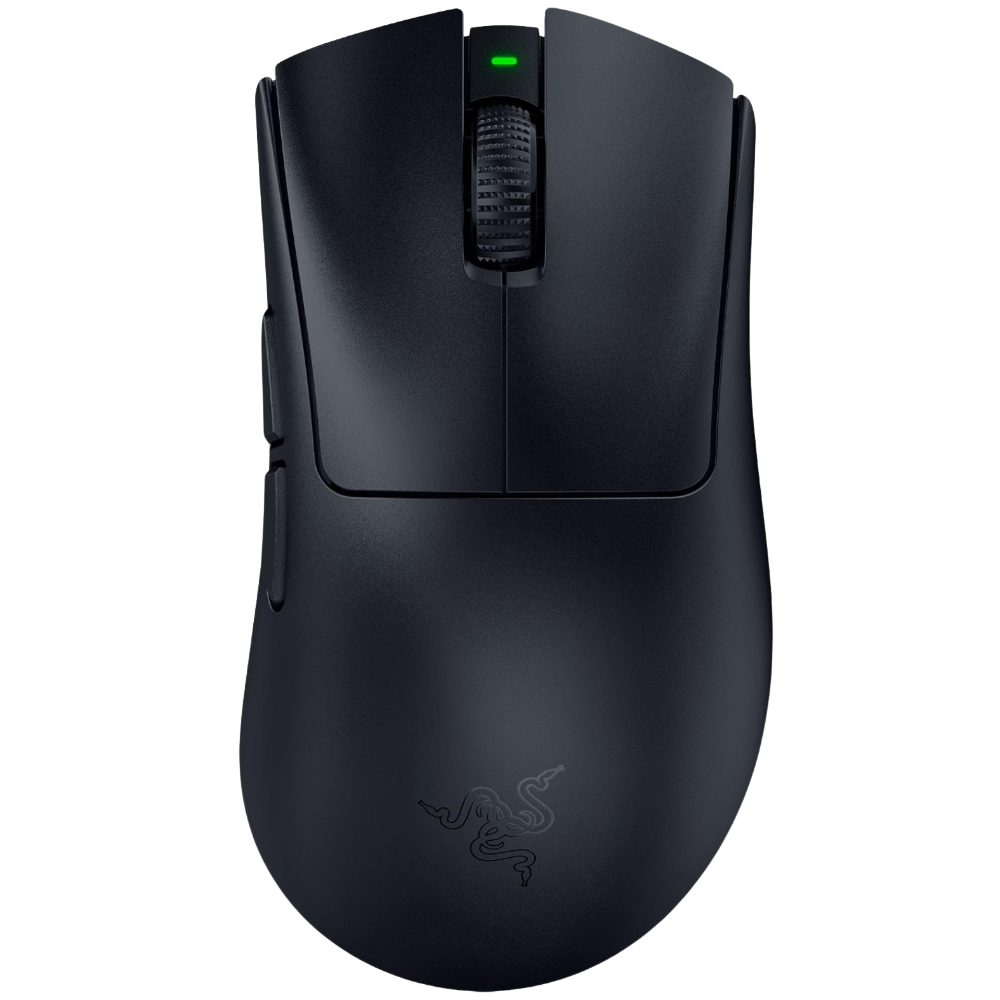
Not everyone enjoys using a symmetrical gaming mouse.
The Razer DeathAdder V4 Pro takes a different approach with a right-handed ergonomic design that provides more support for the hand.
What’s particularly impressive is that Razer manages to deliver this larger, sculpted shape while maintaining a lightweight construction.
The DeathAdder series has been around for years, and its ergonomic design continues to appeal to competitive players who prefer a fuller grip.
For Siege, comfort and stability are especially important when you’re holding angles, controlling recoil, or making precise adjustments.
A mouse that feels comfortable during a ten-minute warm-up isn’t necessarily going to feel comfortable after several hours of ranked matches.
Best for: Right-handed players who prefer a larger ergonomic mouse, particularly those using palm or relaxed claw grips.
My take: I’d consider the DeathAdder V4 Pro before buying a symmetrical mouse simply because it’s more popular. If its shape fits your hand better, that matters far more than a small difference in specifications.
An Ultra-Lightweight Competitive Option: Razer Viper V4 Pro
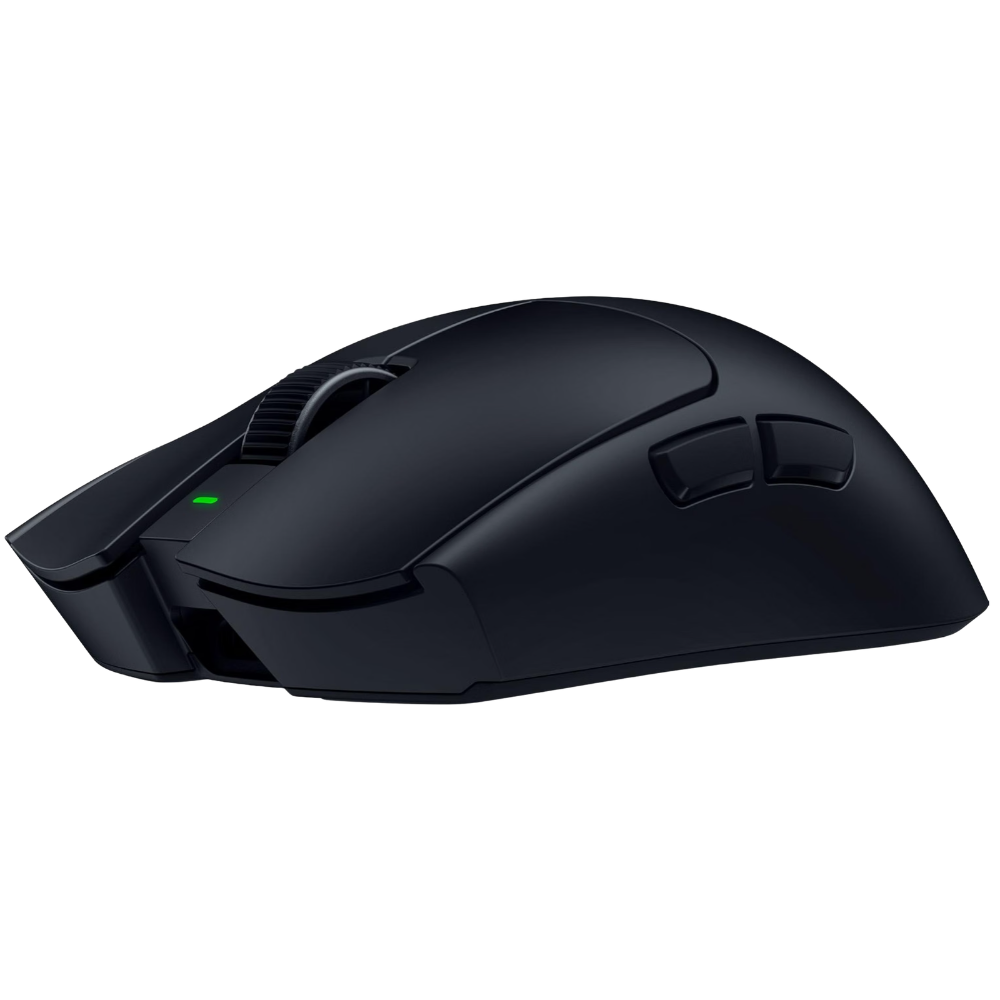
The Razer Viper V4 Pro represents another step toward lighter competitive gaming mice.
Its symmetrical profile and reduced weight make it particularly interesting for players who prefer quick movements and precise fingertip adjustments.
In Rainbow Six Siege, that can be helpful when moving between targets, reacting to unexpected peeks, or making small crosshair corrections.
But lighter doesn’t automatically mean better.
Some players find extremely lightweight mice easier to control, while others prefer a little more weight because it helps them feel grounded during precise movements.
The Viper V4 Pro is an impressive option on paper, but whether its weight and shape improve your experience will depend on your preferences.
Best for: Competitive FPS players who prefer extremely lightweight mice and a lower-profile symmetrical design.
My take: I’d be interested in this mouse if I were specifically looking to reduce the weight of my setup. However, I wouldn’t upgrade from an already excellent lightweight mouse just to eliminate a few more grams.
Still Competitive Years Later: Logitech G Pro X Superlight
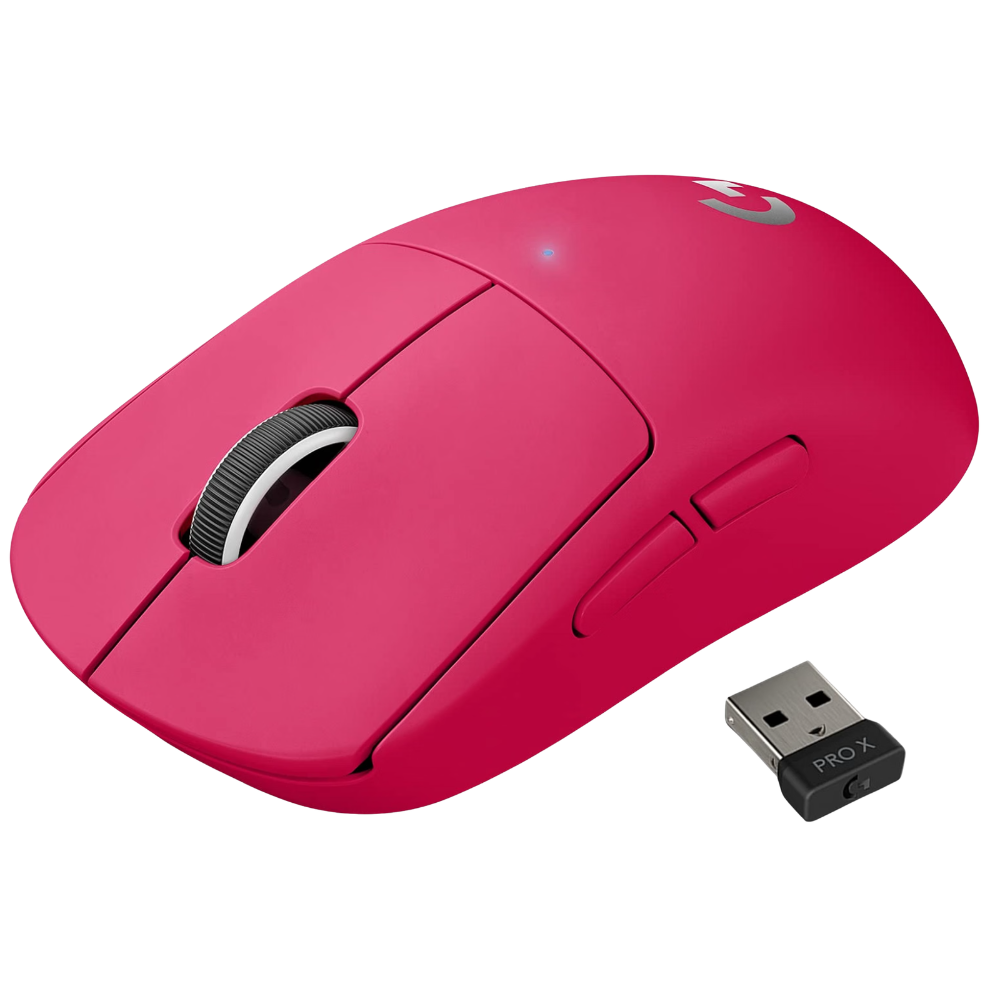
Despite newer generations being available, the original Logitech G Pro X Superlight continues to appear in professional Siege equipment records.
And that says quite a bit.
The original Superlight helped popularize lightweight wireless mice without relying on perforated shells or unusual shapes.
It features Logitech’s HERO 25K sensor and LIGHTSPEED wireless technology, providing performance that remains more than capable for competitive gaming.
Compared with the Superlight 2, you’re missing some newer features, such as USB-C charging and higher polling-rate support.
But do those upgrades automatically make the original Superlight a bad mouse?
Absolutely not.
Best for: Players looking for proven competitive performance at a discounted price.
My take: If you can find the original Superlight significantly cheaper than its successor, it’s still worth considering. And if you already own one and love it, I wouldn’t feel pressured to upgrade.
Rapid Trigger Comes to Gaming Mice: Logitech G Pro X2 Superstrike
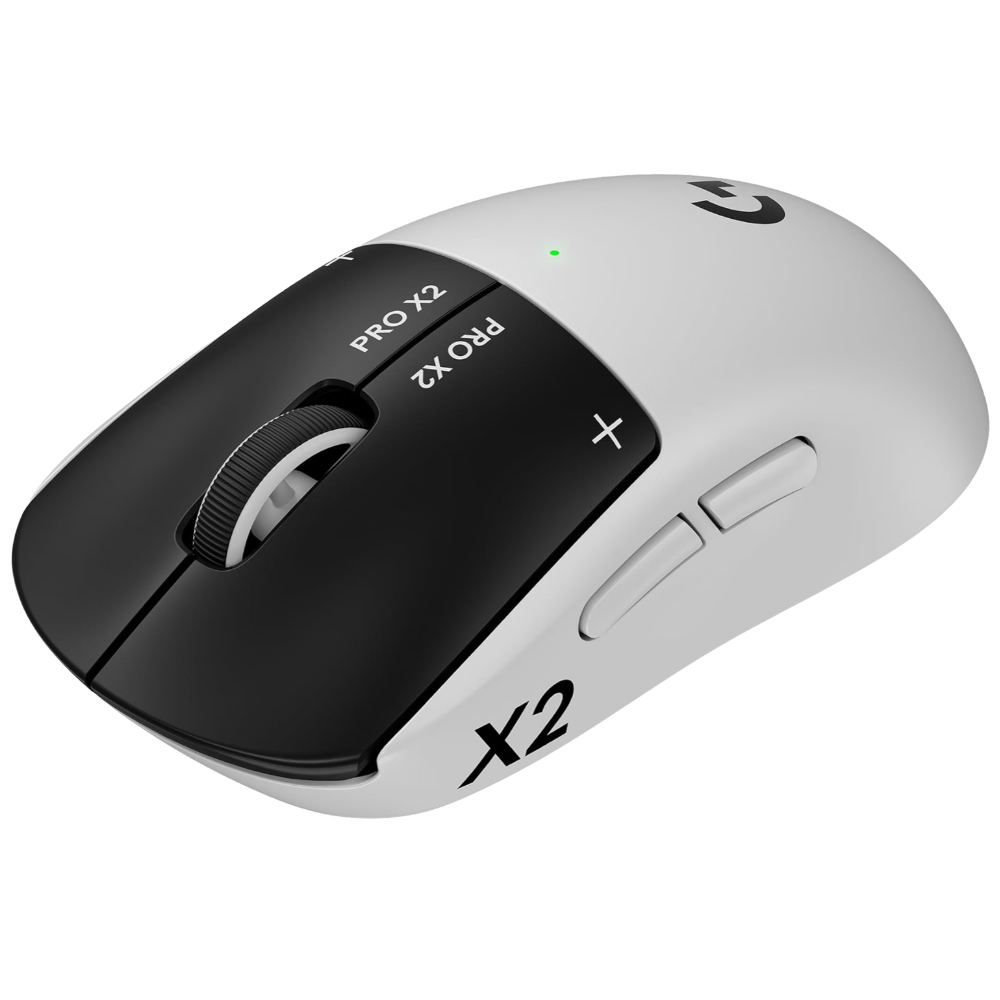
The Logitech G Pro X2 Superstrike is arguably one of the most interesting mice in this entire article.
Instead of relying on traditional mechanical or optical mouse switches, it introduces Logitech’s Haptic Inductive Trigger System, also known as HITS.
This technology allows users to customize how far the primary mouse buttons travel before registering an input, as well as how quickly they reset and how the clicks physically feel.
If you’ve followed the development of rapid-trigger gaming keyboards, this concept will probably sound familiar.
Logitech is bringing a similar approach to mouse clicks.
For a game like Siege, where the timing of your first shot can influence the outcome of an engagement, customizable click actuation is an interesting development.
Professional Siege players have already started experimenting with this technology. Shaiiko is listed as using the Superstrike in his November 2026 equipment profile, and Logitech has published Superstrike configurations from Siege professionals Doki and Blaz.
Of course, customizable actuation doesn’t guarantee better reaction times or more kills. Players still need to decide which settings feel natural and avoid unintended clicks.
Best for: Competitive gamers interested in customizable click actuation and the latest gaming mouse technology.
My take: This is probably the mouse I’m most intrigued by from a technology standpoint. But for someone who simply wants reliable competitive performance, the Superlight 2 remains an excellent option without introducing another layer of settings to adjust.
Another Popular Option: Razer Viper V3 Pro
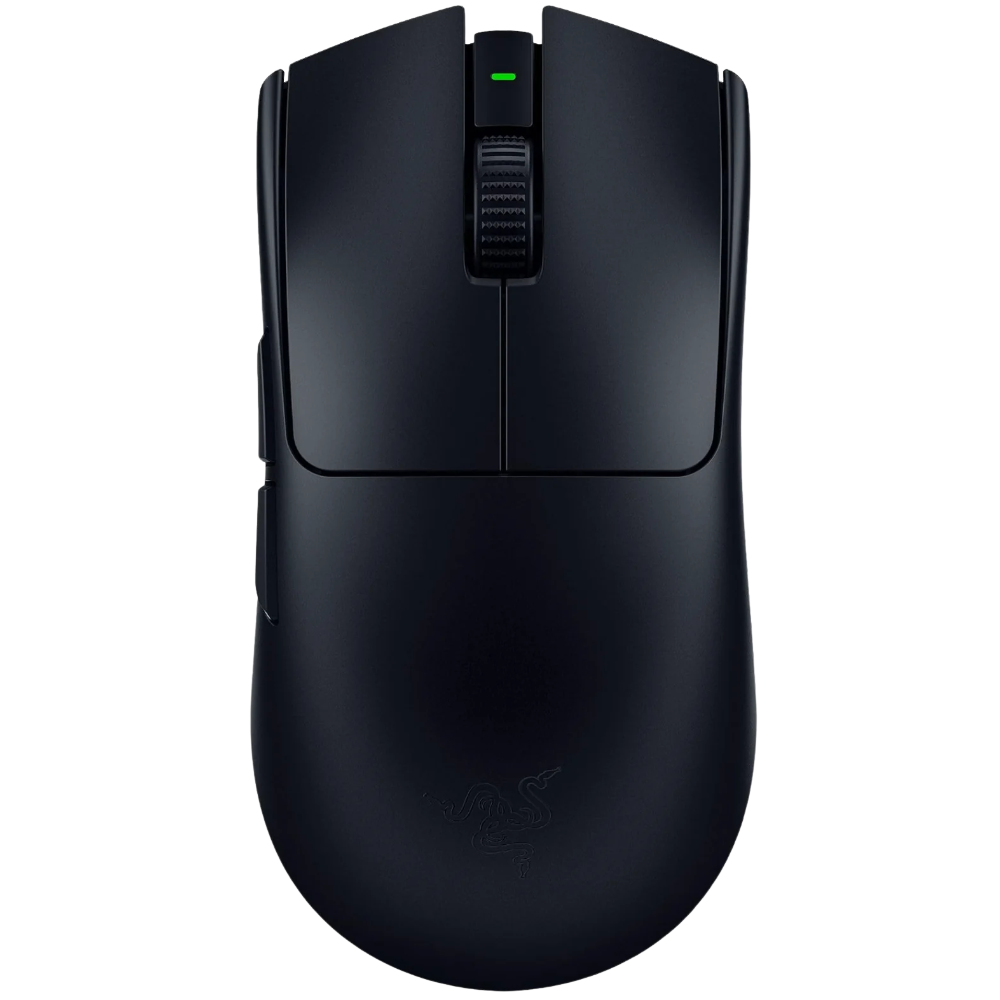
While the Viper V4 Pro appears higher in the current ProSettings rankings, the Viper V3 Pro deserves a mention.
Another professional equipment database, EsportsMice, lists the Viper V3 Pro as its most frequently used Rainbow Six Siege mouse.
Although the two databases track different player samples and some individual equipment records appear less recently updated, it’s clear that the Viper V3 Pro has established a strong presence in competitive gaming.
Independent testing from RTINGS also places the Viper V3 Pro and Logitech G Pro X Superlight 2 among similarly high-performing wireless gaming mice.
The Viper V3 Pro features Razer’s Focus Pro 35K optical sensor, optical switches, and a lightweight symmetrical design.
With a newer generation available, this could also become an attractive option for anyone who finds it at a discount.
Best for: Players looking for premium competitive performance without necessarily purchasing the latest generation.
My take: If the Viper V3 Pro is considerably cheaper than the V4 Pro, I’d seriously consider it. Newer doesn’t always mean better value.
Wireless vs. Wired Gaming Mice: What Do Siege Pros Prefer?
There was a time when buying a wireless mouse for competitive gaming meant potentially sacrificing performance.
That’s no longer the general rule.
Modern high-performance wireless gaming mice can deliver excellent tracking and input responsiveness, making them a legitimate option for competitive esports.
Wireless mice also eliminate cable drag, which can be particularly noticeable when playing at lower sensitivity settings.
That doesn’t mean wired gaming mice are obsolete.
A good wired mouse can still provide excellent performance, often at a lower price, with the added benefit of never needing to be charged.
If you’re shopping on a budget, I’d rather see you purchase a well-built wired gaming mouse that fits your hand comfortably than overspend on a wireless model simply because the professionals use one.
Mouse Shape Matters More Than You Think
When shopping for a gaming mouse, it’s easy to focus entirely on specifications.
Weight, sensor capabilities, polling rates, and battery life are all worth considering, but none of those features matter much if the mouse doesn’t fit your hand comfortably.
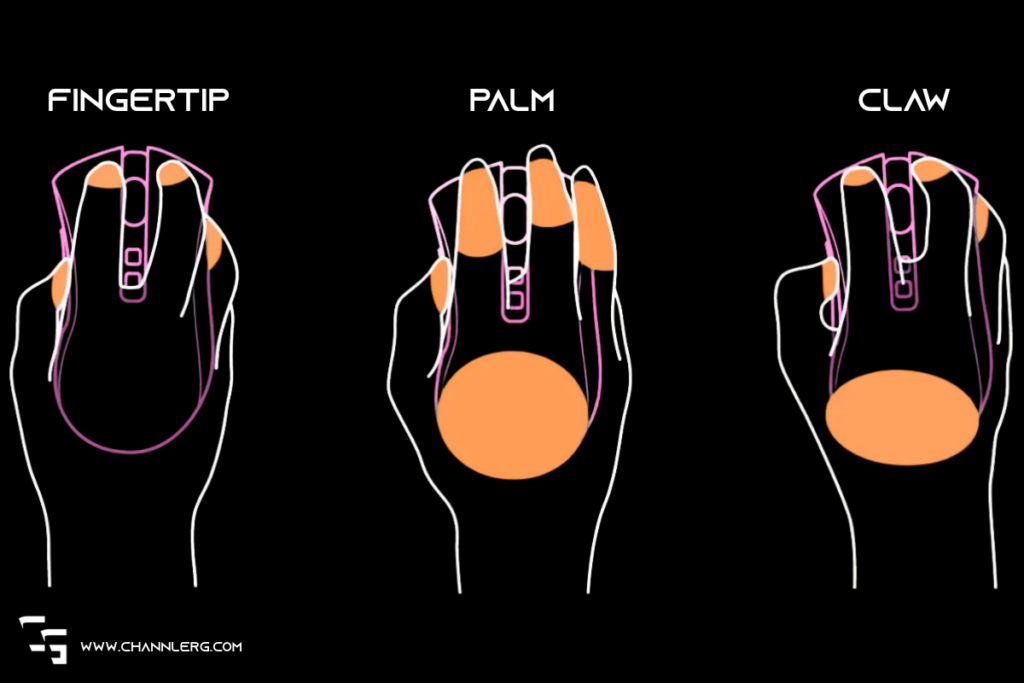
There are three common mouse grip styles.
Palm Grip
Your palm rests against the shell, with your fingers extending naturally over the buttons.
Players using a palm grip may prefer larger ergonomic mice that provide more hand support, such as the DeathAdder V4 Pro.
Claw Grip
The rear of your palm may rest against the mouse while your fingers arch over the buttons.
Symmetrical mice like the Superlight 2 and Viper series can work well for many claw-grip players, depending on hand size and shell shape.
Fingertip Grip
The mouse is primarily controlled using your fingertips, with little or no contact between your palm and the shell.
Smaller, lightweight mice may be particularly appealing to players who use this grip.
These aren’t strict rules, and many gamers naturally use a combination of grip styles.
If possible, try different mouse shapes before spending money. The most popular mouse among professional Siege players isn’t necessarily going to be the most comfortable mouse for you.
Don’t Neglect the Rest of Your Siege Setup
Your mouse is only one part of your overall gaming setup.
A lightweight mouse paired with a worn-out mousepad may not provide the consistency you’re looking for.
Likewise, an expensive gaming mouse won’t solve problems caused by inconsistent frame rates, poor visibility, or difficulty identifying where enemy footsteps are coming from.
If you’re looking to improve your overall Siege setup, check out these other ChannlerG guides:
- What Monitors Do Pro Rainbow Six Siege Players Use?
- Best Headsets & IEMs for Rainbow Six Siege
- Top 5 Quietest Mechanical Keyboards for Late-Night Gaming
Each piece of equipment serves a different purpose. The goal should be creating a setup that works well together rather than spending as much money as possible on individual components.
Final Thoughts: Finding the Right Mouse for Rainbow Six Siege
Looking at professional Rainbow Six Siege players, it’s clear that lightweight wireless gaming mice have become a major part of competitive gaming.
Logitech and Razer are leading the way, with several different designs catering to different grip styles and preferences.
But what’s interesting is that professionals aren’t universally switching to the newest, lightest, or most expensive mice.
Some are experimenting with rapid-trigger technology. Others are still competing with hardware that was released years ago.
That should tell us something.
Finding a mouse that feels comfortable, responds consistently, and complements your playstyle is more important than chasing every new specification.
If your current mouse already does those things, you might not need to upgrade at all.
Because while a better mouse might help you land that headshot, it won’t remind you to drone the room before walking into it.