
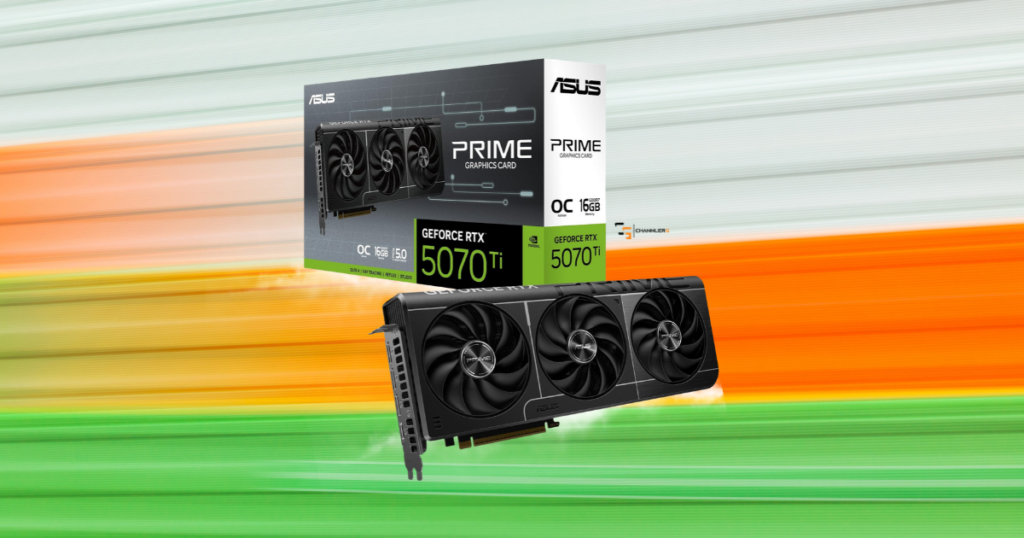
1440p gaming sounds pretty straightforward until you start shopping for a graphics card.
One GPU costs $450. Another costs $650. Then you find one for $800, and suddenly you’re wondering whether spending another $200 is going to make your games look noticeably better.
That’s the problem I wanted to solve with this article.
I’ve been using an AMD RX 6700 XT for:
- Gaming
- Streaming
- And recording
It’s an older card now, but it’s still capable of playing plenty of games at 1440p. The experience just depends on what I’m playing and which settings I’m willing to adjust.
1440p doesn’t require one specific level of graphics card.
Someone playing single-player games at 60 FPS has very different needs from somebody trying to hit 165 FPS in competitive shooters.
So rather than recommending the most expensive cards I could find, I compared five GPUs across different price and performance levels using independent benchmark results.
Here’s where I think the money is worth spending in 2026, and where I’d save it.
This article contains affiliate links. If you purchase through one of these links, I may earn a commission at no additional cost to you.

My 1440p GPU Picks for 2026
- Best Budget: AMD Radeon RX 9060 XT 16G
- Best Midrange: AMD Radeon RX 9070
- Best Overall: AMD Radeon RX 9070 XT
- Best NVIDIA Alternative: GeForce RTX 5070
- Best Premium: GeForce RTX 5070 Ti
These aren’t five cards that deliver the same experience at different prices. There are meaningful performance differences between them, and some of those differences are much more expensive than others.
Best Budget 1440p GPU: AMD Radeon RX 9060 XT 16GB
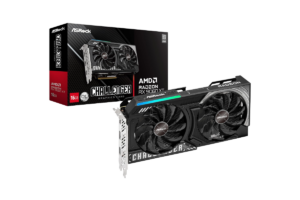
(1440p Ultra benchmark average: 67 FPS)
The RX 9060 XT 16GB is where I’d start if someone told me they wanted to move into 1440p gaming without spending $600 or more.
It isn’t the fastest option here, but that doesn’t mean it’s a bad graphics card.
It averages around 67 FPS at 1440p Ultra. That’s a perfectly reasonable starting point for someone playing single-player games on a 60Hz or 75Hz monitor.
And remember, those results are at Ultra settings.
Lowering a few demanding graphics settings can improve performance without necessarily making a game look dramatically worse.
Where the RX 9060 XT makes sense
Let’s say you’re
- Moving from a 1080p monitor to a 1440p display
- You mostly play story games
- Occasionally jump into multiplayer
- And don’t need every game running at 144 FPS
This card makes sense.
Its 16GB of VRAM is another advantage. You have room for demanding textures without being limited to the 8GB found on some cheaper GPUs.
But I wouldn’t buy it specifically because it has 16GB.
Memory capacity doesn’t tell you how fast a graphics card is.
Where I’d spend more
If you’re buying a 165Hz monitor and want to consistently take advantage of that refresh rate in demanding games, this probably isn’t the card I’d choose.
And if the RX 9060 XT is selling close to $500, I’d seriously consider whether saving longer for the RX 9070 makes more sense.
The performance gap is large enough to justify checking.
My buying rule: Choose the RX 9060 XT 16GB if it’s meaningfully cheaper than the RX 9070 and you’re comfortable adjusting settings in demanding games.
Get it here: Check RX 9060 XT price on Amazon
Best Midrange 1440p GPU: AMD Radeon RX 9070
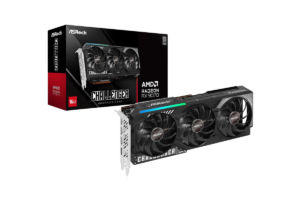
(1440p Ultra benchmark average: 104 FPS)
The RX 9070 sits between AMD’s budget and higher-end options, and its performance makes a pretty convincing case for itself.
It averages approximately 104 FPS at 1440p Ultra.
…That’s about 37 FPS more than the RX 9060 XT.
For someone who wants to play demanding games at high settings while still enjoying smooth performance, the RX 9070 offers a meaningful step up.
Why I prefer it over the RX 9070 GRE
The RX 9070 GRE is another option, but I’d be careful with its pricing.
In independent testing, the GRE averages around 87 FPS at 1440p Ultra, compared with approximately 104 FPS for the regular RX 9070.
That’s a noticeable difference.
If the GRE were substantially cheaper, I’d consider it.
But when the prices are close, I’d rather have the regular RX 9070.
It also comes with 16GB of VRAM compared with the GRE’s 12GB.
This is exactly why I don’t like picking graphics cards based on names or marketing.
The actual performance and selling price matter more.
The card I’d recommend to most midrange buyers
If you have a 144Hz or 165Hz 1440p monitor, the RX 9070 gives you a lot to work with.
That doesn’t mean every demanding game will run at 165 FPS.
It means you’ve got considerably more performance available than you would with an entry-level card.
And in lighter competitive games, your CPU and graphics settings may become just as important as the GPU itself.
My buying rule: If the RX 9070 is reasonably priced and you want a noticeable upgrade over entry-level 1440p performance, this is one of the first cards I’d compare.
Find it here: Check Rx 9070 price on Amazon
Best Overall for 1440p Gaming: AMD Radeon RX 9070 XT
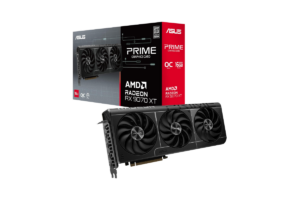
(1440p Ultra benchmark average: 117 FPS)
The RX 9070 XT averages approximately 117 FPS.
That’s about 12% faster than the regular RX 9070.
That matters when you’re deciding whether to spend more.
Is that extra performance worth it?
Sometimes.
If you’re playing demanding single-player games and want to maintain higher frame rates without sacrificing graphics quality, the extra performance is useful.
It’s also a stronger option if you occasionally play at 4K.
But if the RX 9070 is considerably cheaper, I wouldn’t automatically tell you to buy the XT.
Here’s how I’d think about it.
If the XT costs $50 more, I’m probably taking the XT.
If it costs $150 or $200 more, the regular RX 9070 starts looking much more attractive.
Those aren’t hard rules. They’re how I’d evaluate the value of a roughly 12% performance improvement.
What about ray tracing?
AMD improved ray tracing significantly with its newer graphics cards, but NVIDIA still has advantages in particularly demanding ray-traced games.
If your main priority is maximum ray tracing, I’d compare this directly against the RTX 5070 Ti.
But if you’re primarily interested in traditional gaming performance, the RX 9070 XT is difficult to ignore.
My buying rule: Buy the RX 9070 XT when the premium over the regular RX 9070 is reasonable. Don’t pay an enormous markup just because it has XT in the name.
Get it here: Check RX 9070 XT price on Amazon
Best NVIDIA Alternative: NVIDIA GeForce RTX 5070
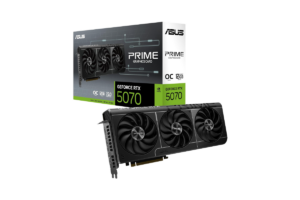
(1440p Ultra benchmark average: 96 FPS)
Here’s where things get interesting for anyone who prefers NVIDIA.
The RTX 5070 averages approximately 96 FPS.
That’s behind the RX 9070.
So why would someone buy it?
Because gaming performance isn’t always just about native-resolution FPS.
DLSS and ray tracing change the comparison
NVIDIA’s DLSS technology can improve performance in supported games through upscaling and frame generation.
And NVIDIA generally performs better in demanding ray-traced workloads.
If you enjoy visually demanding single-player games and regularly use those features, the RTX 5070 deserves consideration.
But generated frames don’t improve responsiveness the same way increasing your actual rendered frame rate does.
That’s why I wouldn’t choose a GPU for competitive gaming based on a massive frame-generation FPS number.
For games where responsiveness matters, I care much more about native performance, latency, and consistent frame times.
Why I’d personally consider NVIDIA
I’m also interested in the RTX 5070 because of content creation.
- I stream on YouTube
- Record gameplay
- And edit videos
NVIDIA’s encoder technology and software compatibility are worth investigating for those workflows.
But I wouldn’t claim that switching to NVIDIA would automatically solve every recording issue I’ve experienced.
There are too many other variables in my setup.
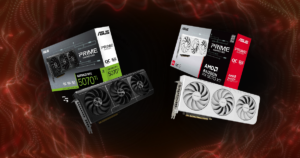
If you’re deciding between Radeon and GeForce, check out AMD vs. NVIDIA: Which GPU Should You Buy in 2026?
The biggest drawback
The RTX 5070 has 12GB of VRAM, while the RX 9070 has 16GB.
And if the RX 9070 is cheaper while also delivering better traditional gaming performance, NVIDIA’s features need to be genuinely useful to justify the difference.
My buying rule: Choose the RTX 5070 if you specifically value DLSS, ray tracing, or NVIDIA’s creator ecosystem. Otherwise, compare the RX 9070 first.
Find it here: Check GeForce RTX 5070 price on Amazon
Best Premium 1440p GPU: NVIDIA GeForce RTX 5070 Ti
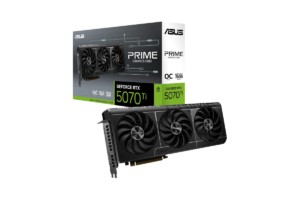
(1440p Ultra benchmark average: 117 FPS)
The RTX 5070 Ti is a very powerful graphics card.
It has 16GB of GDDR7 VRAM and delivers excellent performance at 1440p.
But here’s the part I think buyers should pay attention to.
In traditional rendering benchmarks, the RTX 5070 Ti and RX 9070 XT are almost identical.
Both average around 117 FPS.
So what are you paying extra for?
Primarily NVIDIA’s feature set.
The RTX 5070 Ti is:
- Stronger in demanding ray-tracing workloads
- Offers DLSS technologies
- And benefits from NVIDIA’s broader creator ecosystem
For some people, those are legitimate reasons to spend more.
But if you don’t use ray tracing and mostly play games using traditional graphics settings, I’d have a hard time recommending a large price premium.
And in October 2026, that price difference can be substantial.
Who actually needs this card?
- Someone who wants high-end 1440p performance and specifically values NVIDIA’s additional capabilities.
- Maybe you’re playing demanding single-player games with ray tracing enabled.
- Maybe you also use software that benefits from NVIDIA hardware.
- Or maybe you’ve got a high-refresh-rate 1440p monitor and want a powerful GPU that can also handle 4K gaming.
Those are reasonable reasons.
My buying rule: Consider the RTX 5070 Ti when its ray-tracing performance, DLSS features, or creator capabilities justify the price difference over the RX 9070 XT.
Get it here: Check RTX 5070 Ti price on Amazon
What Should You Actually Spend on a 1440p Graphics Card?
I wouldn’t start with a specific dollar amount.
I’d start with the experience you’re trying to get.
Here’s how I’d break it down.
- If you’re happy with 60 FPS in demanding games: Start with the RX 9060 XT 16GB. You may not need anything more expensive.
- If you want a strong all-around 1440p experience: The RX 9070 is where I’d focus.
- If you want higher settings and more performance headroom: Compare the Rx 9070XT against the regular RX 9070.
- If you want NVIDIA-specific features: Look at the RTX 5070 and RTX 5070 Ti
…Then decide how much those features are worth to you.
That’s much more useful than telling everyone to spend $800 because 1440p gaming supposedly requires it.
It doesn’t.
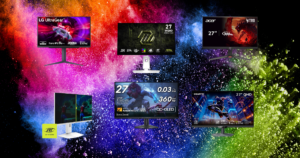
And if you’re also shopping for a display, I’ve already covered Five 1440p Monitors I’d Recommend to Almost Anyone in 2026
Don’t Confuse a 165Hz Monitor With a 165 FPS Guarantee
Buying a 165Hz monitor doesn’t mean your graphics card needs to deliver exactly 165 FPS in every game.
And buying an expensive GPU doesn’t guarantee you’ll hit that number either.
Your:
- CPU
- Game engine
- Graphics settings
- And the type of game you’re playing
…all matter.
A competitive shooter running at reduced settings might reach extremely high frame rates.
A demanding single-player game with ray tracing enabled might struggle to maintain 60 FPS on the same PC.
That’s normal.
What matters is understanding what you’re actually trying to accomplish.
If you mostly play competitive shooters, consistent frame rates and responsiveness should be priorities.
If you mostly play story-driven games, you might prefer better graphics at a lower frame rate.
Neither approach is wrong.
And if you’re building around competitive gaming specifically, check out Best Monitors for FPS Games in 2026

Should You Upgrade From an Older 1440p GPU?
I’m still using an RX 6700 XT with 12GB of VRAM.
It’s not a new card, and it’s obviously behind the GPUs in this article.
But I’m not going to replace it just because something faster exists.
I’d rather identify the actual problem first.
If I’m playing a game and my graphics card can’t maintain the performance I want, that’s a reason to consider upgrading.
If I’m trying to stream and record simultaneously and something starts stuttering, I need to determine whether the GPU is actually responsible.
And if I’m targeting very high FPS in a competitive game, I also need to consider my Ryzen 7 3700X.
A faster graphics card won’t automatically eliminate a CPU bottleneck.
Sometimes a GPU upgrade makes a huge difference.
Other times, it’s not the component holding you back.
That’s why it’s worth it to read What Should You Upgrade First in Your Gaming Setup?

My Final Pick for 1440p Gaming in 2026
If I were building a new 1440p gaming PC and wanted a strong balance of performance and longevity, I’d choose the RX 9070 XT, assuming I could get it at a reasonable price.
But here’s what changed after looking closely at the performance differences.
I think the regular RX 9070 deserves just as much consideration.
You’re giving up roughly 12% of the XT’s traditional gaming performance.
If the savings are substantial, that’s a trade I’d seriously consider.
For a tighter budget, the RX 9060 XT 16GB is still a reasonable starting point.
And if NVIDIA’s features matter to you, the RTX 5070 and RTX 5070 Ti are worth comparing.
But I wouldn’t pay a premium for features I wasn’t going to use.
The whole point of choosing a 1440p GPU is finding the right balance.
You want games to look good, run smoothly, and take advantage of your monitor.
You don’t need to buy the most expensive graphics card available to make that happen.
Figure out the experience you want, compare what each card actually delivers, and spend accordingly.
That’s how I’d shop for a 1440p GPU in 2026.