
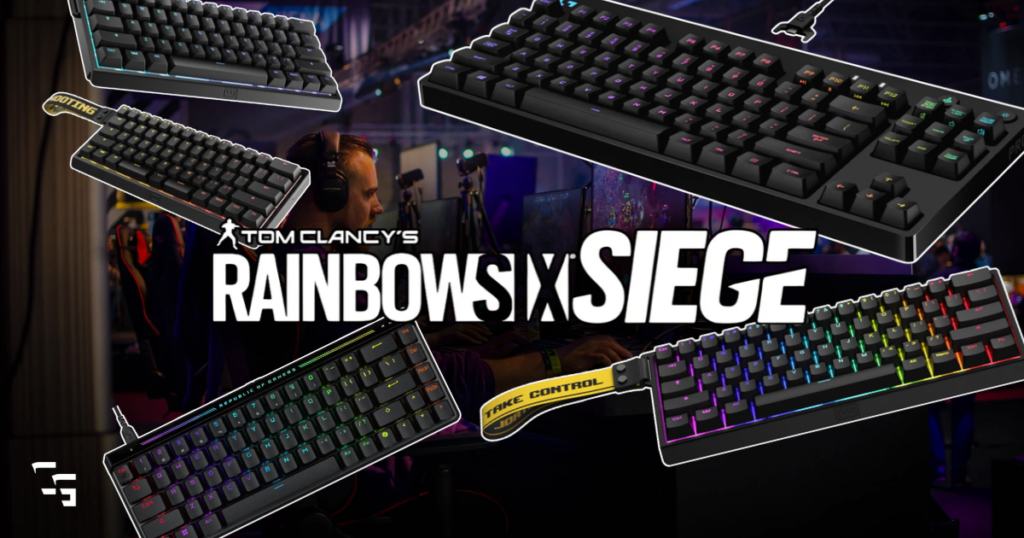
When it comes to competitive Rainbow Six Siege, most of us spend a lot of time thinking about our mouse, monitor, and headset. But how often do we actually think about our keyboard?
A keyboard might not seem like the most important part of a competitive gaming setup, but with technologies like Rapid Trigger, magnetic switches, and adjustable actuation becoming increasingly popular, keyboards have changed quite a bit over the past few years.
And professional Siege players are taking notice.
But do you really need a $200 gaming keyboard to compete? Are Hall Effect switches actually better than traditional mechanical switches? And what keyboards are professional Rainbow Six Siege players using in 2026?
Let’s look at what the pros are using, why these keyboards are popular, and whether they’re actually worth adding to your setup.
This article contains affiliate links. If you purchase through one of these links, I may earn a commission at no additional cost to you.

What Keyboards Do Professional Rainbow Six Siege Players Use?
According to ProSettings’ Rainbow Six Siege equipment database, Razer, Logitech, and Wooting are the three most popular keyboard manufacturers among the 105 players tracked.
Here’s how the manufacturer breakdown looks:
- Razer: 22.86%
- Logitech G: 21.90%
- Wooting: 20.95%
- Corsair: 8.57%
- ASUS ROG: 4.76%
- Other brands: 20.95%
Together, Razer, Logitech, and Wooting account for approximately two-thirds of the keyboards recorded in the database.
Unlike the professional Siege monitor market, where ZOWIE has a substantial lead, there isn’t one keyboard manufacturer that completely dominates the competitive scene.
What’s interesting to me, though, is the number of keyboards featuring analog switches and adjustable actuation.
1. Razer Huntsman V3 Pro TKL
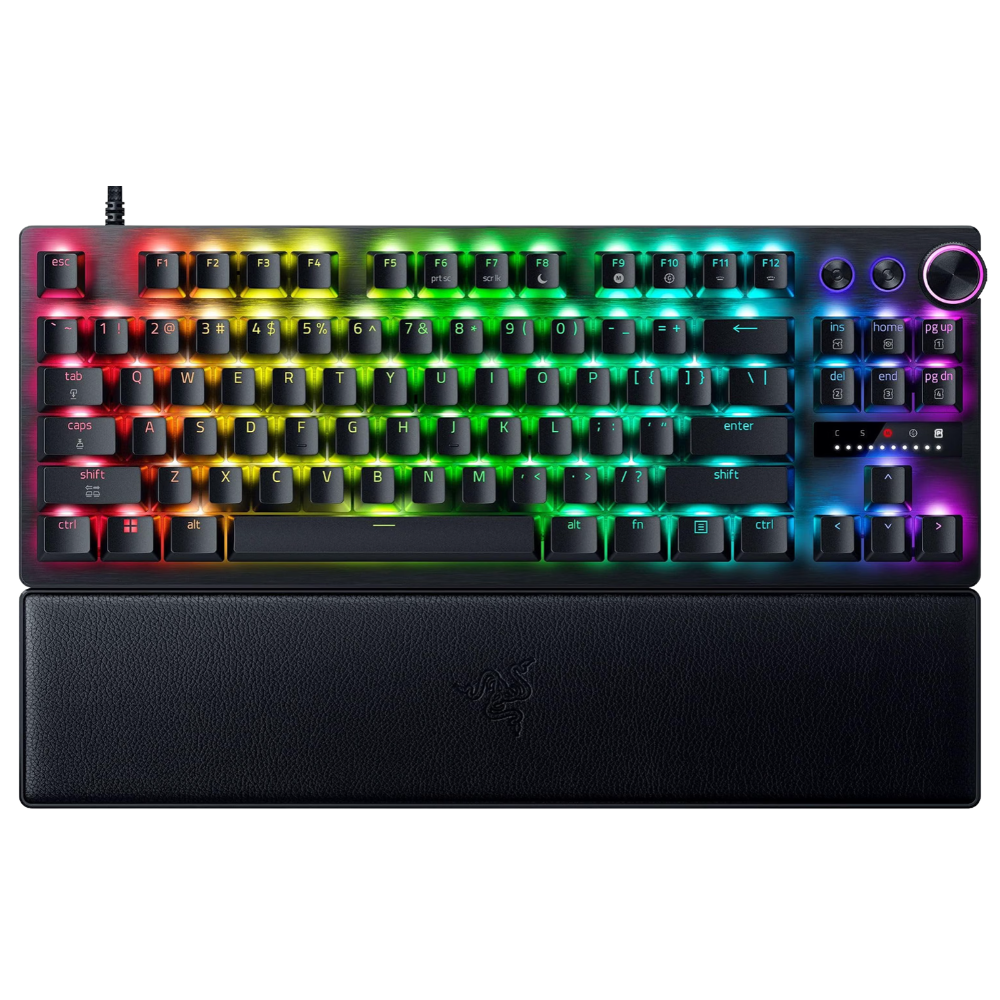
Layout: TKL | Switches: Analog Optical | Rapid Trigger: Yes | Connection: Wired
The Razer Huntsman V3 Pro TKL leads the current ProSettings rankings, with 17 recorded users.
One of the biggest reasons this keyboard stands out is its adjustable analog optical switches.
Unlike a traditional mechanical keyboard, which registers a keypress at a predetermined point, the Huntsman V3 Pro allows players to customize how far a key needs to travel before registering an input.
Its adjustable actuation range of 0.1mm to 4.0mm gives players considerable control over how responsive their keyboard feels.
It also features Rapid Trigger, dedicated arrow keys, a multifunctional dial, and a tenkeyless layout that provides additional mouse space without sacrificing the function row.
In a game like Siege, where you’re constantly adjusting your positioning, leaning around corners, and navigating tight spaces, having more control over your movement inputs can be appealing.
Best for: Competitive Siege players who want advanced keyboard technology without sacrificing traditional TKL functionality.
My take: This is one of the first keyboards I’d consider for someone who wants to take advantage of Rapid Trigger but still wants their keyboard to work comfortably for everyday use. Not everyone wants to give up their arrow keys or function row just to gain more mouse space.
2. Wooting 60HE+
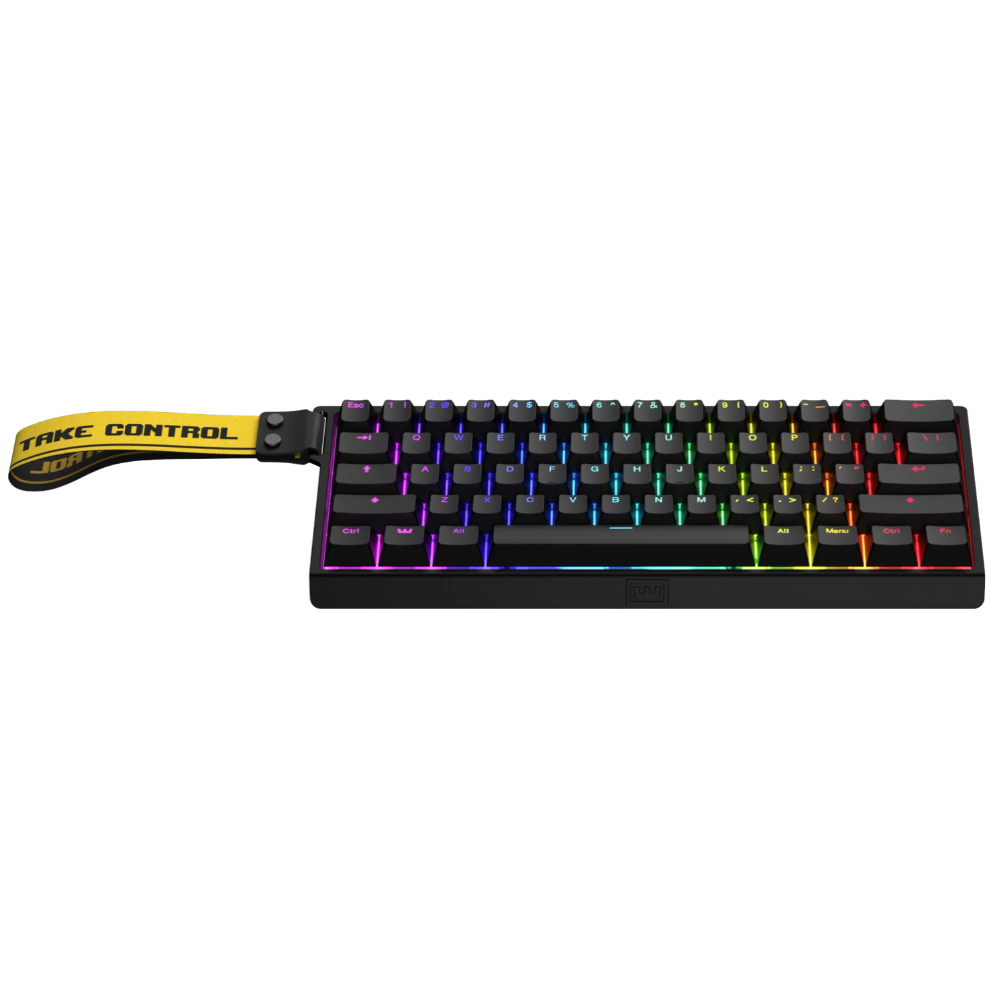
Layout: 60% | Switches: Hall Effect Magnetic | Rapid Trigger: Yes | Connection: Wired
With 16 recorded users, the Wooting 60HE+ sits just behind the Huntsman V3 Pro TKL in professional Siege keyboard usage.
Wooting might not have the same mainstream brand recognition as Logitech or Razer, but its influence on competitive gaming keyboards is difficult to ignore.
The 60HE+ uses magnetic switches that track key travel, allowing players to customize their actuation points and take advantage of Rapid Trigger.
Its compact 60% layout also provides a considerable amount of additional mouse space.
That’s particularly useful for competitive FPS players who use lower mouse sensitivities and make larger movements across their mousepads.
Wooting’s configuration software, Wootility, also allows players to adjust keyboard performance without relying exclusively on a permanently installed desktop application.
The biggest trade-off is the layout. Dedicated arrow keys, function keys, and several navigation keys are removed in favor of secondary key combinations.
Best for: Competitive FPS players who want extensive switch customization and maximum mouse space.
My take: I completely understand why this keyboard has become so popular. But before buying one, I’d really think about how often you use your arrow keys and function row outside of gaming. A 60% keyboard can be great for Siege, but it might take some getting used to if you also use your computer for work, streaming, or content creation.
3. Logitech G Pro X Keyboard
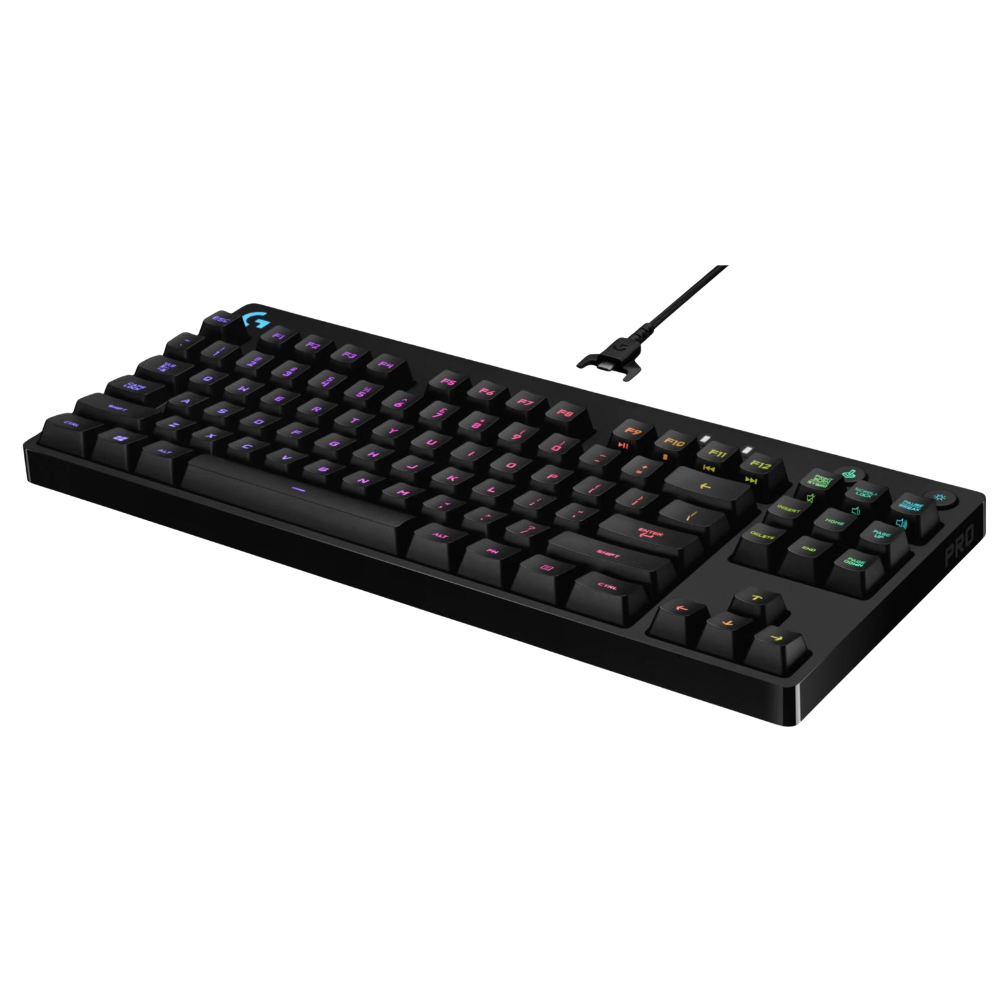
Layout: TKL | Switches: GX Mechanical | Rapid Trigger: No | Connection: Wired
The original Logitech G Pro X Keyboard remains represented in eight equipment profiles.
And I think this is one of the more important keyboards to include in this article.
With so much attention surrounding Rapid Trigger and magnetic switches, it’s easy to assume that traditional mechanical keyboards are no longer good enough for competitive gaming.
That’s simply not the case.
The G Pro X features a straightforward tenkeyless design, detachable cable, and hot-swappable mechanical switches.
It allows users to change compatible switches without replacing the entire keyboard, making it more customizable than some traditional gaming keyboards.
It doesn’t offer the adjustable actuation or dynamic reset capabilities found in newer analog keyboards. But it’s still a capable competitive gaming keyboard.
Best for: Players who prefer traditional mechanical switches and want a straightforward gaming keyboard.
My take: If you already own a reliable mechanical keyboard and it feels comfortable, I wouldn’t rush to replace it. The fact that older keyboards remain present in esports equipment records is a good reminder that newer technology doesn’t automatically make your current setup obsolete.
4. Logitech G Pro X TKL Rapid
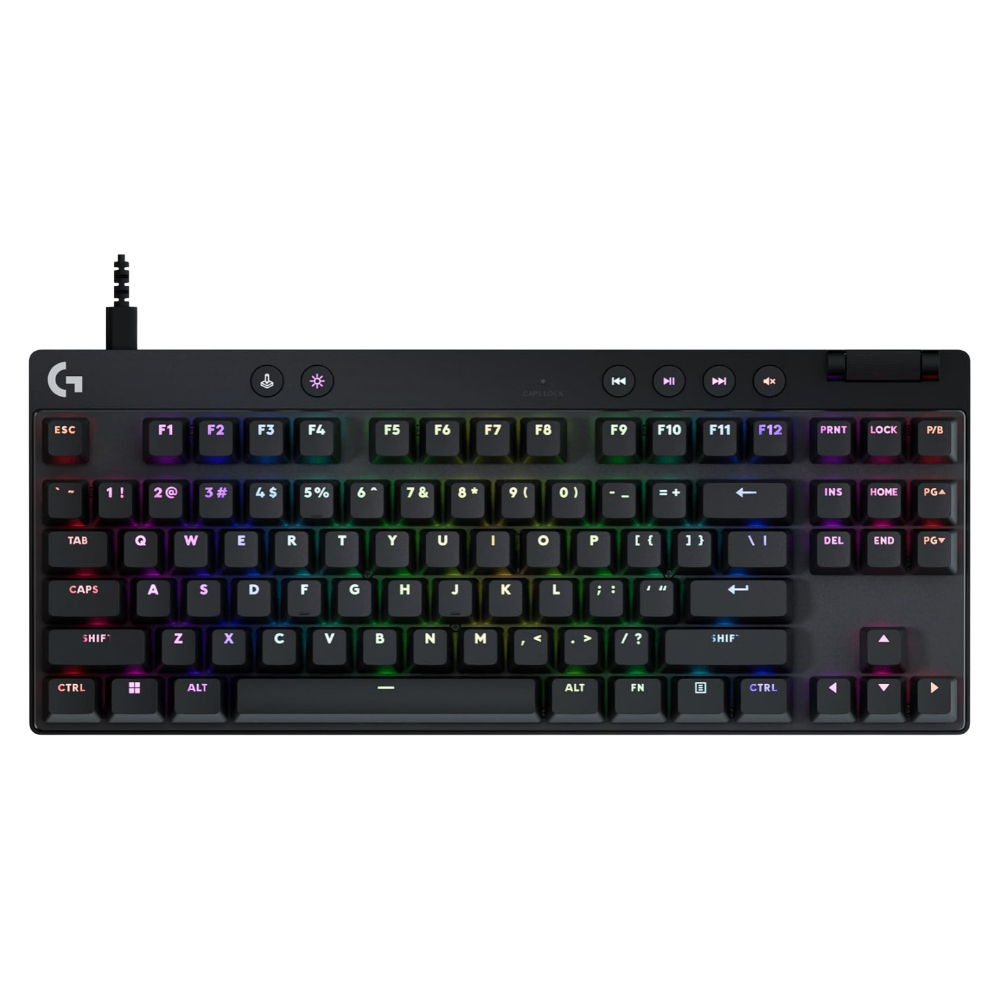
Layout: TKL | Switches: Magnetic Analog | Rapid Trigger: Yes | Connection: Wired
The Logitech G Pro X TKL Rapid appears in seven tracked player equipment profiles.
This keyboard takes the familiar design of Logitech’s competitive gaming keyboards and introduces magnetic analog switch technology.
Players can adjust when their keypresses register, customize Rapid Trigger behavior, and configure different settings for individual keys.
The TKL layout also makes it a practical option for gamers who want additional mouse space without losing dedicated arrow keys or function keys.
Best for: Competitive players looking for a magnetic gaming keyboard with a familiar layout.
My take: I think this is a particularly practical option for gamers who want to experiment with newer keyboard technology without completely changing the way they use their keyboards.
5. ASUS ROG Falchion Ace HFX
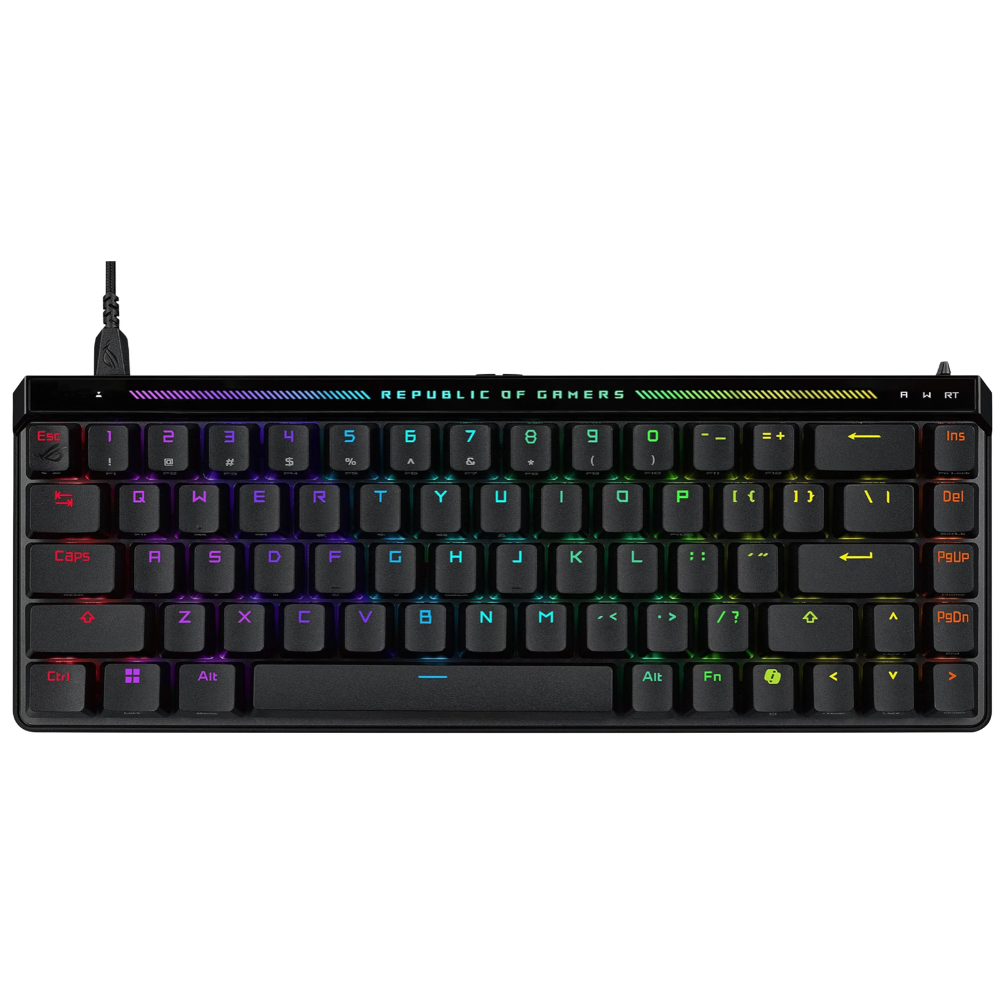
Layout: 65% | Switches: ROG HFX Magnetic | Rapid Trigger: Yes | Polling Rate: 8,000Hz
The ASUS ROG Falchion Ace HFX appears in five tracked equipment profiles.
It offers an interesting middle ground between a traditional TKL keyboard and an extremely compact 60% model.
Its 65% layout retains dedicated arrow keys while reducing the amount of desk space required.
The keyboard features adjustable actuation from 0.1mm to 4.0mm, magnetic switches, a dedicated Rapid Trigger toggle, and support for an 8,000Hz polling rate.
It also incorporates multiple layers of sound dampening, something worth considering if you use a microphone while gaming or streaming.
The Falchion Ace HFX demonstrates that competitive keyboards don’t necessarily have to sacrifice everything in favor of performance.
Best for: Players who want a compact magnetic keyboard but aren’t ready to give up dedicated arrow keys.
My take: Out of the smaller keyboards on this list, I think the 65% layout is one of the more appealing compromises. You still gain plenty of mouse space without relying on secondary key combinations for every navigation input.
Another Keyboard Worth Considering: Wooting 60HE v2
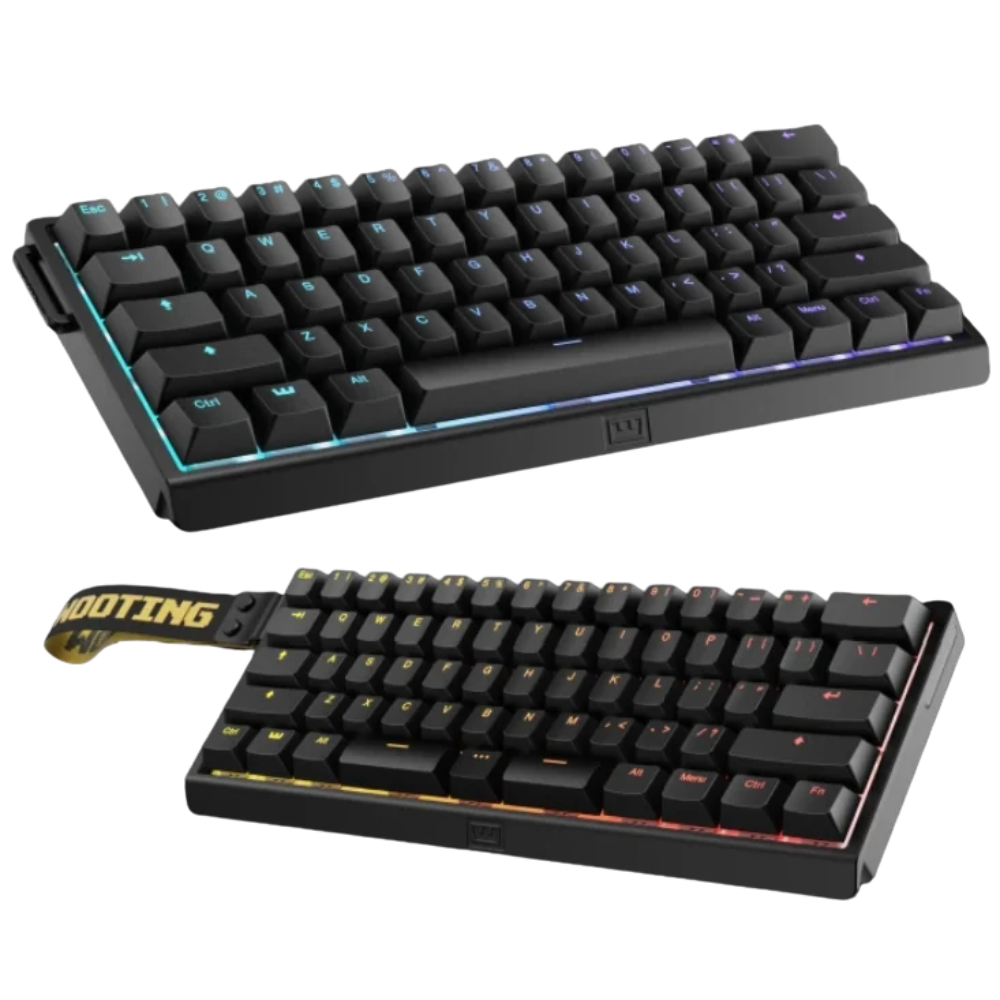
The Wooting 60HE+ remains one of the most frequently recorded keyboards in professional Siege, but its newer successor is also worth discussing.
According to Spoit’s equipment history on ProSettings, he moved from the 60HE+ to the newer Wooting 60HE v2 in 2026.
The updated keyboard builds upon the compact layout and adjustable analog switch technology that made its predecessor so popular.
For someone purchasing a Wooting keyboard for the first time, comparing both generations makes sense.
However, if you already own the 60HE+ and you’re happy with its performance, I wouldn’t assume that upgrading is necessary.
There’s a difference between buying the best option available for a new setup and replacing equipment that already works extremely well.
Why Do Professional Siege Players Prefer Smaller Keyboards?
One thing you’ll notice about the most popular keyboards in professional Siege is that none of the current top five are traditional full-size keyboards.
Instead, players are using tenkeyless, 60%, and 65% layouts.
The main advantage is simple: more mouse space.
When playing at lower sensitivities, you may need to move your mouse a considerable distance to turn around or clear multiple angles.
A large keyboard can get in the way, particularly if you don’t have a massive desk.
But smaller keyboards come with different trade-offs.
60% Keyboards
These offer the smallest footprint of the three common layouts discussed here.
They’re excellent for maximizing mouse space but remove dedicated arrow keys, the function row, and several navigation keys.
65% Keyboards
These retain dedicated arrow keys while remaining relatively compact.
They can be a good compromise for gamers who want additional mouse space without going quite as small as a 60% keyboard.
Tenkeyless (TKL) Keyboards
TKL keyboards remove the number pad but retain the function row, arrow keys, and most navigation keys.
For gamers who also use their computers for everyday tasks, streaming, or content creation, this can be a particularly practical layout.
Full-Size Keyboards
There’s absolutely nothing wrong with using a full-size keyboard for Siege.
If you have enough desk space and regularly use the number pad, you might prefer keeping it.
Your keyboard layout should fit the way you use your computer, not just the way a professional player uses theirs.
Building a Complete Rainbow Six Siege Gaming Setup
Over the past few weeks, we’ve looked at the monitors, mice, headsets, IEMs, and now keyboards that are popular among professional Rainbow Six Siege players.
One thing that’s become increasingly clear is that professional equipment choices usually prioritize function over flashy features.
- Monitors are chosen for motion clarity and responsiveness.
- Mice are chosen for control, comfort, and tracking performance.
- Audio equipment helps players identify what’s happening around them.
- Keyboards are chosen for reliable, consistent movement inputs.
But none of those pieces of equipment exist in isolation.
If you’re looking to upgrade your competitive setup, check out the other ChannlerG Siege equipment guides:
- What Monitors Do Pro Rainbow Six Siege Players Use?
- What Mice Do Pro Rainbow Six Siege Players Use?
- Best Headsets & IEMs for Rainbow Six Siege
You don’t need to replace everything at once.
Identify the weakest part of your current setup and work from there. That might mean upgrading your monitor, finding a more comfortable mouse, improving your audio, or finally replacing that keyboard you’ve been using for the past several years.
The goal is to build a setup that makes sense for you.
Final Thoughts: Do You Really Need a Pro Gaming Keyboard?
Professional Rainbow Six Siege players are increasingly using keyboards with analog switches, adjustable actuation, and Rapid Trigger.
And while those technologies are genuinely interesting, the most expensive keyboard isn’t automatically the best keyboard for you.
If you’re building a new competitive gaming setup, I think modern analog keyboards are absolutely worth considering.
But if you’re already comfortable with your current mechanical keyboard, don’t convince yourself that you need to spend another $200 just to keep up with the professionals.
Look at your available desk space, the games you play, how you use your computer, and what you actually want from your keyboard.
The best gaming setup is one that helps you play comfortably and consistently without having to think about the equipment you’re using.
Because no matter how quickly your keyboard registers a keypress, it’s still up to you to decide whether swinging that angle was a good idea.