
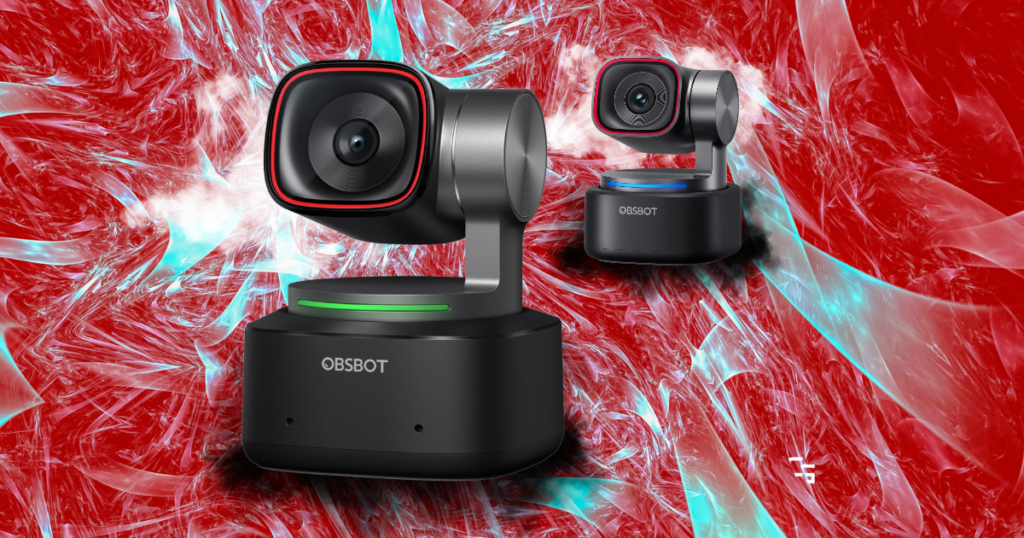
If you’re shopping for a premium webcam in 2026, OBSBOT has made the decision a little more interesting.
The OBSBOT Tiny 2 was already a pretty impressive camera, offering:
- 4K video
- AI tracking
- Gesture controls
- And a motorized gimbal that can actually follow you around
Now there’s the OBSBOT Tiny 3.
- It’s smaller
- Has a larger image sensor
- Offers higher frame rates
- And introduces some interesting improvements to audio and AI tracking
But here’s the question I’d be asking before spending my money:
“Is the OBSBOT Tiny 3 actually worth paying an extra $50 for?”
Let’s figure out which one makes more sense.
This article contains affiliate links. If you purchase through one of my links, I may earn a commission at no additional cost to you.

Quick Verdict: OBSBOT Tiny 2 or Tiny 3?
My pick for new buyers: OBSBOT Tiny 3.
At the current official prices of $299 for the Tiny 2 and $349 for the Tiny 3, I’d lean toward spending the additional $50.
The Tiny 3 offers:
- A larger sensor
- 1080p at 120 FPS
- Newer AI tracking capabilities
- And a more advanced built-in microphone system.
That’s a meaningful upgrade for a relatively small difference in price.
I’d buy the OBSBOT Tiny 2 if:
- I found it on sale for considerably less.
- I primarily needed 4K at 30 FPS or 1080p at 60 FPS.
- I didn’t need the newest tracking and audio features.
- I wanted a premium webcam without paying for improvements I might never use.
I’d buy the OBSBOT Tiny 3 if:
- I were purchasing a new webcam today.
- I regularly recorded videos, streamed, or created content.
- I wanted better potential performance in challenging lighting.
- I could actually use the improved tracking or 120 FPS recording.
Bottom line: At only $50 apart, the Tiny 3 makes more sense to me. But the Tiny 2 is still capable, and a good sale could completely change that recommendation.
Get it here: Check OBSBOT Tiny 2 Price
Find it here: Check OBSBOT Tiny 3 Price
OBSBOT Tiny 2 vs. Tiny 3: Specs Compared
Here’s a quick look at the differences that actually matter.
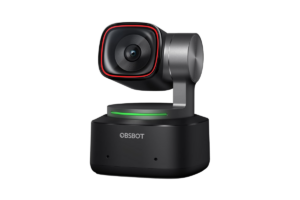
OBSBOT Tiny 2
- Sensor: 1/1.5-inch CMOS
- Maximum resolution: 4K at 30 FPS
- 1080p recording: Up to 60 FPS
- AI tracking: Yes
- Built-in microphones: Two omnidirectional microphones
- Digital zoom: Up to 4x
- Weight: Approximately 95.6 grams without mount
- Official listed price: $299
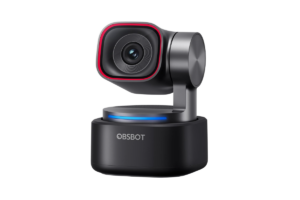
OBSBOT Tiny 3
- Sensor: 1/1.28-inch CMOS
- Maximum resolution: 4K at 30 FPS
- 1080p recording: Up to 120 FPS
- AI tracking: AI Tracking 2.0
- Built-in microphones: Three-microphone spatial audio system
- Digital zoom: Up to 4x
- Weight: Approximately 63 grams without mount
- Official listed price: $349
Both cameras offer motorized pan-and-tilt tracking, autofocus, HDR capabilities, and software controls.
The biggest differences come down to the image sensor, frame rate, audio system, tracking features, and physical size.
Image Quality: Does the Tiny 3 Really Look Better?
The Tiny 2 uses a 1/1.5-inch CMOS sensor, while the Tiny 3 has a larger 1/1.28-inch sensor.
OBSBOT says the Tiny 3’s sensor is approximately 37% larger.
Why does that matter?
A larger sensor can provide advantages in light collection and image quality, particularly in challenging lighting conditions. Of course, sensor size alone doesn’t guarantee a better-looking picture. Image processing, exposure settings, and your lighting setup still matter.
Both cameras support 4K at 30 FPS, so you’re not suddenly getting a higher-resolution image by purchasing the Tiny 3.
You’re getting newer imaging hardware that has the potential to deliver a cleaner picture.
What About Low-Light Performance?
I stream early in the morning, and lighting is something I’ve spent a lot of time adjusting.
The Tiny 3 has a wider advertised ISO range, topping out at 12,800 compared with 6,400 on the Tiny 2.
That doesn’t automatically mean every low-light image will look twice as good. Higher ISO can also introduce noise.
But combined with the larger sensor and newer processing, it gives the Tiny 3 a stronger technical foundation for challenging lighting.
My verdict: The Tiny 3 wins on imaging hardware. Whether you’ll notice a major difference depends on your lighting, camera settings, and how large the webcam appears in your content.
And before spending hundreds on a new camera, I’d also consider your lighting. Check out Best Lighting for Streaming in 2026: What You Really Need
Frame Rates: 60 FPS vs. 120 FPS
Here’s another difference that sounds pretty exciting on paper.
- The OBSBOT Tiny 2 supports 1080p at up to 60 FPS.
- The OBSBOT Tiny 3 doubles that to 1080p at up to 120 FPS.
That’s a noticeable specification upgrade.
But do you actually need 120 FPS from a webcam?
For most streamers, probably not.
If you’re streaming to YouTube at 60 FPS, a 120 FPS camera feed doesn’t mean viewers suddenly get to watch your facecam at 120 FPS.
Your final stream is still limited by its output settings.
Where the higher frame rate becomes more interesting is recording.
If you’re creating standalone video content or want to slow footage down during editing, having access to 120 FPS can be useful.
It also gives you additional flexibility when capturing fast movement.
But for someone who spends most of their time sitting at a desk playing games, 1080p at 60 FPS is already plenty.
My verdict: The Tiny 3 wins, but I wouldn’t spend an extra $50 for 120 FPS alone.
I’ve discussed this same idea in Do You Really Need a 4K Webcam to Stream?
AI Tracking: Where the Tiny 3 Gets More Interesting
One of the biggest reasons to buy an OBSBOT webcam in the first place is the tracking.
Instead of using a traditional fixed webcam, you get a motorized camera that can follow you as you move.
That’s one of the things I’ve appreciated about having an OBSBOT camera in my own setup.
Even though I’m usually sitting at my desk, I like having the flexibility to adjust framing and camera positioning through software.
Both the Tiny 2 and Tiny 3 offer AI tracking, but the Tiny 3 introduces OBSBOT’s newer AI Tracking 2.0 system.
It includes additional ways to control framing and track subjects.
One particularly interesting feature is Voice Tracking.
The Tiny 3 can use audio positioning to help identify where a voice is coming from and rotate toward the speaker.
That’s potentially useful for people who move around during presentations, demonstrations, or recordings.
For a gaming streamer who mostly stays in one chair, though?
It’s probably less important.
Find it here: Check OBSBOT Tiny 3 Price
Who Benefits Most From the New Tracking?
I’d be more interested in the Tiny 3’s tracking improvements if I were:
- Recording tutorials while moving around a room.
- Teaching or presenting in front of a camera.
- Creating videos where I frequently leave my desk.
- Recording content with multiple people or changing positions.
- Using the camera for more than a traditional facecam.
For basic gaming streams, the Tiny 2’s existing tracking capabilities are still attractive.
My verdict: The Tiny 3 offers more flexibility, especially for creators who move around. But I wouldn’t call the Tiny 2’s tracking outdated just because a newer version exists.
I also compared different connection types in USB vs. XLR Mics: Which Should You Buy in 2026?
Built-In Microphones: A Bigger Upgrade Than You Might Expect
- The Tiny 2 uses two built-in omnidirectional microphones with noise-reduction features.
- The Tiny 3 introduces a three-microphone system designed to support spatial audio and different recording modes.
For someone using a webcam for meetings, presentations, or casual video recording, that could be a meaningful improvement.
But here’s where my personal experience changes how I’d look at it.
I use a dedicated FIFINE AM8 PRO-T microphone for my streams.
And if you’re serious about streaming or recording commentary, I’d generally recommend considering a dedicated microphone rather than relying entirely on the one built into your webcam.
My verdict: The Tiny 3 has the more advanced built-in microphone system. But for streamers already using dedicated audio equipment, this upgrade may not matter much.
I’ve talked about my microphone experience in FIFINE AM8 PRO-T Review: My First Stream With It
Design: The Tiny 3 Is Surprisingly Small
One improvement I didn’t expect to care about much is the physical design.
- The Tiny 2 weighs approximately 95.6 grams without its mount.
- The Tiny 3 weighs only about 63 grams.
OBSBOT also significantly reduced the size of the camera body.
That’s impressive considering the Tiny 3 still includes a motorized gimbal and a larger image sensor.
For somebody who travels, uses a laptop, or regularly moves their camera between setups, that smaller design could be a real advantage.
For me, with a webcam that mostly stays mounted above my monitor, it’s a nice improvement rather than a necessity.
Both cameras are already much more compact than a traditional camera and lens setup.
My verdict: The Tiny 3 wins on portability, but I wouldn’t replace a working Tiny 2 just to save a little space on my desk.
And if you’re still comparing other brands and budgets, check out Best Webcams for Streaming in 2026 (Five I’d Recommend)
Is the OBSBOT Tiny 3 Worth $50 More?
At the prices listed when I wrote this article:
- OBSBOT Tiny 2: $299
- OBSBOT Tiny 3: $349
- Difference: $50
For an extra $50, the Tiny 3 offers a larger image sensor, higher 1080p frame rates, upgraded tracking, improved built-in audio features, and a smaller design.
That’s a pretty reasonable collection of improvements.
If I were buying my first premium OBSBOT webcam today, I’d have a hard time justifying the Tiny 2 at $299 when the Tiny 3 costs $349.
But pricing matters.
If the Tiny 2 dropped significantly during a sale, I’d absolutely reconsider.
And if you already own a Tiny 2?
I wouldn’t rush to upgrade.
You already have a 4K webcam with AI tracking and plenty of features for streaming and content creation.
The Tiny 3 is an improvement, but it’s not going to magically make your videos successful.
Get it here: Check Current OBSBOT Tiny 2 Price
Find it here: Check Current OBSBOT Tiny 3 Price
What About the OBSBOT Tiny 2 Lite?
Since I actually own the Tiny 2 Lite, I think it’s worth mentioning.
I’ve used it for over a year of streaming, and it’s been a solid part of my setup.
I like the flexibility of the motorized camera, the software controls, and the fact that I can adjust my framing without constantly reaching up to reposition a webcam.
The Tiny 2 Lite has given me firsthand experience with the OBSBOT ecosystem, which is one reason I’m interested in how the newer cameras compare.
If you don’t need the features of either flagship model, a less expensive OBSBOT camera may make more sense.
You can read more about my experience in OBSBOT Tiny 2 Lite Review (After Over a Year of Streaming)
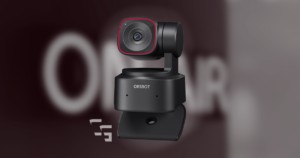
Who Should Buy the OBSBOT Tiny 2?
I’d recommend considering the Tiny 2 if you’re looking for a premium webcam but don’t necessarily need the latest features.
It still offers:
- 4K recording at 30 FPS
- 1080p at 60 FPS
- Motorized AI tracking
- Gesture and voice controls
- Autofocus and HDR
- Software customization
That’s already more functionality than many streamers will ever need.
The biggest factor for me would be price.
If the Tiny 2 were substantially cheaper than the Tiny 3, it could become the better value.
But at only $50 less, I think the newer model is easier to recommend.
Get it here: Check OBSBOT Tiny 2 Price
Who Should Buy the OBSBOT Tiny 3?
I’d recommend the Tiny 3 to somebody buying a premium webcam today who wants the most capable option between these two models.
It makes the most sense if you:
- Want the newer image sensor and imaging features.
- Record content where 1080p at 120 FPS could be useful.
- Move around during presentations or videos.
- Want OBSBOT’s newer tracking capabilities.
- Use your webcam’s built-in microphones.
- Plan to keep the camera for several years.
I also think the price difference matters here.
We’re not comparing a $100 webcam against a $350 webcam.
We’re comparing two premium models that are currently only $50 apart.
At that point, I’d rather spend a little more for the newer hardware if I were starting from scratch.
Find it here: Check OBSBOT Tiny 3 Price
Final Verdict: I’d Buy the OBSBOT Tiny 3
After comparing the specifications and features, the OBSBOT Tiny 3 would be my choice for a new purchase in 2026.
The larger sensor, 120 FPS recording option, upgraded tracking, and improved audio system make the additional $50 reasonable.
But I also think there’s an important distinction between buying a new webcam and upgrading one you already own.
If I had a Tiny 2 sitting on my monitor and it was doing everything I needed, I wouldn’t feel pressured to replace it.
That’s the same approach I take with most of my gaming and streaming equipment.
I don’t think you need to constantly buy the newest version of something just because it exists.
Based on the published features and current pricing, though, my recommendation is pretty simple:
- Buying new? Get the Tiny 3.
- Already own a Tiny 2? Keep using it unless there’s a specific new feature you actually need.
- Find the Tiny 2 at a great discount? It could still be the smarter deal.
At the end of the day, your webcam should help you create better content, not become another expensive piece of equipment you spend more time researching than actually using.