
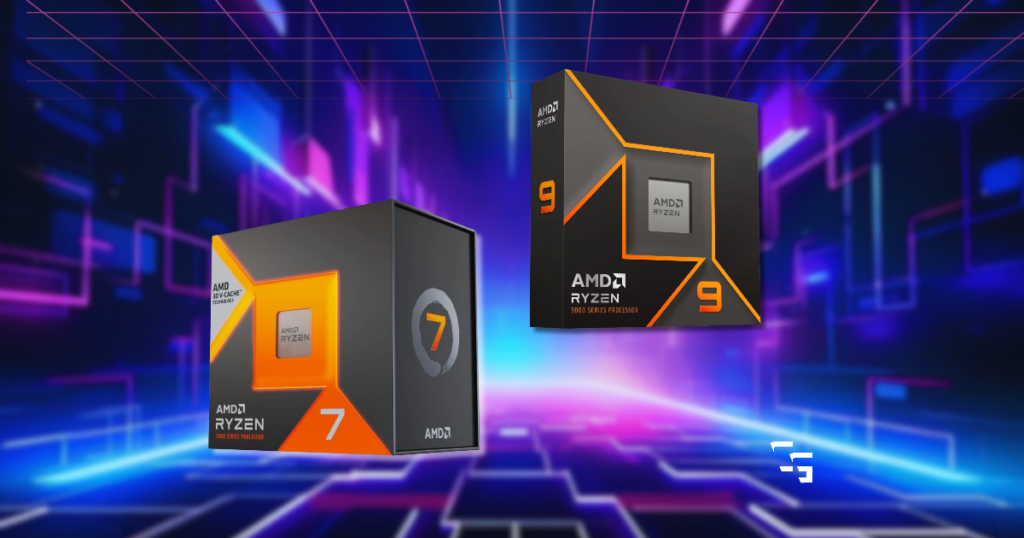
If you were shopping for a new gaming processor and saw a Ryzen 7 sitting next to a newer Ryzen 9, which one would you assume is faster?
I’d probably look at the Ryzen 9 first.
- More cores, newer architecture
- Higher clock speeds.
Sounds like an easy decision, right?
…Well, not exactly.
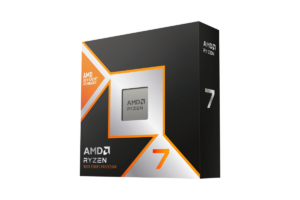
The AMD Ryzen 7 7800X3D is actually the better gaming processor in many situations, despite having fewer cores than the Ryzen 9 9900X.
And if you’re mainly playing competitive shooters like Rainbow Six Siege, Call of Duty, or Fortnite, that difference is worth understanding before spending your money.
I’ve been using a Ryzen 7 3700X in my own gaming PC, so upgrading my CPU is something I’ve been thinking about. I haven’t personally tested either of these processors, but I wanted to see what independent gaming benchmarks actually show.
This article contains affiliate links. If you purchase through one of these links, I may earn a commission at no additional cost to you.

Quick Verdict: Which CPU Should You Buy?
- Best for gaming: AMD Ryzen 7 7800X3D
If your main priority is getting higher FPS in competitive games, I’d choose the 7800X3D between these two processors. Its additional L3 cache helps it outperform the 9900X in many CPU-limited gaming situations. - Best for demanding productivity work: AMD Ryzen 9 9900X
If you’re regularly doing CPU-heavy rendering, compiling, or other work that benefits from more cores, the 9900X makes more sense. - My recommendation: Don’t spend extra on the Ryzen 9 expecting it to automatically deliver more gaming performance. Compare the prices and decide whether those additional cores are something you’ll actually use.
Get it here: Check Ryzen 7 7800X3D price on Amazon
Find it here: Check Ryzen 9 9900X price on Amazon
Ryzen 7 7800X3D vs. Ryzen 9 9900X: The Important Specs
I’m not going to throw an enormous specification chart at you.
Here are the differences that actually matter.
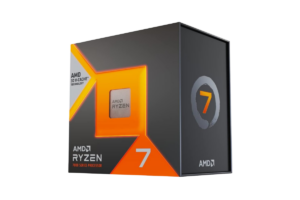
AMD Ryzen 7 7800X3D
- 8 cores and 16 threads
- Zen 4 architecture
- Maximum boost clock of 5.0 GHz
- 96MB of L3 cache
- AMD 3D V-Cache technology
- AM5 motherboard socket
- 120W default TDP
Biggest advantage: Designed around strong gaming performance, particularly in games that benefit from additional cache.
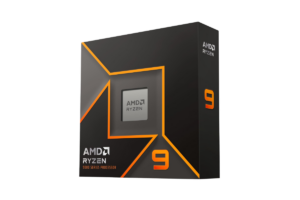
AMD Ryzen 9 9900X
- 12 cores and 24 threads
- Newer Zen 5 architecture
- Maximum boost clock of 5.6 GHz
- 64MB of L3 cache
- AM5 motherboard socket
- 120W default TDP
Biggest advantage: More cores and threads for demanding workloads outside gaming.
Looking at those specifications, I can understand why someone would assume the Ryzen 9 is better.
But there’s one feature that changes the gaming comparison.
Find it here: Check Ryzen 9 9900X price on Amazon
Why the Ryzen 7 7800X3D Can Beat a Newer Ryzen 9
The secret is AMD’s3D V-Cache technology.
Basically, the 7800X3D has a much larger amount of L3 cache available to its processor cores.
Think of cache as a small, extremely fast storage area that keeps frequently needed data close to the CPU.
Instead of constantly retrieving information from slower system memory, the processor can access certain data much faster.
Some games benefit significantly from that.
And when you’re trying to push hundreds of frames per second, those small differences in how quickly the CPU handles game data can add up.
The 7800X3D has 96MB of L3 cache compared with the 9900X’s 64MB.
That doesn’t mean cache is the only thing determining gaming performance.
But it’s a major reason the older Ryzen 7 can outperform the newer Ryzen 9.
And it’s also why I wouldn’t automatically choose a processor based on its clock speed or core count.
Get it here: Check Ryzen 7 7800X3D price on Amazon
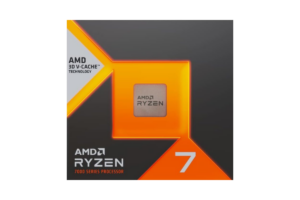
Which CPU Gets More FPS in Shooters?
Independent gaming benchmarks comparing these processors generally favor the Ryzen 7 7800X3D, although the size of its advantage depends heavily on the game.
One published comparison included Counter-Strike 2, Fortnite, and Call of Duty: Warzone 2.
Here’s what the testing showed at 1080p under the reviewer’s test conditions.
Counter-Strike 2
- Ryzen 7 7800X3D: 376 FPS
- Ryzen 9 9900X: 347 FPS
The 7800X3D delivered approximately 8% more FPS.
That’s a meaningful advantage for someone using a very high-refresh-rate monitor.
Fortnite
- Ryzen 7 7800X3D: 371 FPS
- Ryzen 9 9900X: 320 FPS
The 7800X3D was approximately 16% faster.
That’s a considerably larger difference, especially when both processors are paired with a powerful graphics card.
Call of Duty: Warzone 2
- Ryzen 7 7800X3D: 250 FPS
- Ryzen 9 9900X: 249 FPS
And here’s where things get interesting.
They’re practically identical.
That’s exactly why I don’t like making recommendations based on one game.
The 7800X3D can be noticeably faster in certain shooters, but that doesn’t mean it wins by the same margin everywhere.
(These are independent benchmark results, not tests I’ve run myself. They’re also from specific game versions and hardware configurations, so they shouldn’t be treated as guaranteed FPS numbers for your PC)
Find it here: Check Ryzen 7 7800X3D price on Amazon
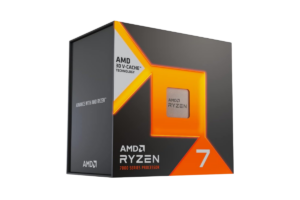
Does the Difference Matter at 1440p?
Those benchmark results were measured at 1080p, where a powerful graphics card can produce enough frames to expose differences between processors.
At 1440p, your GPU generally has more work to do.
That means the performance gap between the two CPUs can shrink.
And at 4K, the difference may become even smaller in graphically demanding games.
But that doesn’t mean CPU performance stops mattering at higher resolutions.
If you’re playing competitive shooters at reduced graphics settings and targeting 200 FPS or more, your CPU can still be a major limitation at 1440p.
On the other hand, if you’re playing a demanding game at Ultra settings and your graphics card is already running at full capacity, upgrading to a faster gaming CPU might not change much.
This is something I have to consider with my own setup.
My RX 6700 XT isn’t going to produce the same results as a high-end graphics card used in professional CPU benchmarks.
That’s why I’d want to identify my actual bottleneck before buying anything.
If you’re unsure whether your graphics card is the limitation, my Best GPUs for 1440p Gaming in 2026
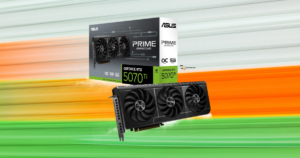
Is the Ryzen 9 9900X Better for Gaming and Streaming?
Not automatically.
- I game
- Sream on YouTube
- Record footage
- & Edit videos for ChannlerG
So having 12 cores instead of eight sounds pretty appealing.
And for certain workloads, it absolutely can be.
The Ryzen 9 9900X has four additional cores and eight additional threads.
That gives it an advantage in many heavily threaded tasks, including CPU-based rendering and encoding.
But streaming doesn’t automatically require a 12-core processor.
If you’re using your graphics card’s hardware encoder in OBS, much of the video encoding work is handled by dedicated GPU hardware.
That changes how much additional CPU power you actually need.
For somebody who mostly games and streams using NVENC or AMD’s hardware encoder, the 7800X3D may still be the better choice.
But if you’re frequently doing CPU-intensive video exports, software encoding, or other demanding tasks, the 9900X becomes more appealing.
And personally, I’d want to know exactly how much my workflow would benefit from the extra cores before paying for them.
I covered the GPU side of that decision in Best Graphics Cards for Streaming in 2026
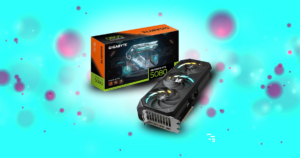
Which CPU Is the Better Value in 2026?
Both processors originally launched at premium prices, but they’re older products now.
And in 2026, neither exists in a vacuum.
There are newer X3D processors available, including the Ryzen 7 9800X3D and other options.
So I wouldn’t buy either the 7800X3D or 9900X without checking current pricing against those newer models.
For the two processors we’re comparing, here’s how I’d decide.
I’d buy the Ryzen 7 7800X3D if:
- Gaming is my main priority.
- I play competitive shooters and want high FPS.
- I can get it at a good price.
- I don’t regularly need 12 cores for demanding work.
I’d buy the Ryzen 9 9900X if:
- I spend substantial time on CPU-heavy productivity tasks.
- I want the additional cores for rendering or software encoding.
- Gaming is important, but it isn’t my only demanding workload.
- The price makes sense compared with newer alternatives.
And if the 7800X3D is priced too close to a newer X3D processor, I’d investigate the newer option instead.
There’s no reason to pay a premium for an older chip just because it has a strong reputation.
Get it here: Check Ryzen 7 9800X3D price on Amazon
One Thing I’d Check Before Upgrading Either CPU
Both processors use AMD’s AM5 platform.
My current Ryzen 7 3700X uses AM4.
That means I can’t simply remove my existing processor and drop either of these into my current motherboard.
I’d need a compatible AM5 motherboard and DDR5 memory.
And suddenly, what looked like a simple CPU upgrade becomes a larger expense.
That’s worth thinking about if you’re working with a limited budget.
Before buying anything, I’d price out the complete upgrade rather than just looking at the processor.
I’ve talked about that broader decision in What Should You Upgrade First in Your Gaming Setup?

My Final Verdict: Ryzen 7 7800X3D or Ryzen 9 9900X?
If I were choosing between these two processors primarily for competitive FPS gaming, I’d take the Ryzen 7 7800X3D.
The gaming benchmarks generally favor it, and its 3D V-Cache gives it a genuine advantage in many CPU-limited games.
But I wouldn’t pretend it’s dramatically faster in every shooter.
Call of Duty: Warzone 2 is a good example of a game where the difference was practically nonexistent in the benchmark results we examined.
And if I were spending most of my time
- Rendering videos
- Compiling software
- Or handling other demanding CPU workloads
…I’d give the Ryzen 9 9900X a much closer look.
For my own PC, I also have to consider the cost of moving from AM4 to AM5.
That’s not something I’d do just to chase a few extra frames.
- The Ryzen 9 has more cores.
- The Ryzen 7 is generally the better gaming CPU.
And if your main goal is getting more FPS in modern shooters, that’s the distinction I’d pay attention to before spending your money.