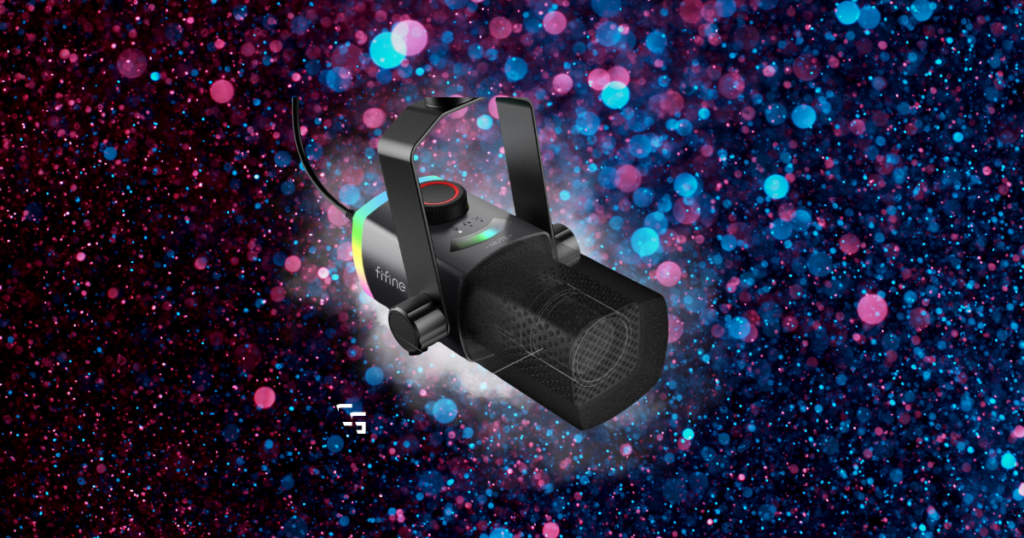
I finally upgraded from my headset mic to the FIFINE AM8 PRO-T. Here are my first impressions after setup, tweaking OBS settings, and my first stream.
Some links in this article may be affiliate links, meaning I may earn a commission at no additional cost to you. Thanks for supporting ChannlerG!

TL;DR
The FIFINE AM8 PRO-T already feels like a noticeable upgrade from my HyperX Cloud III Wireless headset mic.
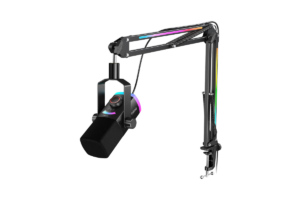
It’s louder, clearer, feels much more premium than its price suggests, and the included boom arm is solid.
Setup took me less than five minutes.
Getting the audio exactly where I want it?
That’s taking a little longer.
But after one stream, I’m already happy with it.
At $69.99 at the time I’m writing this, I think it’s a very good upgrade, especially for the price.
Affiliate Link: Check the FIFINE AM8 PRO-T on Amazon
Why I Finally Bought a Dedicated Microphone
Technically, I didn’t buy it.
It was a birthday gift.
But I’d been researching microphones for a while because this was the next part of my setup I wanted to upgrade.
I’ve been using the microphone built into my HyperX Cloud III Wireless headset for all of my content.
And honestly?
It was fine.
I’ve streamed with it for about a year, made plenty of content with it, and nobody was complaining about my audio.
That’s exactly why I kept putting off the upgrade.
But after:
- Researching dedicated microphones
- Talking to other streamers
- & Getting recommendations from people I trust
I kept coming back to FIFINE.
Then the AM8 PRO-T went on sale.
Perfect birthday present.
If you’re trying to decide whether upgrading from a headset microphone is even worthwhile, I also included the AM8 in Best Gaming & Streaming Microphones in 2026.
What’s in the Box?
This is one of the things that makes the AM8 PRO-T appealing.
You’re not just getting the microphone.
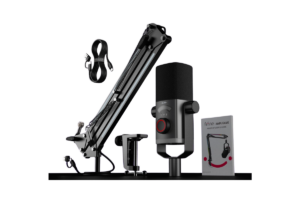
Mine came with:
- FIFINE AM8 microphone
- Boom arm
- USB/USB-C cable for the microphone
- USB/USB-C cable for the boom arm
That’s everything I needed to get it attached to my desk and running.
And the physical setup?
Less than five minutes.
- Attach the arm
- Mount the microphone
- Plug everything in
- Done
I didn’t spend half the evening trying to decipher instructions or wondering what went where.
That’s exactly what I wanted.
Affiliate Link: Check Price on Amazon
It Feels More Expensive Than It Is
It doesn’t feel cheap.
At all.
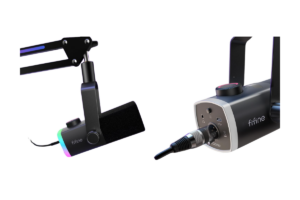
The microphone itself feels substantial, and the boom arm doesn’t feel like something that was thrown into the box just so FIFINE could advertise a bundle.
- It stays where I put it
- I can move the microphone where I want it
- And once I’m playing, I don’t really notice the arm
That’s pretty much everything I want a boom arm to do.
At its current $69.99 price, the whole package feels like you’re getting quite a bit for your money.
Affiliate Link: Check Current Price on Amazon
I’m Starting With USB
The AM8 gives you the option of using USB or XLR.
Right now, I’m using USB.
And I have absolutely no intention of making things more complicated just because I can.
Plugging directly into my PC gives me everything I need right now without buying an audio interface or learning an entirely new part of audio production on Day 1.
Maybe I’ll experiment with XLR eventually.
Maybe I won’t.
That’s one of the things I like about buying a microphone that gives me both options.
I can start simple and still have somewhere to go later.
If you have no clue what any of that means, I wrote an entire guide on USB vs XLR Mics: Which Should You Buy in 2026?
Setting It Up Was Easy. Dialing It In Takes More Work.
This is probably the most important distinction from using my headset.
My HyperX headset microphone was basically dummy-proof.
- Put headset on
- Select microphone
- Talk
A dedicated dynamic microphone gives me a lot more control, but that also means I have to actually learn how to use that control.
I spent about an hour messing around with:
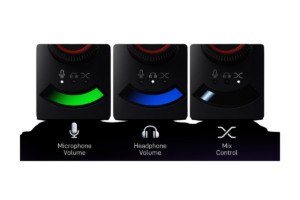
- Gain
- Headphone levels
- Noise suppression
- Noise gate
- Compression
- EQ
And I’m still not finished.
The dynamic microphone itself also took some getting used to because positioning and how I speak into it matter more than they did with a microphone permanently sitting next to my mouth.
I’m currently picking up a few sounds I don’t really want.
But after playing with the settings, I’m pretty confident that’s me, not the microphone.
I need more time with it.
That’s why I don’t want to call that a negative against the AM8.
If you’re looking for simplicity, I’d check out my picks for 5 Best Wireless Gaming Headsets in 2026. Most of these have a build in/attachable mic.
But I Could Hear the Upgrade Immediately
Even before I have everything completely dialed in…
It already sounds better.
- My voice is louder
- It’s clearer
- And I have far more control over how the final audio sounds
That last part might actually be the biggest upgrade.
My headset mic sounded how it sounded.
With this, I can keep optimizing things as I learn.
After about an hour of experimenting, I could already hear a noticeable improvement.
Give me another week of messing with OBS filters and positioning, and I’m curious how much better I can get it.
Affiliate Link: Check Current Price on Amazon
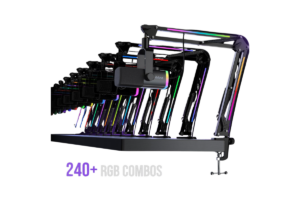
The RGB Is Completely Unnecessary
I like it anyway.
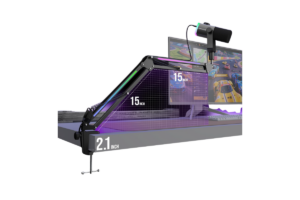
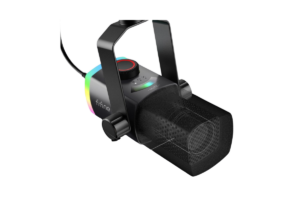
The boom arm has lighting, and the microphone reacts when I talk.
Does that make my audio sound better?
No.
Does my stream need it?
Also no.
Am I leaving it turned on?
Absolutely.
It’s a nice little visual effect in the setup without being the reason I’d recommend the microphone.
Affiliate Link: Get it on Amazon
The Biggest Difference From a Headset Mic
It’s not even necessarily the sound.
It’s the effort.
Headset microphones are ridiculously easy.
That’s one of their biggest advantages.
A dedicated microphone requires a little more thought.
- Where is the microphone positioned?
- How high is the gain?
- Is my keyboard coming through?
- What’s the noise gate doing?
- Did I make the suppression too aggressive?
I’m suddenly paying attention to things I never had to think about before.
That doesn’t mean the AM8 PRO-T is difficult to use.
It isn’t.
The actual setup was ridiculously easy.
There’s just a difference between getting a microphone working and getting it sounding exactly how you want.
I’m currently somewhere between those two.
Affiliate Link: Check Current Price Here
Would I Recommend It After One Day?
Yep.
Normally I’d be more hesitant after such a short amount of time.
But I didn’t randomly find this microphone on Amazon yesterday.
I researched it before asking for it.
Multiple streamers I personally trust recommended FIFINE to me.
And now that I’ve actually gotten my hands on it, my first experience lines up with what I’d been hearing.
- It’s built well
- It was easy to set up
- It sounds noticeably better than what I was using
- The boom arm is good
- I can use USB now and experiment with XLR later
- And the entire package is currently around $70.
I’ve still got work to do on my OBS settings, but that’s okay.
After one stream, I think the FIFINE AM8 PRO-T is a very good upgrade, especially for the price.
Affiliate Link: Check the FIFINE AM8 PRO-T on Amazon
I’ll Update This Review
This is very much Day 1.
I want to see how I feel after:
- 50 hours
- 100 hours
- A few months of streams
I want to get my filters properly dialed in, figure out exactly what settings work best for my room, and eventually experiment with some of the things I haven’t touched yet.
UPDATE: I finally got the Best OBS Filters for Fifine AM8 Pro-T: My Settings
But that’s also why I wanted to write this now.
Sometimes first impressions matter.
And my first impression of the FIFINE AM8 PRO-T is pretty simple:
I’m glad I upgraded.