
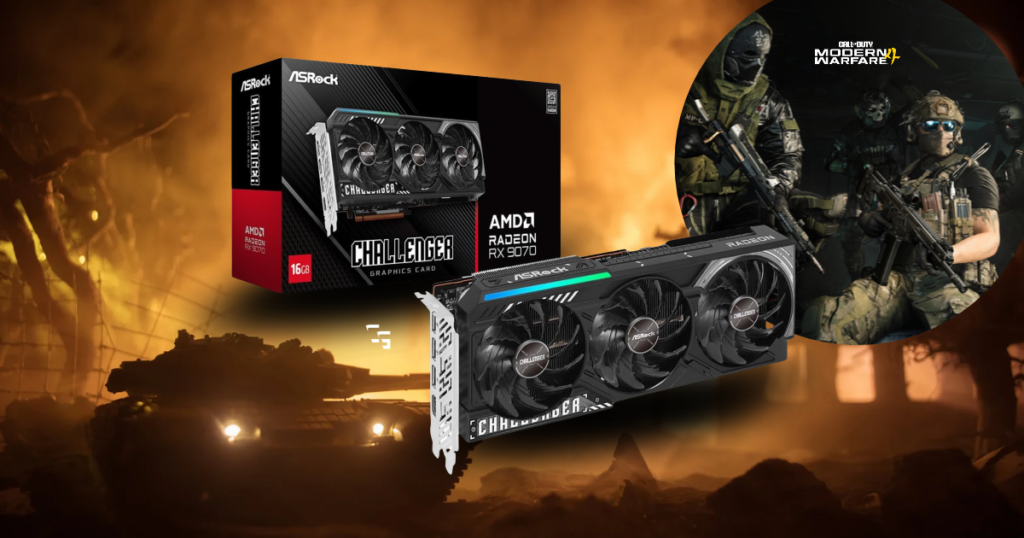
Call of Duty: Modern Warfare 4 is almost here, and if you’re playing on PC, there’s a pretty important question to answer before spending hundreds of dollars on a new graphics card.
“How much GPU do you actually need to play MW4 at 1440p?”
There’s a huge difference between running the game at 90 FPS with good-looking graphics and trying to maintain 200 FPS in multiplayer.
Personally, I’m much more interested in:
- Smooth gameplay
- Consistent frames
- And being able to see the person shooting at me before I’m already watching the killcam
I’ve been gaming at 1440p with an AMD RX 6700 XT and Ryzen 7 3700X. It’s not the newest setup, but it’s still capable of playing modern games. And I don’t plan on replacing my graphics card just because another Call of Duty is coming out.
So I looked at Activision’s:
- Official requirements
- Independent Modern Warfare 4 beta testing
- And what the current GPU market offers.
Here’s where I’d spend my money.
This article contains affiliate links. If you purchase through one of these links, I may earn a commission at no additional cost to you.

What Does Modern Warfare 4 Actually Require?
Modern Warfare 4 launches October 23, 2026, and Activision has already released its official PC specifications.
For its recommended tier, Activision lists:
- AMD GPU: Radeon RX 6600 X
- NVIDIA GPU: GeForce RTX 3060 Ti
- Intel GPU: Arc B580
- RAM: 16GB
- VRAM: 8GB
- CPU: Ryzen 5 3600 or Intel Core i7-8700K
Those specifications target 90 FPS in multiplayer at High settings.
However, Activision doesn’t clearly establish that this target is achieved at native 1440p, so I wouldn’t use it as a guarantee of 1440p performance.
The game also supports DLSS, FSR, XeSS, and a built-in benchmark tool.
That’s good news because you should have plenty of options for adjusting performance without immediately replacing your hardware.
My GPU Recommendations for MW4 at 1440p
These recommendations are based on official requirements, broader GPU performance, and available beta testing. Final-release benchmarks may change how I’d rank them.
- Best Budget Option: RX 9060 XT 16GB
- Best Balanced Upgrade: RX 9070
- Best Overall Choice: RX 9070 XT
- Premium NVIDIA Option: RTX 5070 Ti
Best Budget Option: AMD Radeon RX 9060 XT 16GB
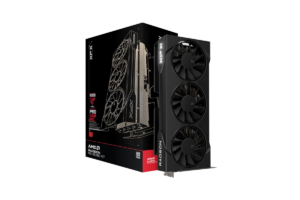
If you’re building a new PC and want to play Modern Warfare 4 at 1440p without spending a fortune, the RX 9060 XT 16GB is worth considering.
It’s a more affordable graphics card than the higher-end options on this list, and its 16GB of VRAM gives you room for demanding textures.
But don’t confuse that memory capacity with high-end performance.
If you’re targeting 144 FPS or more, you may need to lower settings or use upscaling.
And based on how demanding some MW4 beta testing has been, I wouldn’t buy this card expecting maximum settings and extremely high frame rates.
I’d buy it for: Affordable 1440p gaming with reasonable graphics settings.
I’d skip it if: My main goal were competitive 165–240 FPS gameplay.
Get it here: Check RX 9060 XT 16GB price on Amazon
Best Balanced Upgrade: AMD Radeon RX 9070
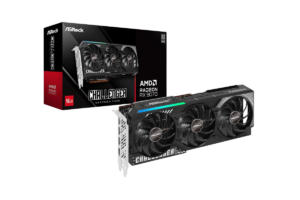
The RX 9070 is where I’d start looking if I wanted more performance than a budget GPU but didn’t want to pay for the most expensive option.
It comes with 16GB of VRAM and offers a substantial step up in general gaming performance over the RX 9060 XT.
For Modern Warfare 4, that extra power could give you more flexibility to balance image quality and frame rates.
I don’t necessarily want everything on Ultra. I’d rather have a clean-looking game that runs consistently than beautiful shadows while I’m struggling through a gunfight.
There’s one catch, though.
If the RX 9070 XT costs only a little more, I’d probably take the XT instead.
I’d buy it for: A strong 1440p setup without jumping straight into premium pricing.
I’d skip it if: The RX 9070 XT were available for only a small price increase.
Find it here: Check RX 9070 price on Amazon
Best Overall for Modern Warfare 4: AMD Radeon RX 9070 XT
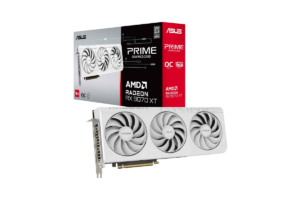
The RX 9070 XT has:
- 16GB of VRAM
- Strong traditional gaming performance
- And enough graphics power to make it a serious option for high-refresh-rate gaming
There’s also a more game-specific reason I’m interested in it.
Independent testing of the Modern Warfare 4 beta showed Radeon cards performing particularly well compared with competing NVIDIA GPUs in certain demanding scenes.
In one beta comparison, the RX 9070 XT even outperformed the RTX 5080 under the tested conditions.
That’s impressive, but I wouldn’t assume the same result will hold across every multiplayer map, graphics preset, or the final release.
Still, it makes the RX 9070 XT a particularly interesting card for MW4.
Would I buy it just for Call of Duty?
Not if my current PC already delivered the performance I wanted.
But if I were building a new system or upgrading specifically for high-refresh-rate 1440p gaming, this would be near the top of my list.
I’d buy it for: Strong 1440p performance and the flexibility to play demanding games beyond Call of Duty.
I’d skip it if: I were happy with my existing FPS or found it selling at a ridiculous markup.
Find it here: Check RX 9070 XT price on Amazon
Best Premium NVIDIA Option: NVIDIA GeForce RTX 5070 Ti
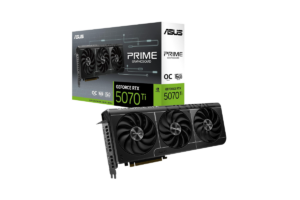
If you prefer NVIDIA, I’d look closely at the RTX 5070 Ti.
It comes with:
- 16GB of GDDR7 VRAM
- Excellent gaming performance
- And support for NVIDIA’s DLSS technologies.
It’s also an appealing card if you’re gaming, streaming, and recording on the same PC.
I recently wrote about that in Best Graphics Cards for Streaming in 2026
But for competitive Call of Duty, I wouldn’t make frame generation the deciding factor.
Frame generation can increase the number of frames displayed, but it doesn’t improve input responsiveness the same way a higher actual rendered frame rate does.
And when I’m playing a competitive shooter, responsiveness matters.
The biggest reason I’d hesitate with the RTX 5070 Ti is its price.
If the RX 9070 XT is considerably cheaper and performs similarly or better in MW4, I’d need another reason to spend the extra money.
I’d buy it for: Premium 1440p gaming, NVIDIA features, and content creation.
I’d skip it if: I only cared about Call of Duty performance and could get better value from AMD.
Get it here: Check RTX 5070 Ti price on Amazon
Before You Upgrade, Check Your CPU
This is something I need to consider with my own setup.
I have a Ryzen 7 3700X.
If I bought an RX 9070 XT tomorrow, I wouldn’t automatically expect to get the same frame rates as someone using a much newer gaming processor.
Modern multiplayer shooters can be CPU-intensive, particularly when you’re trying to reach extremely high frame rates.
At 1440p, the GPU still matters enormously, but the CPU can limit how many frames your system produces.
So before spending $600, $800, or more on a new graphics card, I’d check whether the GPU is actually what’s holding me back.
Modern Warfare 4 includes a built-in benchmark tool that reports CPU and GPU performance information.
If the CPU is already limiting performance, a more expensive graphics card might not deliver the improvement you’re expecting.
That’s also why I recommend reading What Should You Upgrade First in Your Gaming Setup?

The MW4 Settings I’d Prioritize for Competitive Gaming
Regardless of which graphics card you buy, I wouldn’t automatically use Ultra settings for multiplayer.
I’d start with:
- Resolution: 2560 × 1440
- Ray tracing: Off for competitive multiplayer
- Motion blur: Off
- Shadows and volumetric effects: Reduce if they’re costing substantial performance
- Upscaling: Test native resolution first, then DLSS, FSR, or XeSS if needed
- Frame generation: Off when prioritizing input responsiveness
- FPS limit: Adjust to maintain stable frame times and leave headroom where necessary
These are starting recommendations, not settings I’ve personally tested in the final version of MW4.
I’d also compare average FPS and frame-time consistency rather than chasing the highest number possible.
A stable 144 FPS can feel much better than a game bouncing between 110 and 200 FPS.
And if you’re trying to take advantage of a fast display, check out Best Monitors for FPS Games in 2026

Which GPU Would I Actually Buy?
For a new 1440p Call of Duty build, my first choice would be the RX 9070 XT, assuming the price is reasonable.
If I were working with a smaller budget, I’d compare the RX 9060 XT 16GB and RX 9070.
And if I wanted NVIDIA for streaming, recording, or other features, I’d consider the RTX 5070 Ti.
But I wouldn’t buy a new GPU before seeing how Modern Warfare 4 actually performs on my current PC.
My RX 6700 XT is older, but it isn’t automatically incapable of playing a new game.
If it delivers smooth gameplay at settings I’m happy with, I’m keeping my money.
If it struggles, I’ll use the game’s benchmark to figure out why.
And if a new graphics card genuinely makes sense?
Then I’ll upgrade.
Not because a new Call of Duty released, but because my PC actually needs it.