
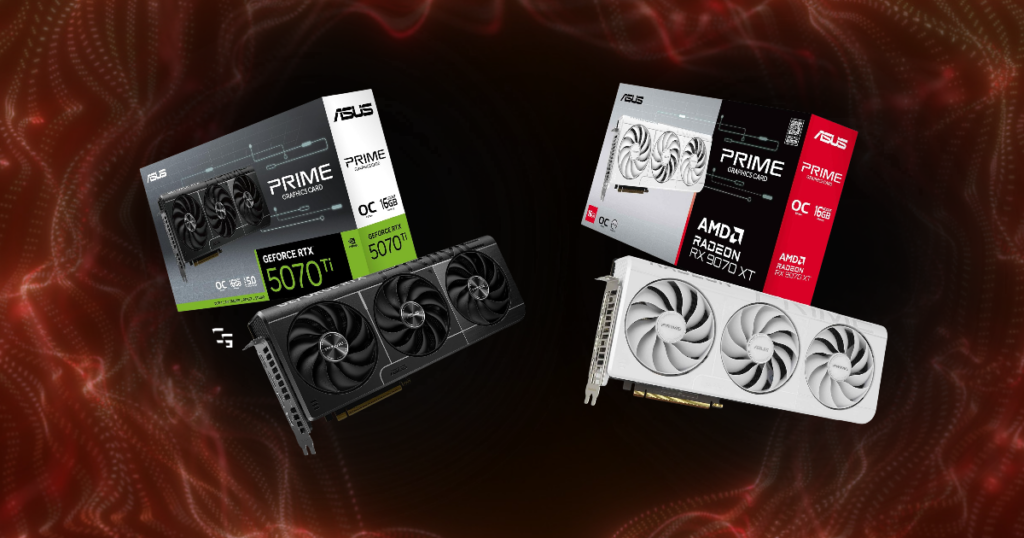
I’ve been gaming and streaming on an AMD graphics card for a while now.
My PC has an RX 6700 XT, and for the most part, it’s been a solid card. I’ve done:
- Competitive shooters
- Story-driven games
- Streamed on YouTube
- Recorded gameplay,
- & put the thing through plenty of work.
But I’ve also thought about switching to NVIDIA.
Not because I suddenly hate AMD. I’ve just gotten to a point where I’m asking more of my PC than I was when I started.
- I’m gaming
- I’m streaming
- I’m recording
- I’m editing videos
- & I’m trying to turn all of that into content for ChannlerG.
So naturally, I started wondering whether NVIDIA would actually make a difference.
And that sent me down the AMD vs. NVIDIA rabbit hole.
Here’s what I’ve learned about choosing between them in 2026, what each company does well, and why I wouldn’t automatically recommend the same graphics card to everybody.
This post may contain affiliate links. If you buy something through one of these links, I may earn a commission at no additional cost to you.

TL;DR: AMD vs. NVIDIA in 2026
- Best for gaming value: AMD
- Best for ray tracing: NVIDIA
- Best for upscaling and advanced graphics features: NVIDIA
- Best for streaming: NVIDIA
- Best for video editing and other creative work: NVIDIA
- Best for budget-conscious gamers: Whichever specific card delivers the performance you need at the better price
- Best overall: Neither brand wins automatically
If you mainly play games and AMD gives you similar performance for significantly less money, I’d have a hard time telling you to spend more just for an NVIDIA logo.
But if you care about ray tracing, DLSS, certain editing tools, or specific streaming features, paying extra for NVIDIA might actually make sense.
AMD vs. NVIDIA: What’s the Difference?
- Strong gaming value
- Competitive traditional rendering performance
- Radeon software
NVIDIA GeForce:
- Strong ray tracing
- DLSS technology
- Broad support for creator and AI applications.
Both AMD and NVIDIA make graphics cards that handle the actual work of rendering games.
They both offer cards for:
- 1080p
- 1440p
- & 4K gaming
They both support:
- Modern graphics technologies
- Hardware video encoding
- & Software that lets you adjust how your GPU behaves
The difference isn’t that one company makes gaming GPUs and the other doesn’t.
It’s how they approach performance, features, and pricing.
- AMD has often been attractive to gamers who want strong traditional gaming performance without paying a premium for every extra feature.
- NVIDIA has generally been stronger in advanced ray tracing, AI-assisted graphics technologies, and certain creative applications.
1. Gaming Performance: Which Is Better?
For regular gaming, AMD is seriously competitive
When we’re talking about traditional rendering, AMD can offer excellent performance for the money.
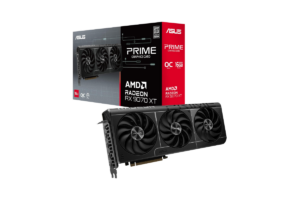
Take the Radeon RX 9070 XT and NVIDIA RTX 5070 Ti, for example.
Both have 16GB of VRAM, and both are capable 1440p gaming cards.
In conventional gaming benchmarks, their performance can be relatively close depending on the game. The difference in what you pay can be much larger.
That’s where AMD takes the lead.
If one graphics card delivers nearly the same experience for substantially less money, why would I automatically buy the more expensive one?
Check out my list of Best Monitors for FPS Games in 2026

NVIDIA is stronger when advanced graphics features matter
Start enabling demanding ray tracing, path tracing, or NVIDIA-specific DLSS features, and the comparison changes.
NVIDIA’s RTX 50-series offers some of the strongest gaming performance available, particularly at the high end.
So the question isn’t just:
“Which card gets more FPS?”
It’s:
“Which card gets the performance I want in the games I actually play, using the settings I care about?”
2. Ray Tracing: NVIDIA Has the Advantage
Ray tracing is one of those features that looks incredible in screenshots.
- Better reflections
- More realistic lighting
- More convincing shadows
Sometimes it can make a game look noticeably better.
Other times, I’m not sure I’d even notice the difference while trying not to get eliminated.
Ray tracing can be demanding, and enabling it can significantly reduce your frame rate, depending on the game and GPU.
NVIDIA generally handles demanding ray-traced workloads better than comparable AMD cards, although AMD’s newer RX 9000-series has improved substantially over previous generations.
If you’re buying a graphics card specifically because you want gorgeous single-player games with ray tracing turned up, I’d lean NVIDIA.
But if you’re playing competitive shooters and prioritizing high FPS, I wouldn’t spend hundreds more just for ray tracing performance I probably wouldn’t use.
3. DLSS vs. FSR: Does Upscaling Really Matter?
Yes.
Upscaling allows your graphics card to render a game at a lower internal resolution and then reconstruct the image at a higher output resolution.
The goal is to improve performance without sacrificing too much visual quality.
NVIDIA DLSS
DLSS is NVIDIA’s AI-powered upscaling technology.
Its newer versions offer:
- Advanced image reconstruction
- Frame generation
- and other features that can improve the experience in supported games
One of NVIDIA’s biggest advantages is the quality and adoption of its DLSS ecosystem.
It’s something I’d seriously consider if I were shopping for a new graphics card today.
AMD FSR
AMD’s FidelityFX Super Resolution technology serves a similar purpose.
AMD has continued improving it, including machine-learning-based upscaling and newer FSR Redstone features.
But you need to pay attention to compatibility.
Not every Radeon graphics card supports every version of FSR or every new feature.
My RX 6700 XT, for example, isn’t going to magically gain all the capabilities of an RX 9070 XT just because both cards are made by AMD.
The same general idea applies to NVIDIA.
Not every RTX card supports every DLSS feature.
Which would I choose?
For upscaling technology alone, I’d lean NVIDIA.
But I wouldn’t choose a graphics card based on upscaling alone.
If an AMD card costs considerably less and already delivers the FPS I want, that changes the decision.
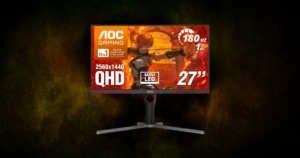
Take a look at some of the Best 1440 Gaming Monitors Under $300 in 2026
4. AMD vs. NVIDIA for Streaming and Recording
I don’t just play games, I stream them.
And lately I’ve been experimenting with recording gameplay while streaming, including trying to capture vertical footage for Shorts.
My PC hasn’t always loved that.
I’ve had:
- Choppy recordings
- Performance issues
- & Moments where I had to stop recording to get everything running smoothly again
At one point, simply streaming without the additional recordings worked much better.
Naturally, that made me start thinking about my graphics card.
But I want to be careful here.
I don’t know that switching to NVIDIA would automatically fix those problems.
- My Ryzen 7 3700X
- RX 6700 XT
- OBS settings
- Recording configuration
- Game demands
- & Storage workflow
…can all affect performance.
- A newer GPU might help.
- A different encoder configuration might help.
- Changing how I’m recording might help.
I need to identify the actual bottleneck before spending money.
What NVIDIA offers creators
NVIDIA has a mature hardware encoding ecosystem, including NVENC, and broad support across streaming and video applications.
That makes NVIDIA appealing when you’re gaming, streaming, and recording simultaneously.
It also offers AV1 encoding on supported newer cards, which can be useful for compatible streaming and recording workflows.
What AMD offers creators
AMD isn’t incapable of streaming.
I’m literally doing it.
And modern Radeon cards support hardware encoding, including AV1 on supported generations.
AMD’s RX 9000-series also introduced improvements to its video encoding hardware.
So I wouldn’t tell somebody they need NVIDIA to stream.
That’s simply not true.
My verdict for streaming
If I were buying a graphics card primarily for gaming and streaming, I’d give NVIDIA a closer look.
The encoder ecosystem and application support may make it a better fit for certain workflows.
Still, I’d compare the specific GPUs, the encoding formats I plan to use, and actual application performance before spending extra.
For my next upgrade, streaming and recording performance will matter almost as much as gaming FPS.
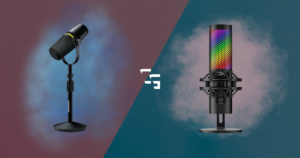
Need a mic for streaming? Check out USB vs XLR Mics: Which Should You Buy?
5. How Much VRAM Do You Actually Need?
VRAM is the dedicated memory on your graphics card.
Games use it for:
- Textures
- Rendering data
- & other graphical workloads
Run out of available VRAM, and you can experience stuttering, texture issues, or performance problems.
But more VRAM doesn’t automatically mean a graphics card is faster.
A weaker GPU with 16GB isn’t necessarily better than a stronger GPU with 12GB.
6. AMD Adrenalin vs. NVIDIA Software
I’ve spent a lot of time with AMD Adrenalin.
It’s where I can:
- Check performance
- Monitor my GPU
- Adjust settings
- Update drivers
- & Manage Radeon-specific features
For the most part, I’ve been fine with it.
That doesn’t mean I’ve never had a frustrating PC problem.
But I’m not going to blame every issue on AMD just because it’s the name on my graphics card.
NVIDIA has its own software ecosystem, including the NVIDIA App and creator-focused tools.
And both companies continue updating drivers and adding features.
I wouldn’t choose one brand solely because of the software interface.
But I would look closely at any specific tools I planned to use.
If you’re depending on a particular feature for work or content creation, compatibility matters a lot more than whether the menus look nice.
7. What About Video Editing and Content Creation?
I use DaVinci Resolve to edit my videos.
And as ChannlerG grows, that’s becoming a bigger part of what I do.
NVIDIA GPUs benefit from broad support for CUDA, a computing platform used by many creative and AI applications.
AMD uses different GPU computing technologies, and plenty of creative software supports Radeon cards too.
But some applications and effects perform better on NVIDIA, or require NVIDIA-specific acceleration.
That doesn’t mean you should buy NVIDIA if you occasionally edit a YouTube video.
It means you should check the software you’re actually using.
For me, I’d want to compare:
- DaVinci Resolve performance
- Hardware decoding and encoding
- GPU effects
- & Overall workflow
If I’m going to spend hundreds of dollars upgrading my PC, I want that money improving more than one part of my setup.
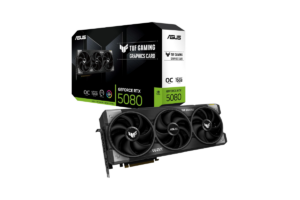
AMD vs. NVIDIA: Which Would I Buy?
- Budget gaming: AMD gets my first look.
If a Radeon delivers the performance I want for less money, that’s hard to ignore. But I’d compare individual cards rather than assuming AMD always wins on price. - Competitive shooters: Whichever delivers the better FPS value.
I’d prioritize stable frame rates, low latency, and the monitor I’m actually using over ray tracing. - High-end single-player games: NVIDIA
If you want demanding ray tracing, path tracing, and the strongest DLSS features, NVIDIA makes a compelling case. - Streaming and content creation: Lean NVIDIA
I’d pay attention to encoder quality, application support, and how well the GPU handles the specific recording workflow. - 1440p gaming: Compare AMD and NVIDIA directly
Cards like the RX 9070 XT and RTX 5070 Ti illustrate why the actual price difference matters more than brand loyalty.
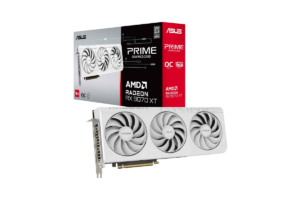
Is AMD Still Worth Buying in 2026?
Absolutely!
And I say that as somebody who has been considering NVIDIA for his next upgrade.
My AMD graphics card hasn’t suddenly become a bad purchase because I’ve started looking at other options.
- It’s helped me build ChannlerG
- I’ve streamed games
- Recorded content
- Played competitive shooters
- Finished story games
- And spent far too many mornings sitting at my desk before most people are awake
I don’t regret buying it.
But I also don’t think that means I have to buy AMD again.
You don’t have to become loyal to a graphics card company.
Buy what works.
If AMD makes the better option for your budget, buy AMD.
If NVIDIA offers features you genuinely need, buy NVIDIA.
You aren’t signing a lifelong contract.
Check out the Best Prebuilt Gaming PCs for Every Budget
Should You Upgrade Your GPU in 2026?
Do you actually need a new graphics card?
- If your games run well
- Your recordings look good
- & Your PC does what you need it to do
…what problem are you solving?
I understand wanting new hardware; believe me, I’ve spent plenty of time looking at equipment I don’t need.
But graphics cards are expensive, and current pricing makes the decision even more important.
Some cards are selling well above their original launch prices in October 2026.
That makes blindly buying the newest model a particularly bad idea.
I’d start with the game or task your current GPU struggles with.
Then figure out what performance improvement you need.
Then decide how much you’re willing to spend.
And only then would I start comparing graphics cards.
More on this in What Should I Upgrade First in Your Gaming Setup?

My Verdict: AMD or NVIDIA in 2026?
If I were building a gaming PC strictly to play games, I’d seriously consider AMD first, particularly if the Radeon option offered similar traditional gaming performance for noticeably less money.
But for my own next upgrade?
I’m leaning NVIDIA because my priorities have changed.
I still care about gaming performance, but now I also care about:
- Streaming
- Recording
- Editing
- & Making that entire process easier.
If NVIDIA can meaningfully improve those workflows, paying more could be justified.
But I’d want to see that improvement before spending the money.
And if the NVIDIA option costs hundreds more for a difference I’d barely notice?
I’d happily stick with AMD.
That’s where I land on this comparison.
AMD vs. NVIDIA isn’t about which company deserves your loyalty. It’s about which graphics card deserves your money.